Interview Question Settings
Recruitis is constantly evolving, and much of the credit goes to you. Your insights, ideas and feedback from everyday work are our most valuable guide to where to take the application next.
Thanks to them, this time we focused on preparing interview and questionnaire questions – a step every recruiter takes, but one that should take as little time as possible.
The result is a clearer interface and several new options that let you prepare an interview faster and with greater flexibility.
💡 You still open the question settings with the same "Edit" button in the tab of each interview on the candidate card.
What's new at first glance: editing in the right panel
You no longer edit questions on a separate page. The whole preparation now takes place in the right panel, so you don't leave the place where you are working and always have all the information you need at hand. No jumping between pages and no searching for where you left off.
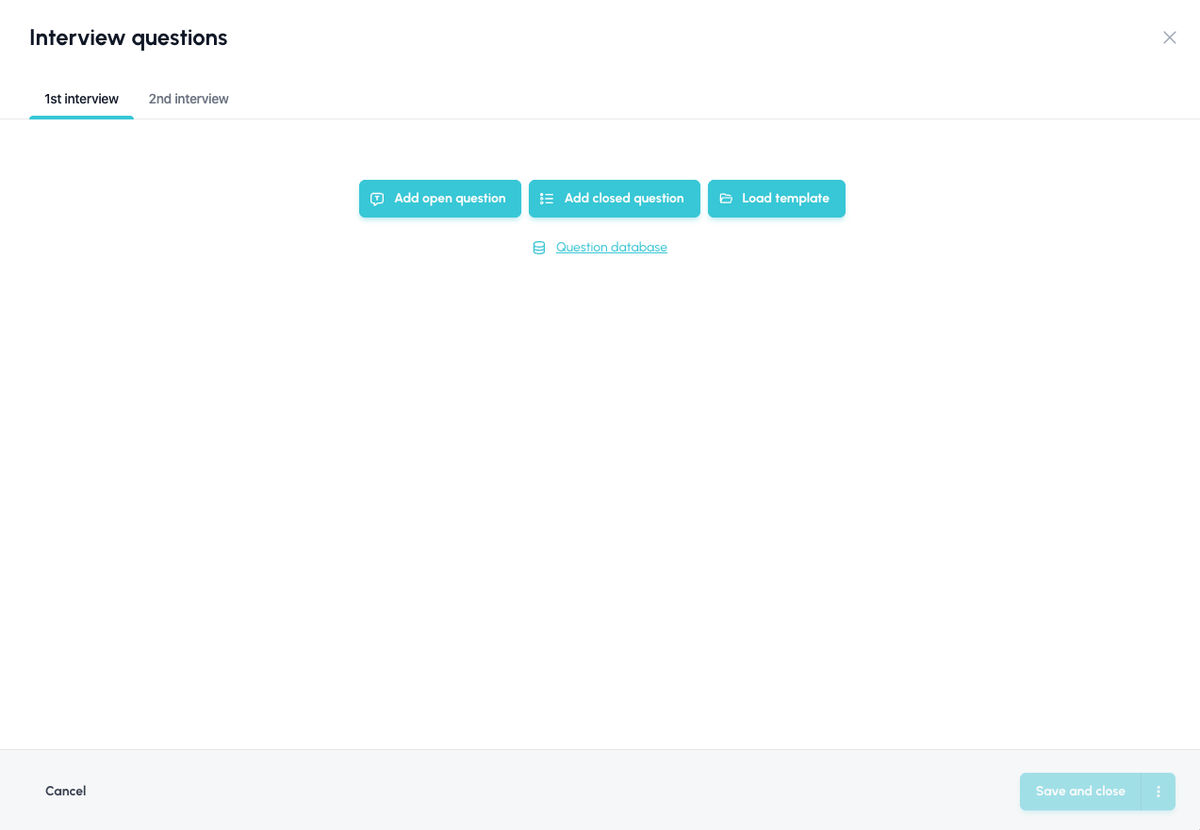
A new user interface that makes your work easier
The new design is not just about a new, unified look of the application, but also about lots of small practical improvements. Here is an overview of the main ones:
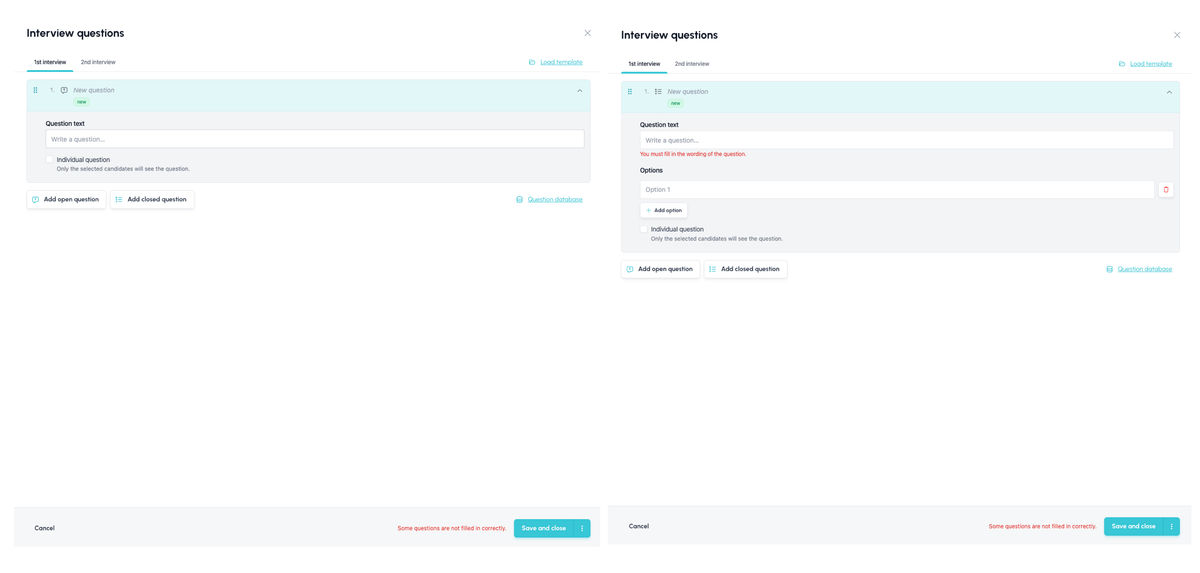
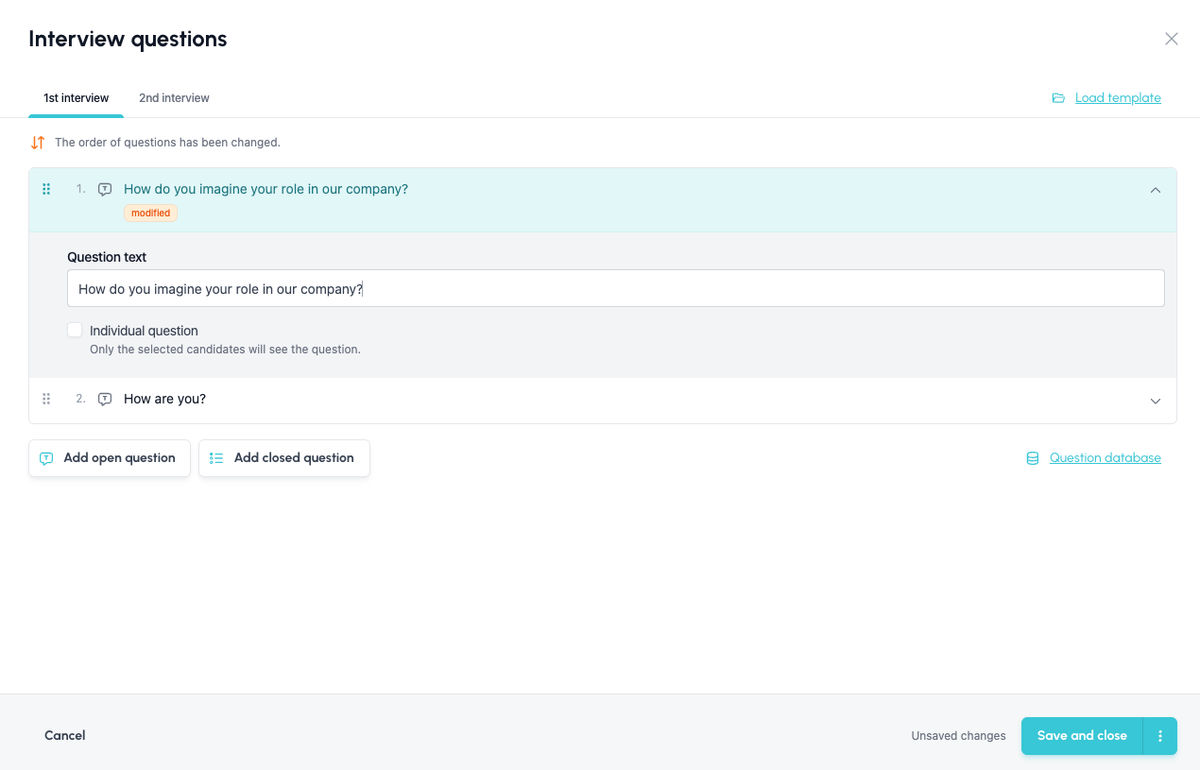
- You control everything in one compact dialog. You no longer create questions in one place and see them listed in another. All settings for each question are in one place, which you can expand or collapse as needed.
- You add open and closed questions with a single click. A newly added question knows its type right away, so there is no need to set it afterwards. A closed question immediately expects the first option.
- Switching between open and closed questions. Using the icon next to the question name, you can change an open question to a closed one (or vice versa) if you realise while defining it that the other type would work better. You don't have to throw everything away and start again.
- Individual questions for multiple candidates at once. You no longer have to enter individual questions candidate by candidate. You can now assign them to multiple candidates at once, not just to the one you are currently viewing. Ideal, for example, when you want to verify the same experience from the CVs of several applicants.
- Easy reordering of questions. You can simply move questions up and down in the list. This way you can build the interview in an order that makes sense, for example from general questions to specific ones.
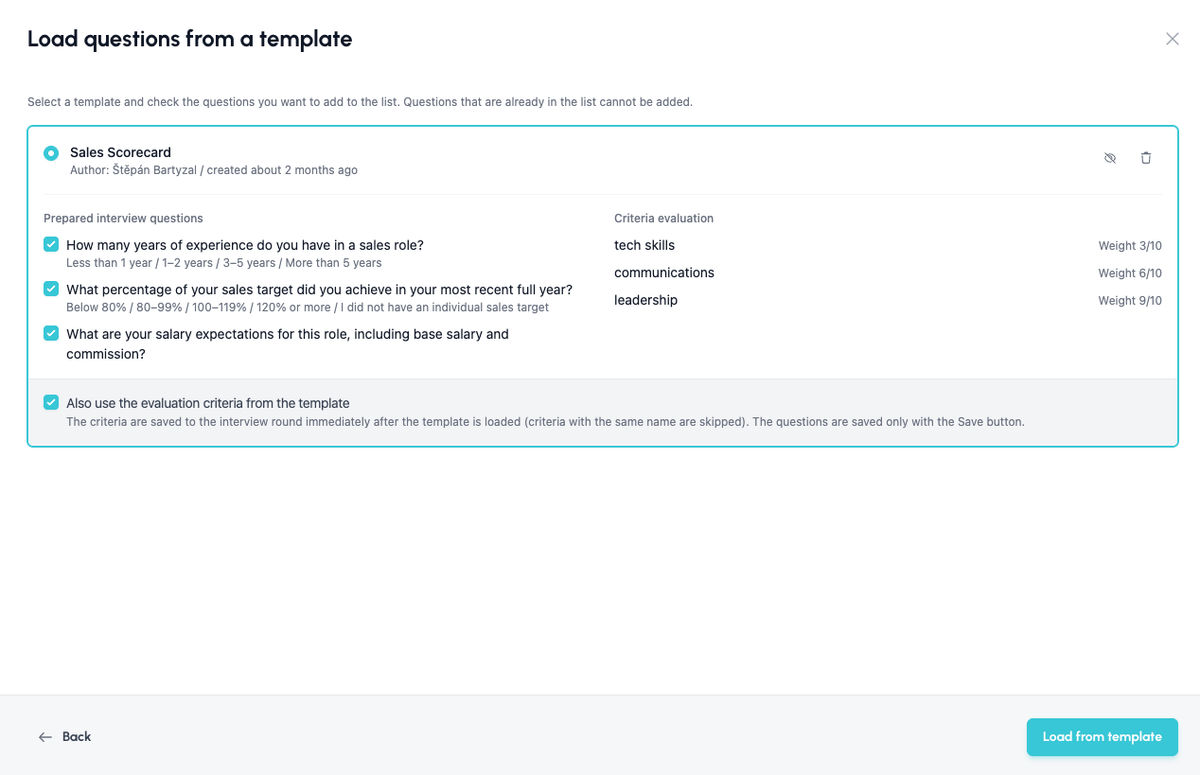
You can choose to load only some questions from a template, or leave out the criteria
Do you have a proven set of questions but need to use it for a different type of position? You can now load just the questions from a template, without the evaluation criteria. You then set the criteria to match the specific position, and you don't have to write the questions again.
Or you can pick only some relevant questions and then add your own ad-hoc questions for the given position or candidate.
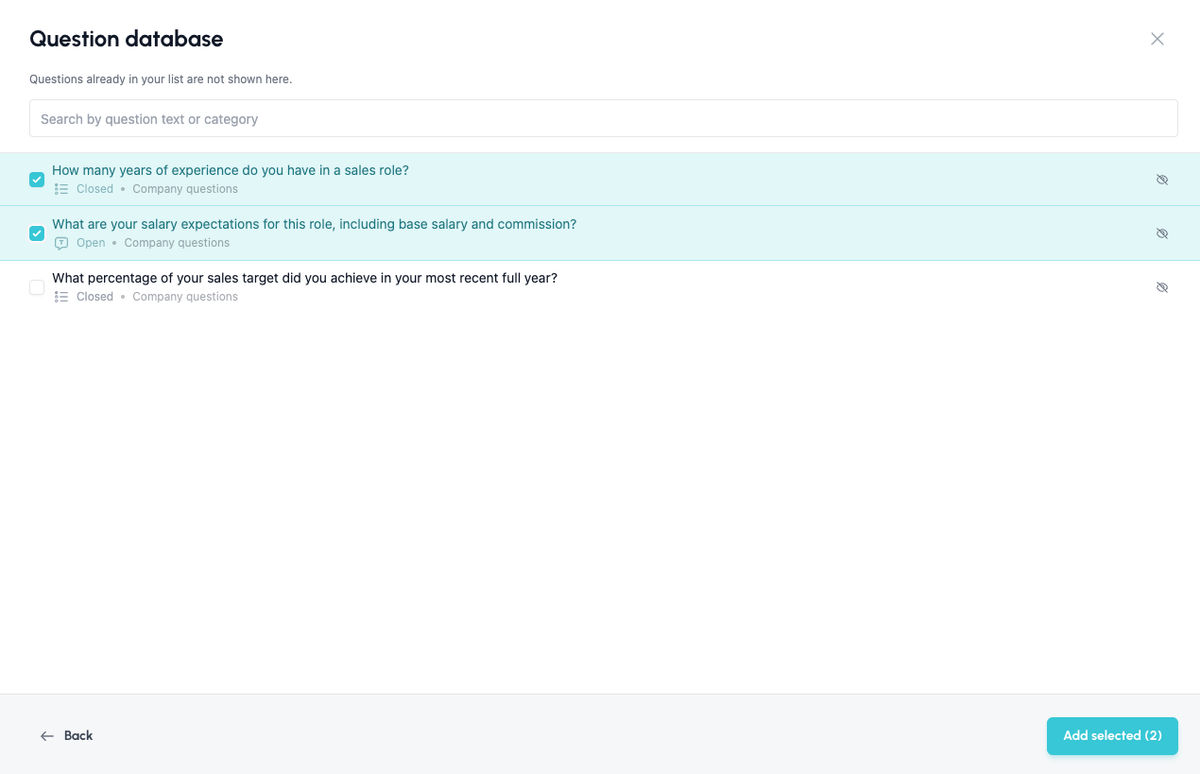
Templates and the question database always at hand
Loading a template and choosing from the question database are available even while you are creating new questions.
This lets you easily combine your own questions with proven ones without having to go back. In the question database you can select multiple questions at once, and you can also delete irrelevant or even inappropriate questions from the database right away.
Warning about changes before saving
The dialog warns you about unsaved changes – including, for example, a change in the order of questions. Newly added questions are shown with a "New" label so you can easily tell them apart from the original ones.
💡 Practical tips
- Build a library of templates. The more good templates you have, the more work the new option to load only questions will save you across different positions.
- Think about the structure of the interview. Thanks to reordering, you can build the interview logically: warm-up questions, the professional part and finally room for the candidate's questions.
- Structured interview = fair comparison. When all candidates get the same questions with the same criteria, it is much easier to compare them with each other.
Related articles
Webhooks for the Nelisa portal
Let ATS Recruitis automatically download your candidates from the Nelisa portal.
Impersonation
Combining the answers of a historically depersonalized candidate with a new answer.
Talent database and its possibilities
The talent database does not have to be used only for searching contacts for candidates.