Starting day management
We're rolling out an improvement many of you have requested. You can now enter a candidate's start date directly when moving them to the "Hired" stage in the flow – no need to use a hiring proposal, and no need to wait until the actual start date.
What you'll gain:
- More accurate reporting – start date appears in reports even if you don't use the hiring proposal module.
- Less manual work – no more waiting to move a candidate to "Hired" until their actual start day, no more reminders.
- Better visibility – start date is shown on the candidate's profile and in the job detail.
- A bonus for Referral programs – the start date serves as a reliable trigger for paying out the referrer's reward.
How to enter a start date
Flow setup (one-time)
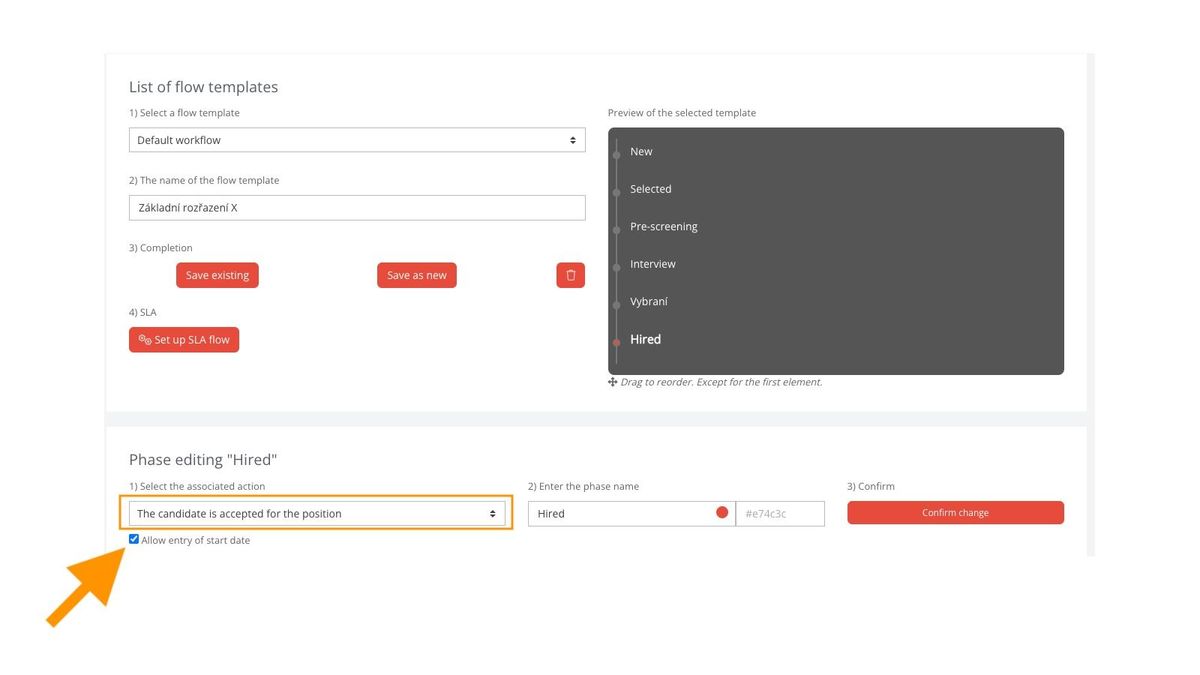
In the recruitment flow definition, there's a new checkbox next to the "Candidate is hired for the position" action that enables the start date prompt.
💡 If you use multiple recruitment flows, enable this only where it makes sense (e.g. roles where you actively report on hires).
When accepting an individual candidate
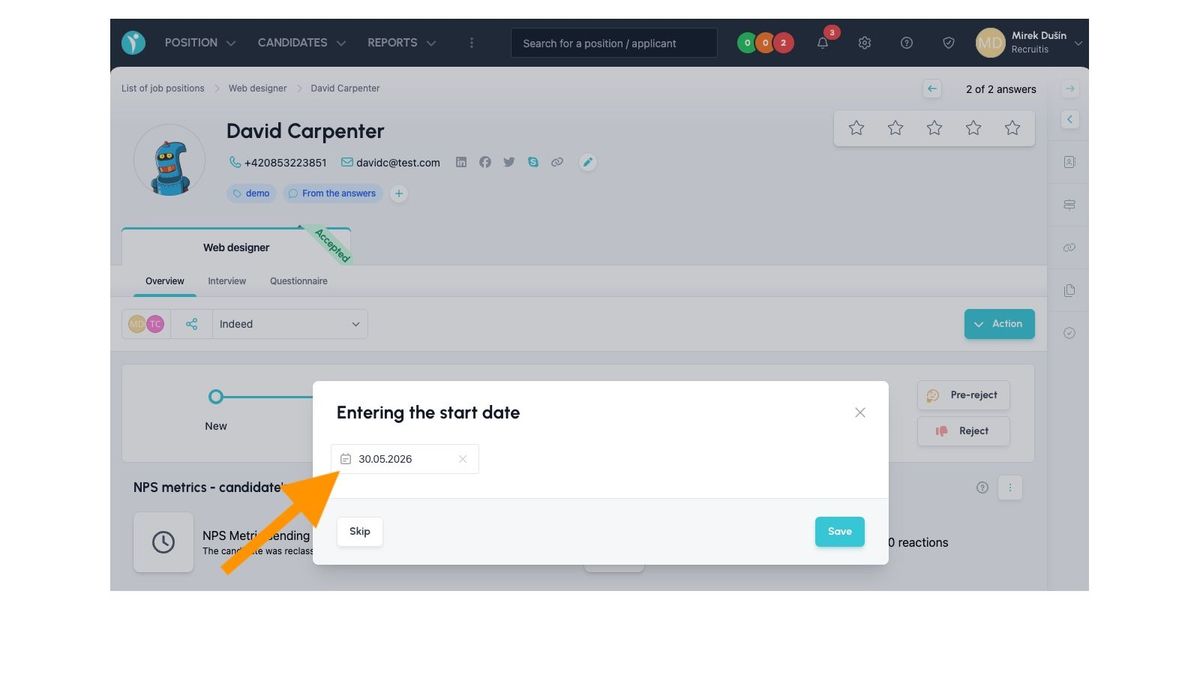
Once you move a candidate into a status with the "Accepted" action (typically the last status in your flow) and you have this flow set up to allow entering a start date, a dialog will appear where you:
- Select the start date using the calendar.
- If you click "Save", the date is saved; if you click "Skip", the date is not saved. In both cases, a dialog for sending the candidate an acceptance email will then pop up (i.e. the dialog that used to appear as the only one before the start date entry option was introduced).
The date is saved in the same way as if it had been entered in the offer – so the entire system works with it, including reporting.
Where to see the start date
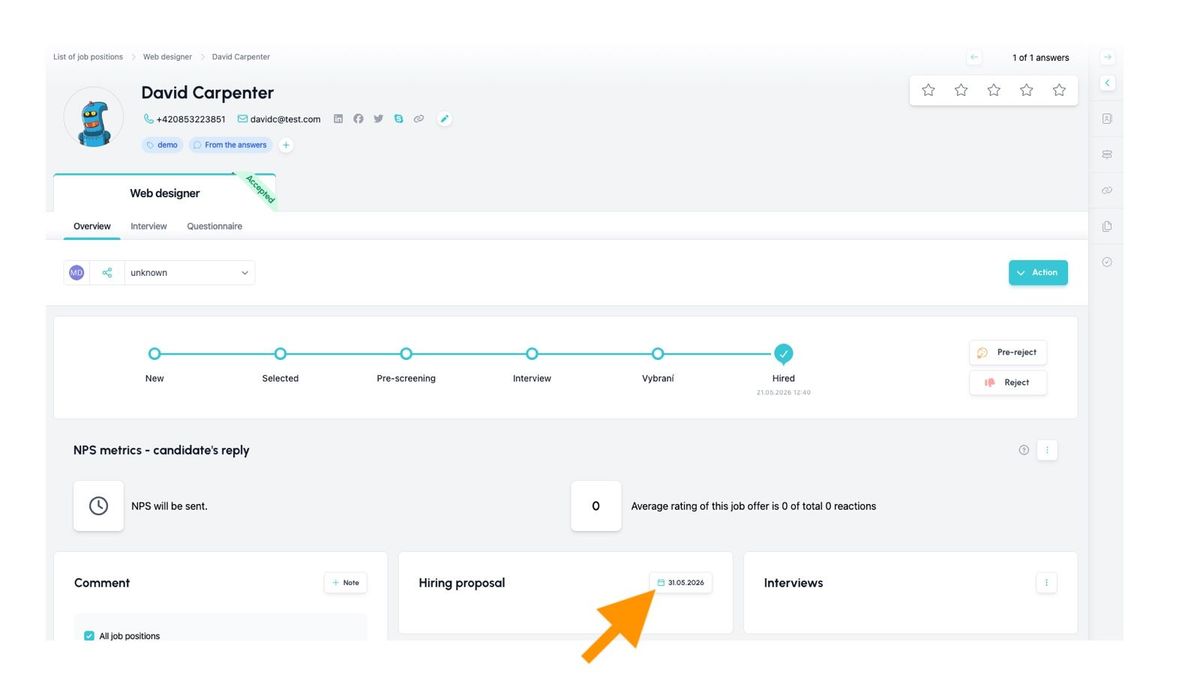
Candidate profile – "Job Offer" widget
The start date automatically appears in the Job Offer widget, whether it was entered through the flow or through the hiring proposal.
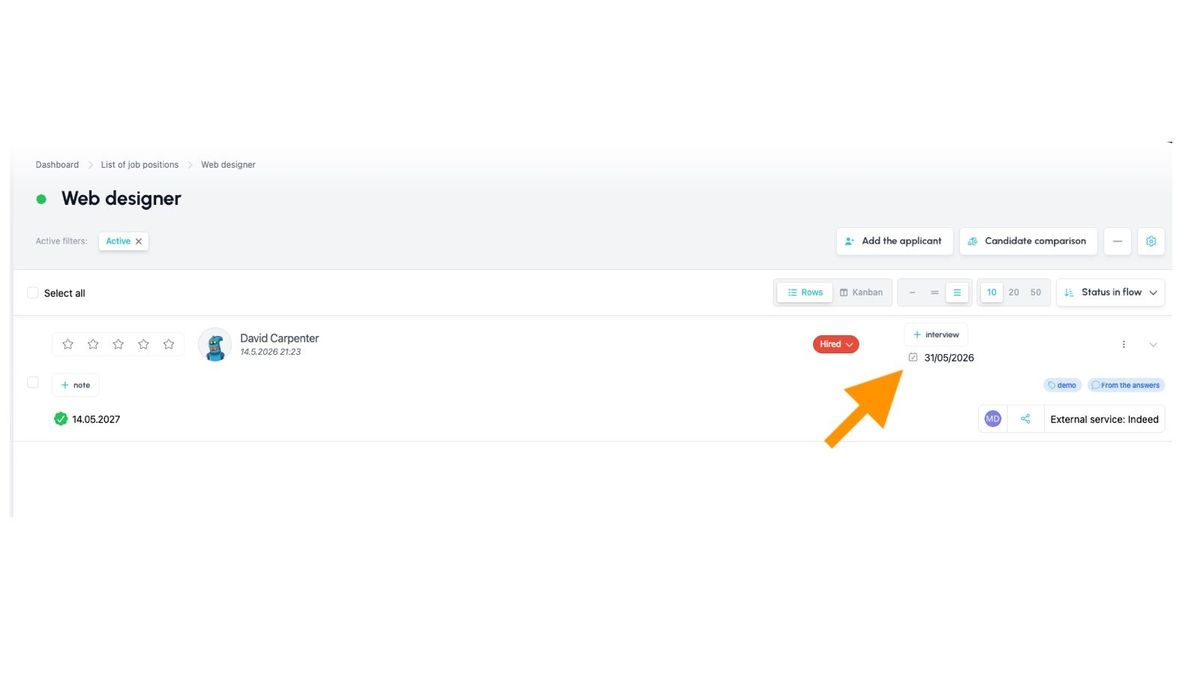
Job detail
In the job detail, the start date is shown in the third most detailed view.
Reporting
The start date is now reliably available in these reports:
Analytics → Position report → Hired candidates
- The "Start date" column now pulls from this field, populated either from the offer or from the flow.
Excel report (Reports → Reports)
- We've added a new column HiringProposalEmploymentDate (between RequirementNote and HiringProposalAmount).
- Note: the existing EmploymentDate column remains and continues to show the request from the "Candidate requirements" widget.
API
- The start date is available through the new reporting endpoints.
Internal NPS (a.k.a. overview of accepted candidates)
- The report will be extended with a new column showing the start date, as well as filtering by start date.
Rules for edge cases
Since the start date can now come from two places (proposal or flow), these rules apply:
- If a hiring proposal with a start date exists – this value takes precedence. You won't be able to enter the date again when moving to "Hired", and the widget will show the value from the proposal.
- If no hiring proposal exists – you can enter the date in the flow, and the "Job Offer" widget will show only the date itself (without author, approver, and candidate, since those come from the proposal).
- Editing the date without a proposal – if no proposal exists, you can edit the date directly in the widget. There's no need to move the candidate through the flow again (which could affect your statistics).
- First date in flow, then creating a proposal – the proposal's date will overwrite the original value. The hiring proposal is the master source.
Related articles
Webhooks for the Nelisa portal
Let ATS Recruitis automatically download your candidates from the Nelisa portal.
Impersonation
Combining the answers of a historically depersonalized candidate with a new answer.
Talent database and its possibilities
The talent database does not have to be used only for searching contacts for candidates.