Checklist report
Keep track of what really happened in your recruitment! Checklists in Recruitis are a great helper wherever a single status in the workflow isn’t enough.
Within one step of the selection process, they let you break the work down into specific subtasks so that nothing slips through the cracks. For example, you can use them to:
- keep an eye on document checks (CV, certificates, criminal record extract),
- hand over tasks to managers as virtual subtasks without having to move the candidate in the flow,
- verify that an interview took place, who attended it and who filled in the interview card.
Until now, you could create and fill in checklists. Now you also have a checklist report, which shows you the whole picture: what is done, what is pending and what didn’t happen.
Where to find the report
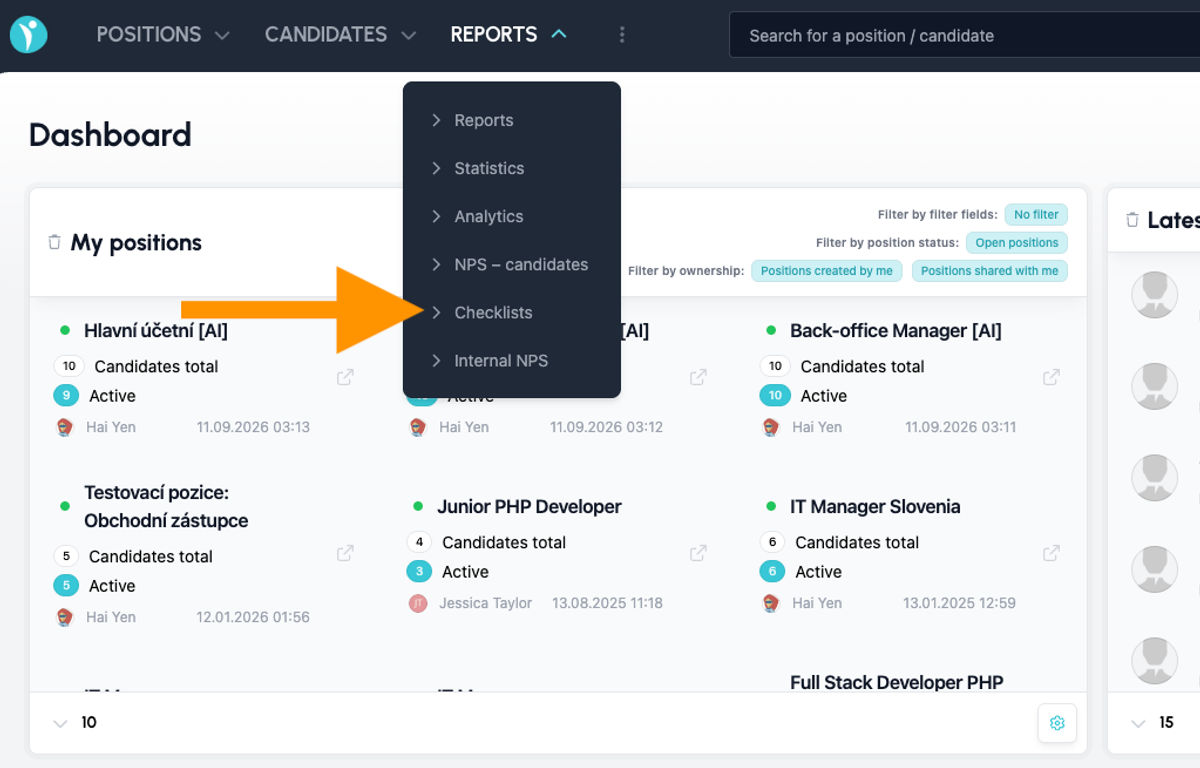
You will find the report in the main menu under Reports → Checklists.
Every user who can see the Reports menu has access to the report. Users with the manager role and lower don’t have this menu, so the report isn’t shown to them.
💡 Checklists and their report are available from the Premium license.
What you will see in the report
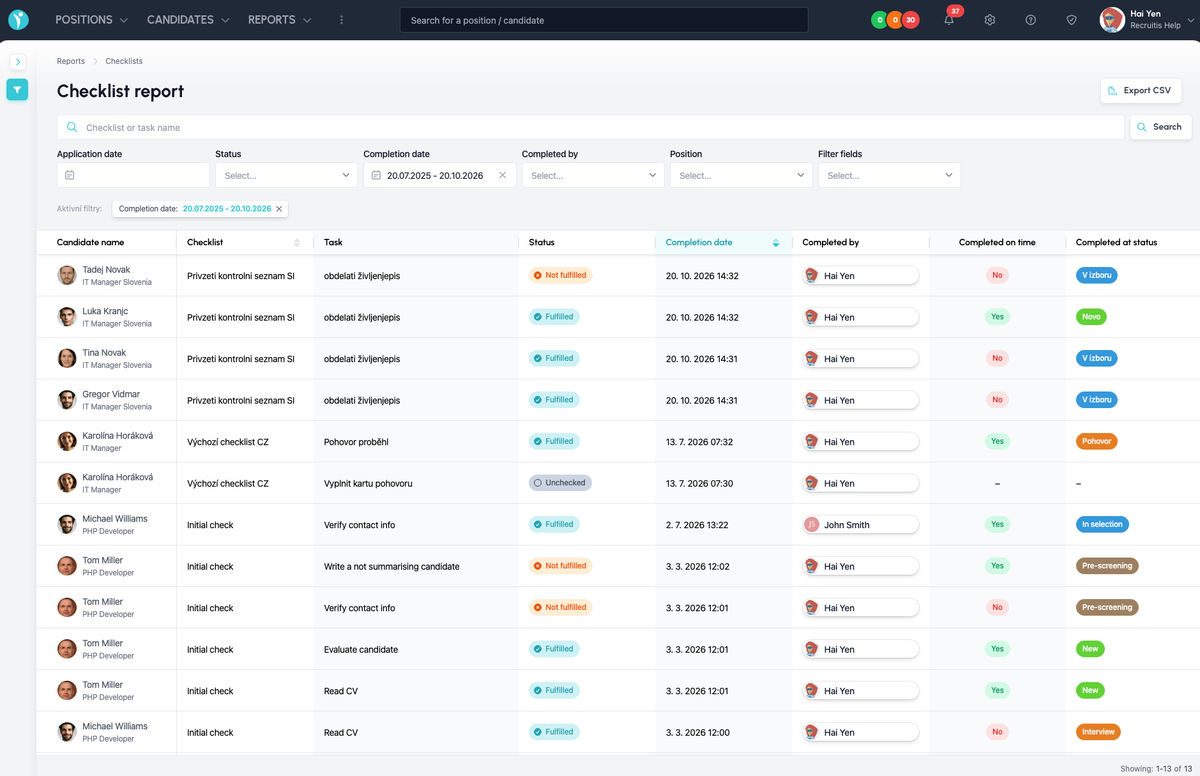
Each row of the report represents one checklist task for a specific candidate. The following columns are available:
- Candidate name – the candidate, including the position they are applying for
- Checklist – the name of the checklist the task comes from
- Task – the specific checklist item
- Status – Completed, Not completed or Unchecked
- Completion date – when the task was filled in
- Completed by – who filled in the task
- Completed on time – whether the task was filled in by the deadline (Yes / No)
- Completed in status – which workflow status the candidate was in at the moment the task was filled in
You can also sort the results by the Checklist and Completion date columns.
How to work with the report
You can easily narrow the report down to just the data you are interested in. In the search field, you can enter the name of a checklist or task and further filter the results by:
- the candidate’s Response date
- the task Status
- Completion date
- Completed by
- Position
- Filter items
You can see the active filters clearly above the table and cancel them again with a single click.
You can save the filtered result with the Export CSV button and keep working with it, for example in Excel or another data analysis tool. The CSV output also includes the candidate ID, so you can easily match the data with other exports.
Practical examples
- Watching deadlines – filter the tasks that were not filled in on time and find out where the process is slowing down.
- Checking documents before the start date – display the Not completed status for the document-check checklist and you immediately know who is still missing something.
- Overview of cooperation with managers – by filtering by who completed the task, you can easily check whether managers really carry out their subtasks.
- Interview audit – check which candidates have had an interview but are still missing a completed interview card.
- Regular reporting – export data for a month or a quarter to CSV and track how checklist completion develops over time.
💡 The more specifically you name the tasks in your checklists, the more useful the report will be. Instead of a generic “Check”, choose, for example, “Verify contact details” or “Check the criminal record extract”.
Related articles
Webhooks for the Nelisa portal
Let ATS Recruitis automatically download your candidates from the Nelisa portal.
Impersonation
Combining the answers of a historically depersonalized candidate with a new answer.
Talent database and its possibilities
The talent database does not have to be used only for searching contacts for candidates.