Recruitment Output
The recruitment process is over, the candidate has started – and now comes the moment when you need to document the whole process, justify the budget, hand over information to an HR business partner, or simply keep everything in one clear place. Until now, that meant manually copying data from different parts of the system, digging up interview evaluations, and putting together a candidate overview in a separate document. Slow, error-prone, and frankly unnecessary.
The Recruitment Output feature does this work for you. With a single click from the position detail, you generate a complete overview of the entire recruitment process – from the requisition through every candidate and their journey through the recruitment flow, to structured interview records and key statistics. You can view the result directly in the system, print it, or send it as a PDF by email – to a colleague, your manager, or your internal documentation.
Whether you need to demonstrate the transparency of the selection process, prepare material for reporting, or simply want to keep a complete history of the recruitment in one place, Recruitment Output saves you time and hassle. And thanks to flexible display settings, you always get exactly what you need – nothing more, nothing less.
Where to find it
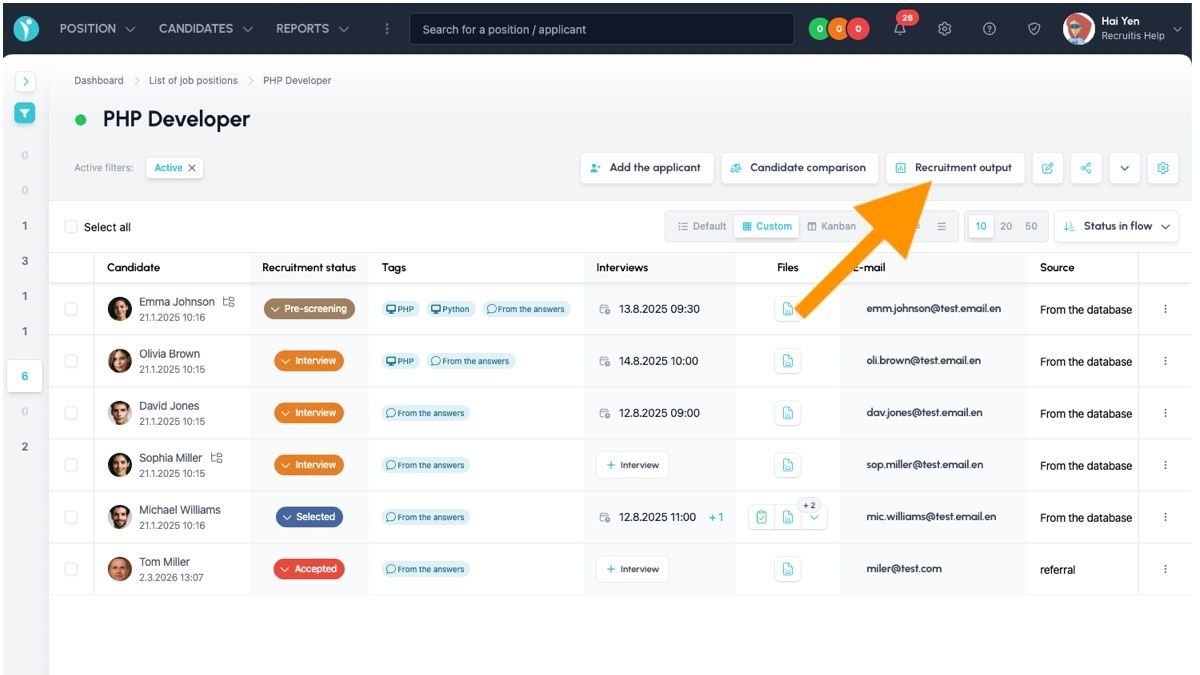
You can generate the recruitment output directly from the position detail using the "Recruitment Output" button.
What's included
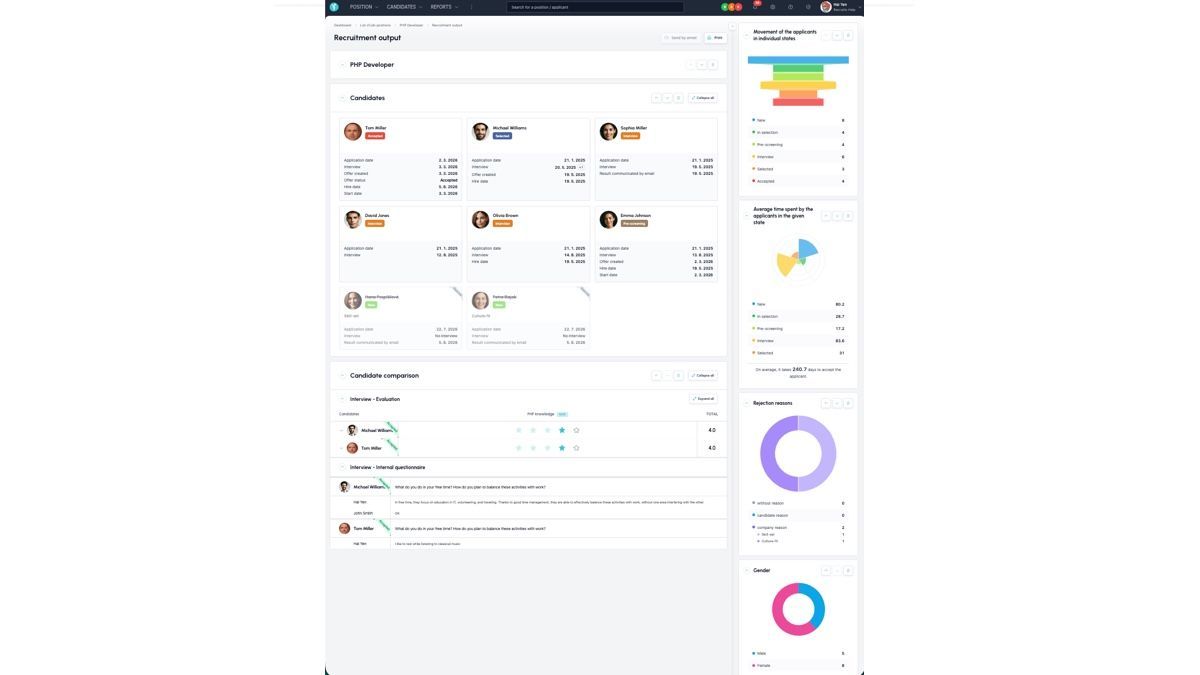
Once generated, you get a clear overview page containing:
- Basic information about the position and requisition – if the position was created from a requisition, you'll also find its details here.
- Overview of candidates and their statuses in the recruitment flow – for each candidate, you can see how far they got in the process, or why they were rejected.
- Structured interview records – evaluations of individual criteria as well as answers to structured questions candidates answered during interviews.
- Position statistics – summary figures reflecting the course and effectiveness of the recruitment.
You can view the entire output online, print it, or send it as a PDF attachment by email.
Flexible configuration
You can customize the recruitment output exactly to your needs:
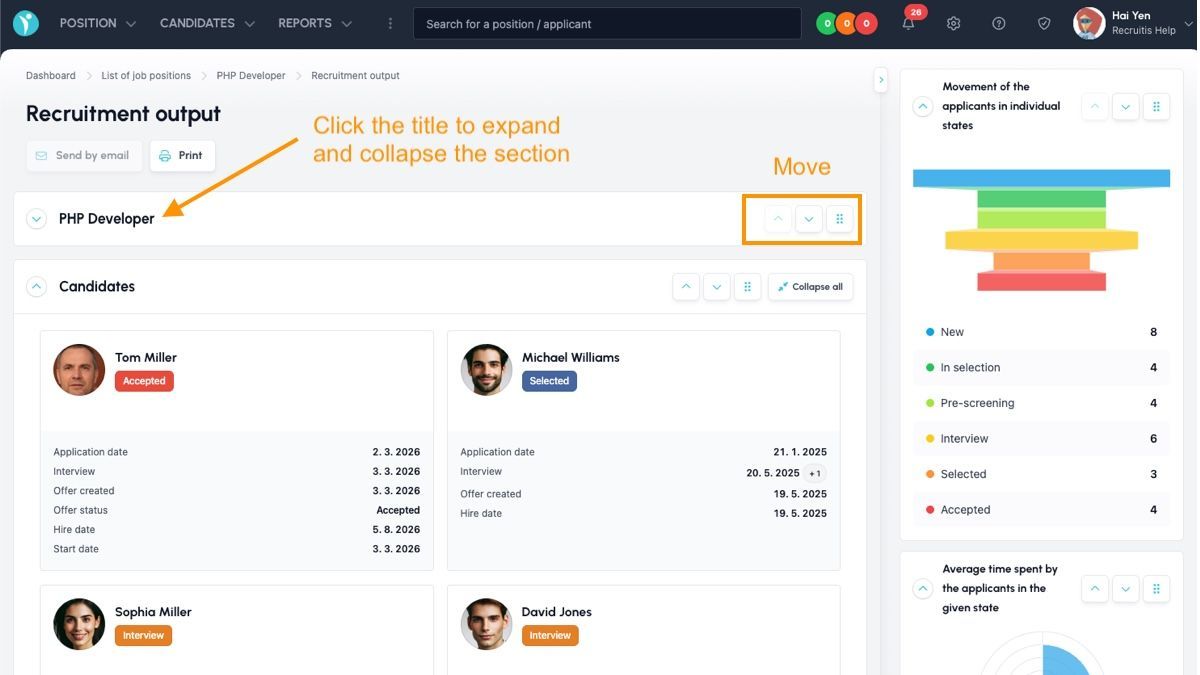
- Order of elements on the page can be freely rearranged – and the same order carries over to the printout or resulting PDF.
- Elements you're not interested in can simply be minimized and excluded from the output.
This means every user can create a "tailor-made" output – whether a brief overview for a quick check, or a detailed report with all available data.
Related articles
Webhooks for the Nelisa portal
Let ATS Recruitis automatically download your candidates from the Nelisa portal.
Impersonation
Combining the answers of a historically depersonalized candidate with a new answer.
Talent database and its possibilities
The talent database does not have to be used only for searching contacts for candidates.