Work Fields and Professions as Optional Field for Position
Work fields and professions are an important item in multi-posting ads to job portals, career pages, and other channels. Until now, they have always been mandatory, primarily for compatibility with third-party job portals.
However, there are scenarios where you don't need fields as such - typically, if a company publishes only on its own channels and has field definitions resolved differently (e.g., with filter items), or doesn't need them at all.
Settings
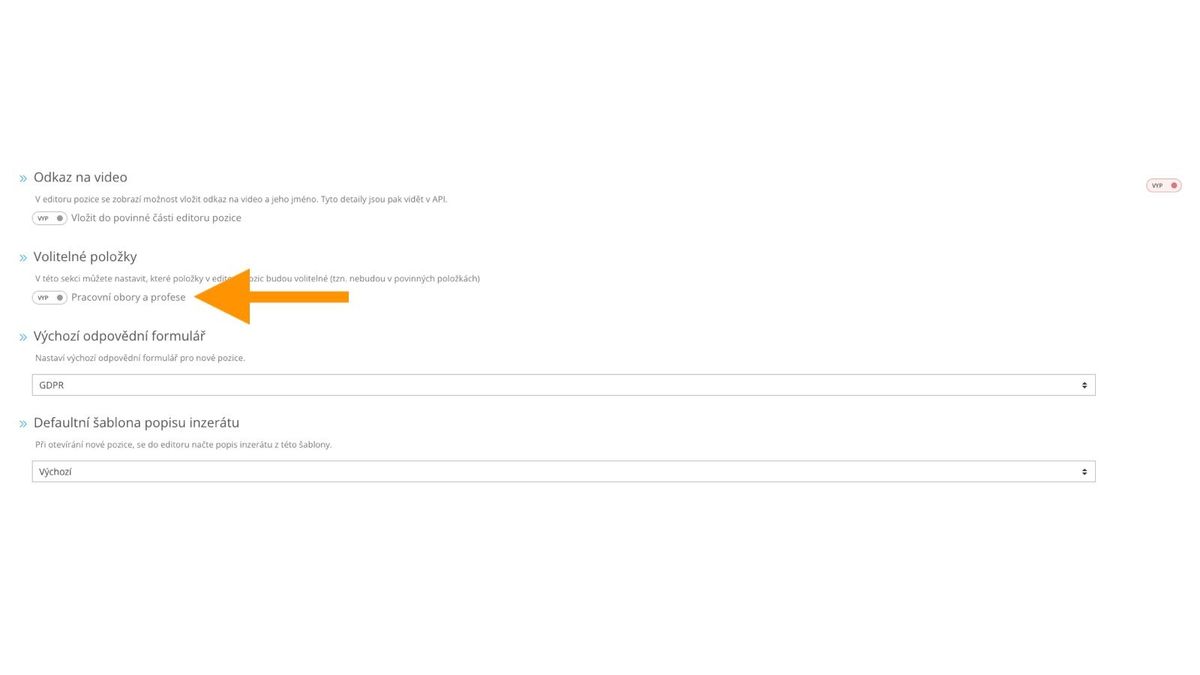
In the position editor settings (link), go to "Optional items" and "Work fields and professions":
Behavior
If you enable this item (i.e., select "ON"), "Work fields and professions" becomes an optional item and disappears from the mandatory items in the editor.

Validation
In addition to changing the position in the editor, it is therefore important that you can publish a position without defined fields and professions. But you may still need to publish some positions on channels that require fields and professions, typically XML publishing channels for matching to job portals.
For these cases, ATS Recruitis still checks for the presence of fields and professions in the position definition and if they are missing, displays a warning:
- in the last publication step
- in the position publishing channel settings
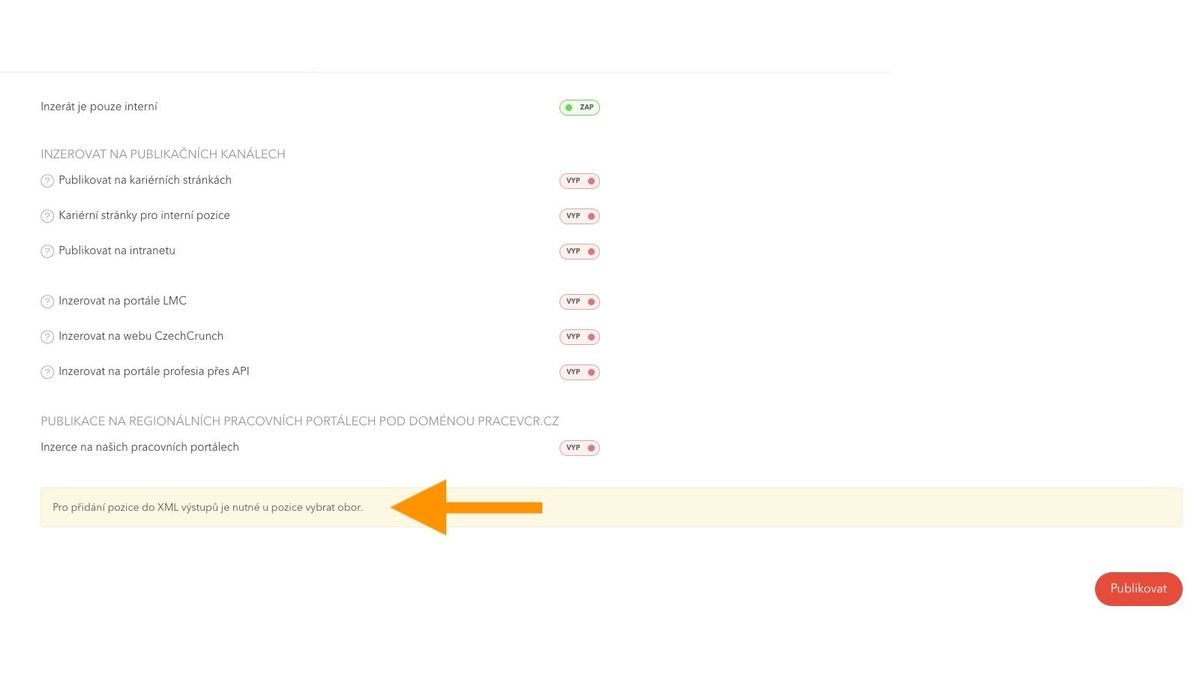

In the publishing channel settings, you can easily click through directly to the editor using the "Select field" link in the bottom right corner of the green infobox.
Related articles
Webhooks for the Nelisa portal
Let ATS Recruitis automatically download your candidates from the Nelisa portal.
Impersonation
Combining the answers of a historically depersonalized candidate with a new answer.
Talent database and its possibilities
The talent database does not have to be used only for searching contacts for candidates.