Integration with Skilleto portal
The integration of ATS Recruitis and the Skilleto.cz portal is realized through a publishing channel in XML format. Within this link, the positions you mark for publication on this portal are listed.
The transfer of candidates who respond on the portal back to ATS Recruitis is done using the logic set up on the Skilleto.cz portal.
1 Settings on the ATS Recruitis side
On the ATS Recruitis side, you primarily need to create a new publishing channel with XML in the default format:
The first step is to create a new publishing channel. In the "Settings" menu, select "Publishing channels" (link)
Create the channel using these steps:
- select "Add new publishing channel"
- enter the name of the publishing channel - in this case, e.g., "Skilleto"
- you can also enter an email address for notifications about new positions (in this case, this is probably not desirable)
- finally, select the output format, which is the format in which the position data will be displayed on this channel - in this case for Skilleto, we leave the default setting

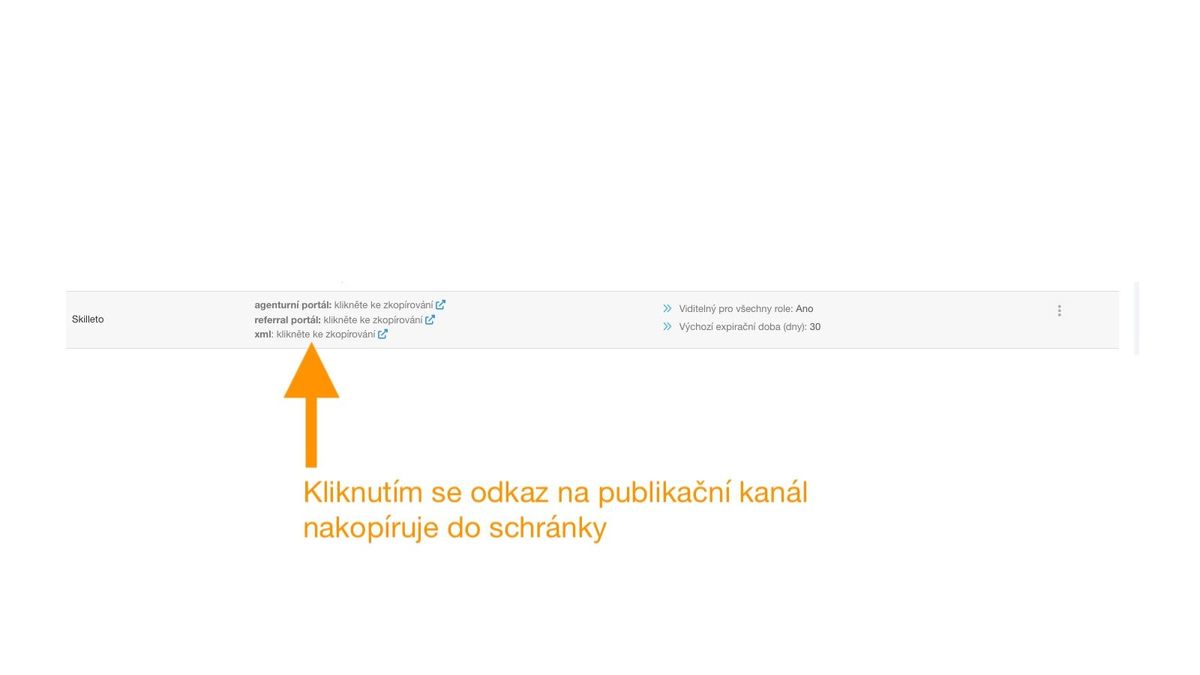
After creation, you can immediately copy the link to the newly created channel; you will need it for settings on the Skilleto portal.
If you click on the content of the newly created publishing channel, it will show you a 404 error. This is the expected state until you add at least 1 position to the channel.
2 Settings on the Skilleto portal side
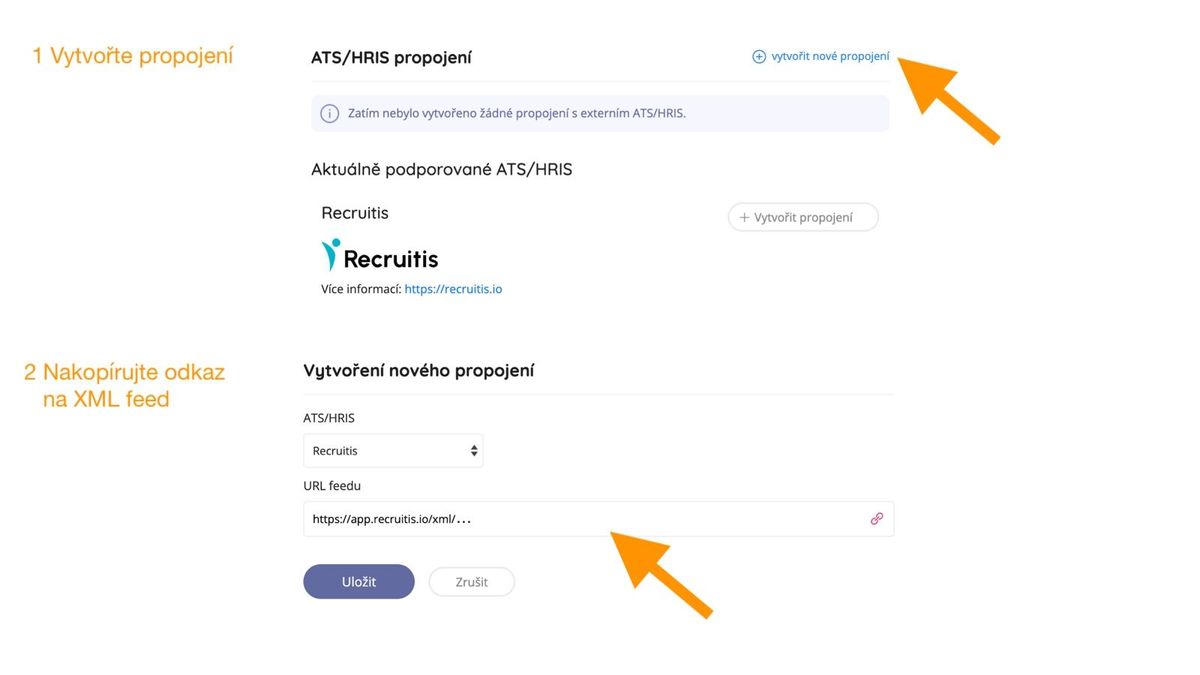
Within the Skilleto portal, you will link the newly created XML publishing channel to your account:
Important information:
- The import of job positions will occur regularly every hour, and you can monitor the import results in the integration log.
- Skilleto allows automatic transfer of any job position that meets the conditions:
- has publicly defined salary compensation
- can be classified into the currently supported list of fields and roles
- a sufficient number of requirements can be detected from the position title and description (minimum 3)
More advanced integration using ATS Recruitis webhooks
For maximum flexibility and speed of transfer between ATS and the portal, you can also use webhooks that ATS Recruitis provides and Skilleto supports. To add a new webhook, go to the Webhooks menu in settings.
In the webhook URL field, simply enter the webhook URL from the Skilleto portal, which has the following format: https://www.skilleto.cz/webhook/recruitis/{company name}
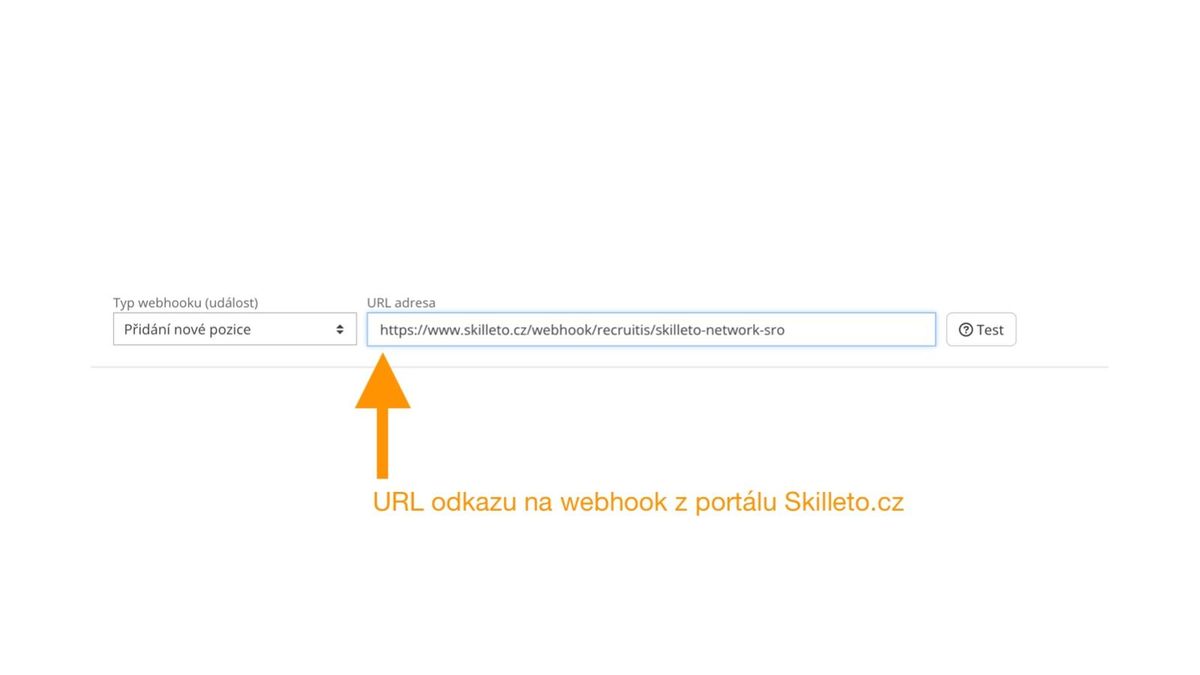
Adding the first webhook will also activate it on Skilleto.
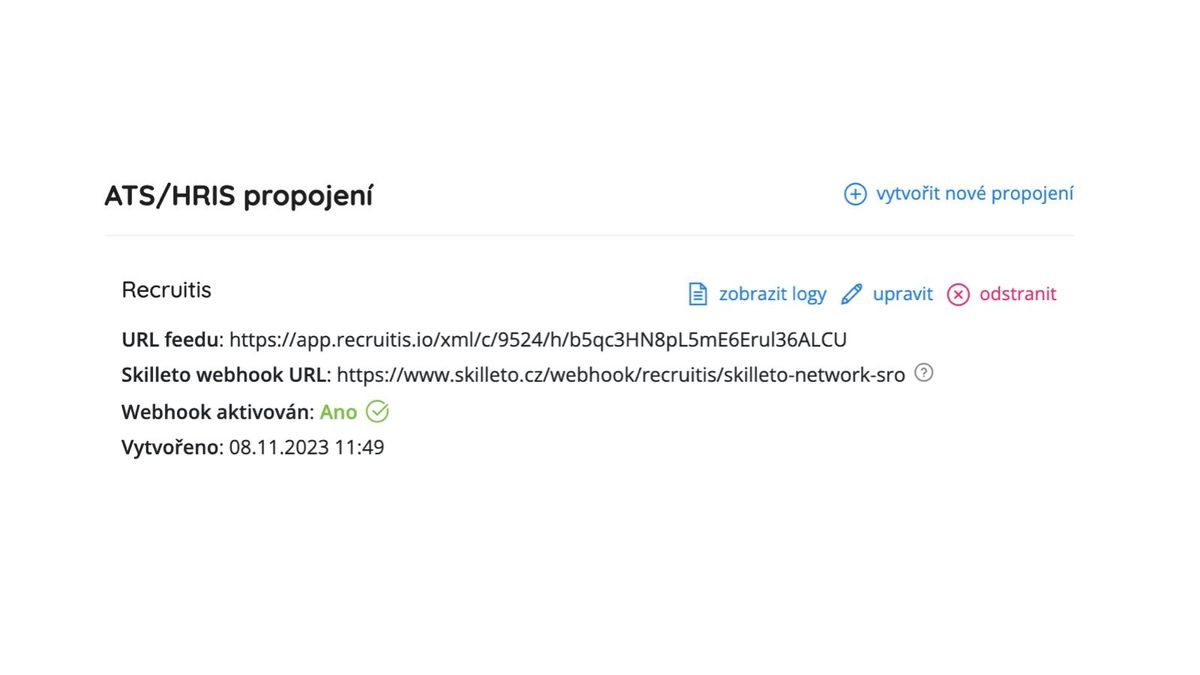
Example of complete integration on the Skilleto portal side:
You can find the Skilleto portal at https://www.skilleto.cz/

Related articles
Webhooks for the Nelisa portal
Let ATS Recruitis automatically download your candidates from the Nelisa portal.
Graphics and system appearance
Basic settings of graphic elements - logos and background.
Position editor settings
Select the optional items in the position editor that you want to display.