Analytics - Conversion Report
Purpose
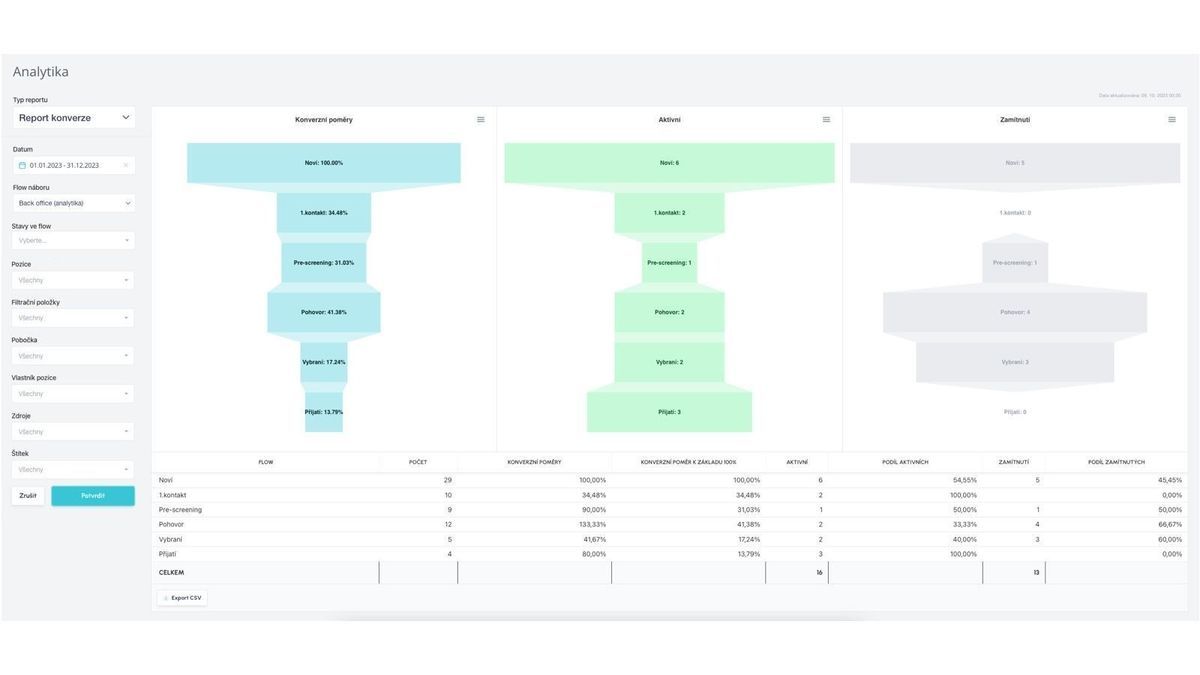
The purpose of this report is to display conversion ratios between individual states in a specific recruitment process, i.e., the recruitment flow.
Principle of Value Display
The report displays the movement history of a group of candidates created in a given period, specifically their applications for specific positions within one particular recruitment flow. The report takes the form of a "funnel" chart, where the base is 100% of new candidates who then move through the process to other states and are either still active or rejected.
The report thus identifies which states have strong or conversely weak conversion ratios (e.g., does a step that 99% of candidates successfully pass through make sense?) and also shows us where most candidates currently are (i.e., where we need to "push") along with supplementary information about where candidates drop out of the process, i.e., where they are rejected.
Due to this principle, values from only one recruitment flow can be displayed at one time.
The graphical representation has these views:
- Conversion ratios (compared to 100% of new candidates at input)
- Current numbers of candidates in individual states of the given recruitment flow
- Numbers of candidates rejected in individual states of the given recruitment flow
In the table below the charts, you can track the following:
- Absolute number of candidates who passed through individual states
- Conversion ratios between individual states
- Conversion ratios relative to the base of 100% new candidates (i.e., what the chart above displays)
- Current number of active candidates in individual states
- Number of rejected candidates in individual states
- Ratio of active vs. rejected in individual states
The report's explanatory power and the conclusions we can draw from it are closely related to the recruitment flow settings and also to the care and systematicity of the status changes performed.
Filtering
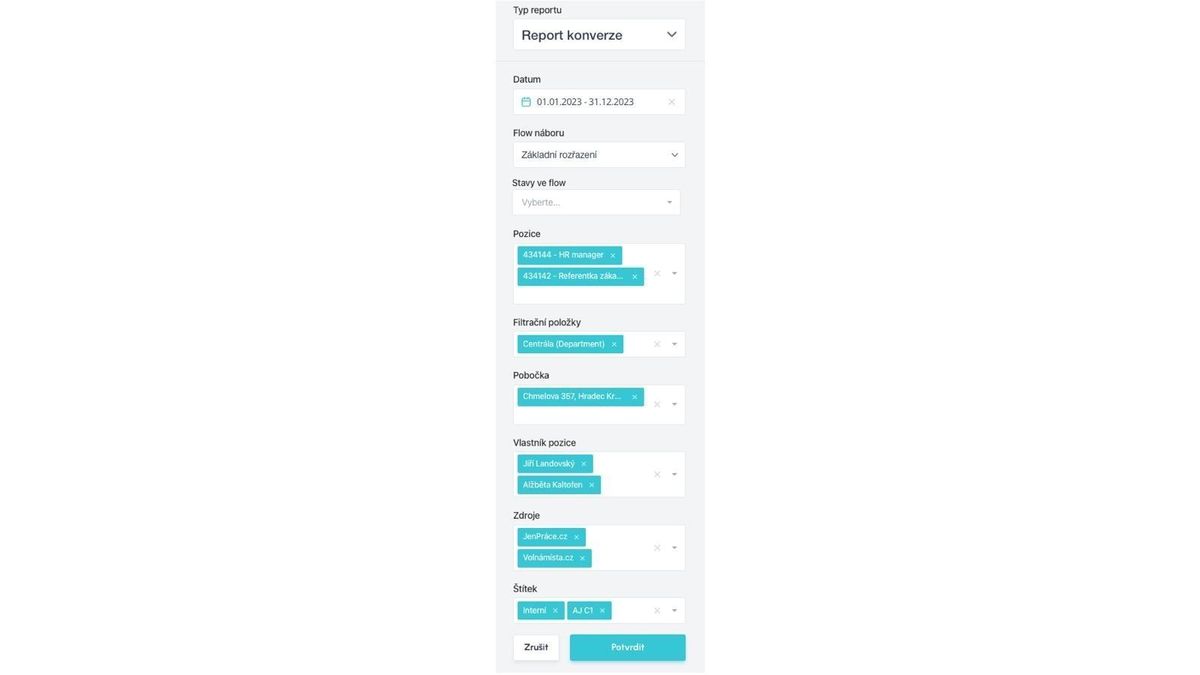
Candidates whose actions are displayed in the report can be filtered by the following values and their combinations:
- Date
- filters candidates created in the given period (i.e., these candidates are the 100% at input)
- the default date setting is displayed from today one month back, and clicking opens a calendar element for further selection
- Recruitment Flow
- filters only actions with candidates processed according to the selected recruitment flows
- exactly one value is always selected
- States in Flow
- this filter determines which states should be displayed for conversion calculation - if empty, everything is displayed
- if you select only certain states, the report recalculates for conversion between these selected states (i.e., for states that otherwise do not neighbor each other)
- this is useful, for example, if you have states in the flow that you do not use systematically, or that are not so-called mandatory - then it is useful to omit them and not distort the conversion ratio between states that matter
- Position
- filters actions with candidates applied to selected positions by position name or part of it
- this filter, unlike others, has the option to select multiple values at once if filtering by a certain string of characters in the position name and you want to select all positions with this string
- you can thus filter, for example, all positions that have "part-time" or "java" in the name
- Filter Items
- this filter selects a group of positions grouped under a given filter item or multiple items
- depending on the settings of your specific filter items, you can then easily filter by position groups, e.g., by branch, employment type, technology, manager, customer, etc.
- Branch
- filters only positions that have the given branch assigned to them
- multiple values can be selected
- Position Owner
- filters only positions created by the given user, i.e., with the given author
- multiple values can be selected
- Sources
- filters only candidates from the given source or sources
- multiple items can be selected
- Tag
- filters only candidates with the given tag or tags
- multiple items can be selected
The difference compared to the candidate report is that the candidate report counts all actions performed in the given period (including actions with candidates created in the past), while the "funnel" shows only actions with candidates created in the filtered period.
Related articles
Webhooks for the Nelisa portal
Let ATS Recruitis automatically download your candidates from the Nelisa portal.
Impersonation
Combining the answers of a historically depersonalized candidate with a new answer.
Talent database and its possibilities
The talent database does not have to be used only for searching contacts for candidates.