Company design
Every page a candidate opens during the recruitment process is a piece of your employer brand. With the Company design feature, you can prepare any number of graphic templates in ATS Recruitis with your own logo and colours and use them exactly where they fit. From the very first click, the candidate knows who they are dealing with, and the whole process comes across as professional and trustworthy.
Where it comes in handy in practice:
- A group of companies with their own identities – a holding with several subsidiaries prepares a separate design for each brand. A candidate for a position in a specific company sees its logo and colours, not the generic look of the whole group.
- A student fair or career day – you prepare the themed logo and colours of the event and use them on the landing page for collecting GDPR consents. Students scan the QR code at your stand and land straight on a page that matches your presentation at the fair.
- Campaigns and special recruitment projects – a trainee programme, recruitment for a new branch or a seasonal campaign can have its own visual without you having to change the main company design.
Where to find it
You set up the company design in the menu Settings | Company logo, or directly via this link.
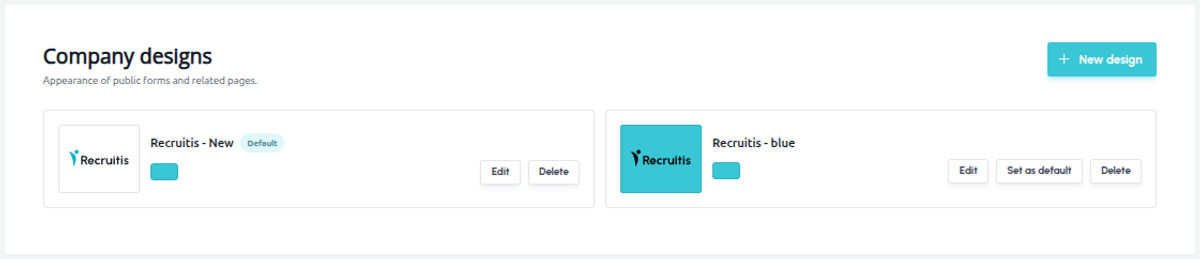
Here you see an overview of all the designs you have created and can add a new one.
How to set up a design
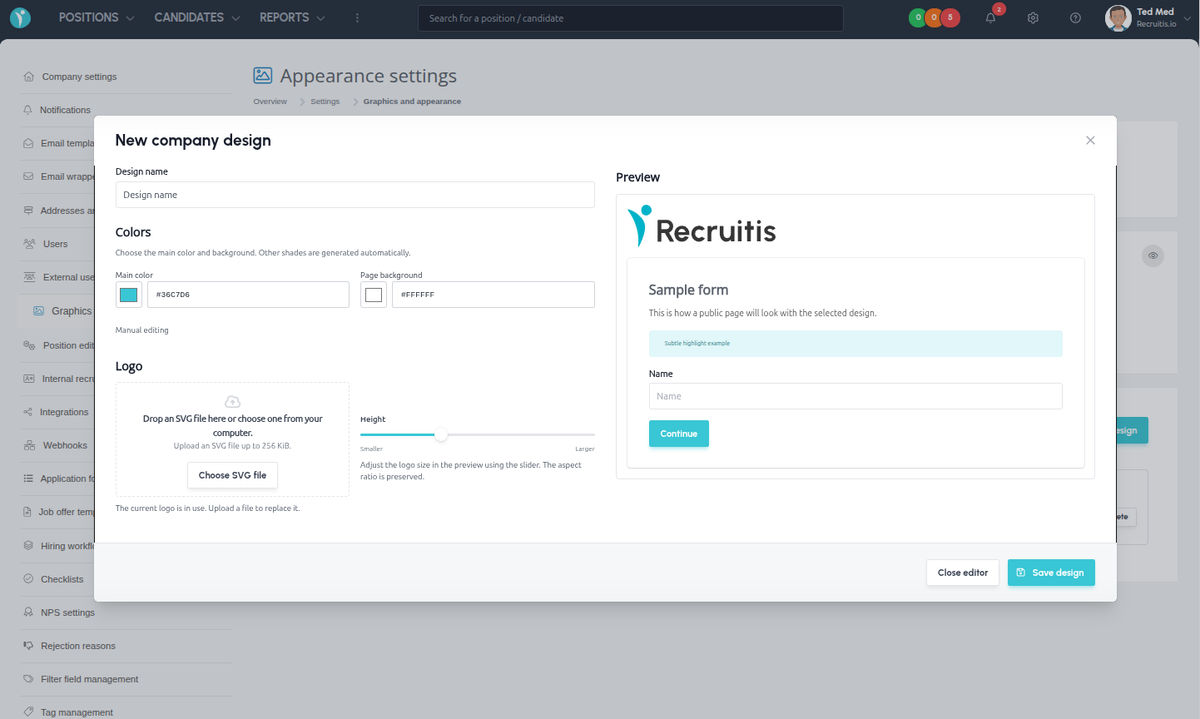
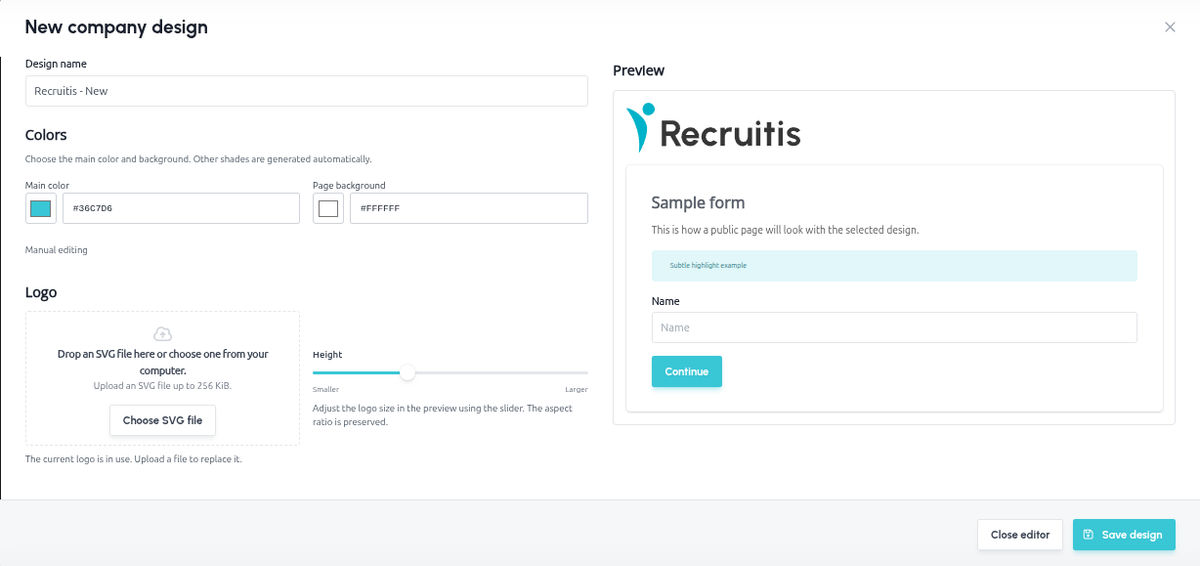
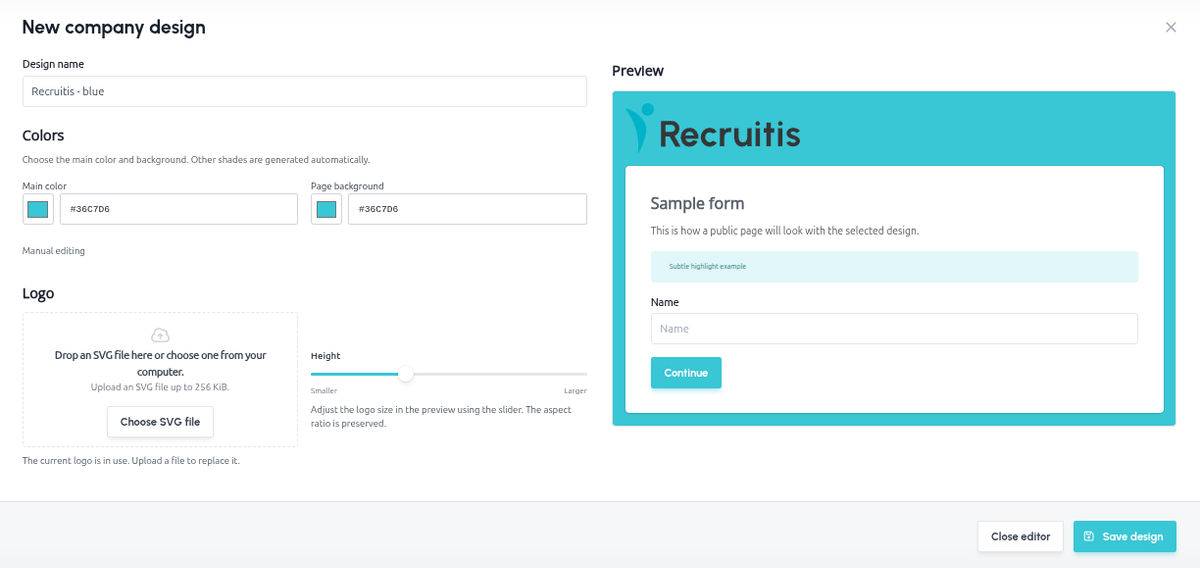
After you click to create a new design, an editor opens. You set everything up on the left, and in the preview on the right you immediately see what the public page will look like.
Design name – name the template so that you can easily recognise it later (e.g. “iKariéra Fair 2026” or “Subsidiary XY”). The name is required and can have a maximum of 200 characters.
Colours – choose the main colour (buttons, highlights) and the page background. You pick a colour from the palette or enter it directly as a hex code, e.g. from your brand manual. The other shades are calculated automatically, so the design stays harmonious even without a graphic designer. If you want full control over the shades, use the Manual editing option.
Logo – upload a logo in SVG format (by dragging it into the field or using the Select SVG file button), 256 KiB at most. If you don’t upload a new logo, your current company logo is used. Use the Height slider to adjust the size of the logo; the aspect ratio is always preserved.
Save the finished design with the Save design button.
Default design
You can always mark one of the designs as the default. It is used automatically wherever a design cannot be selected manually, or wherever you specifically choose to use the default one.
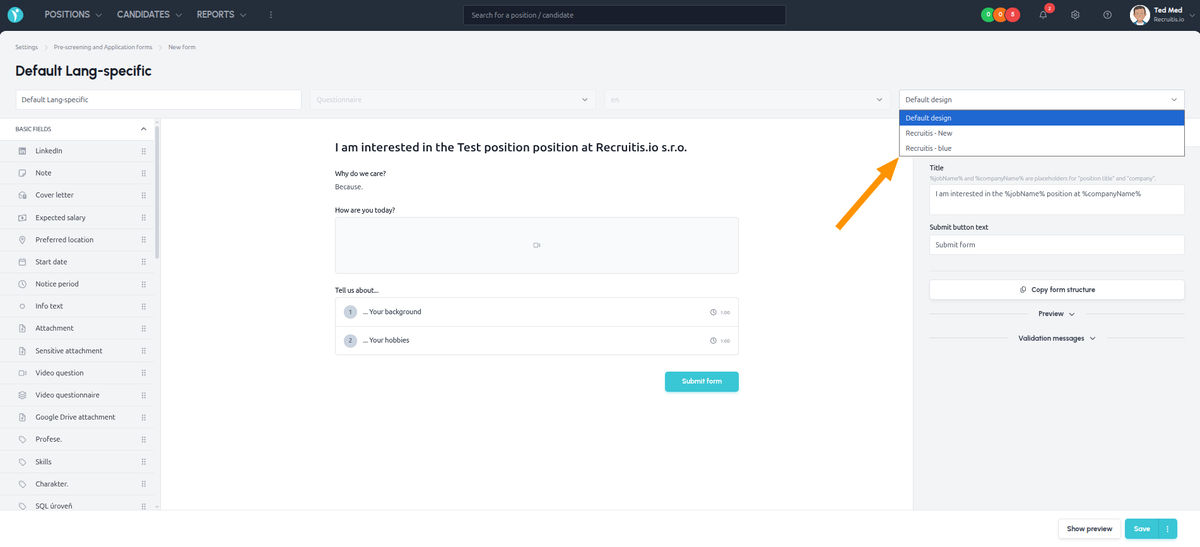
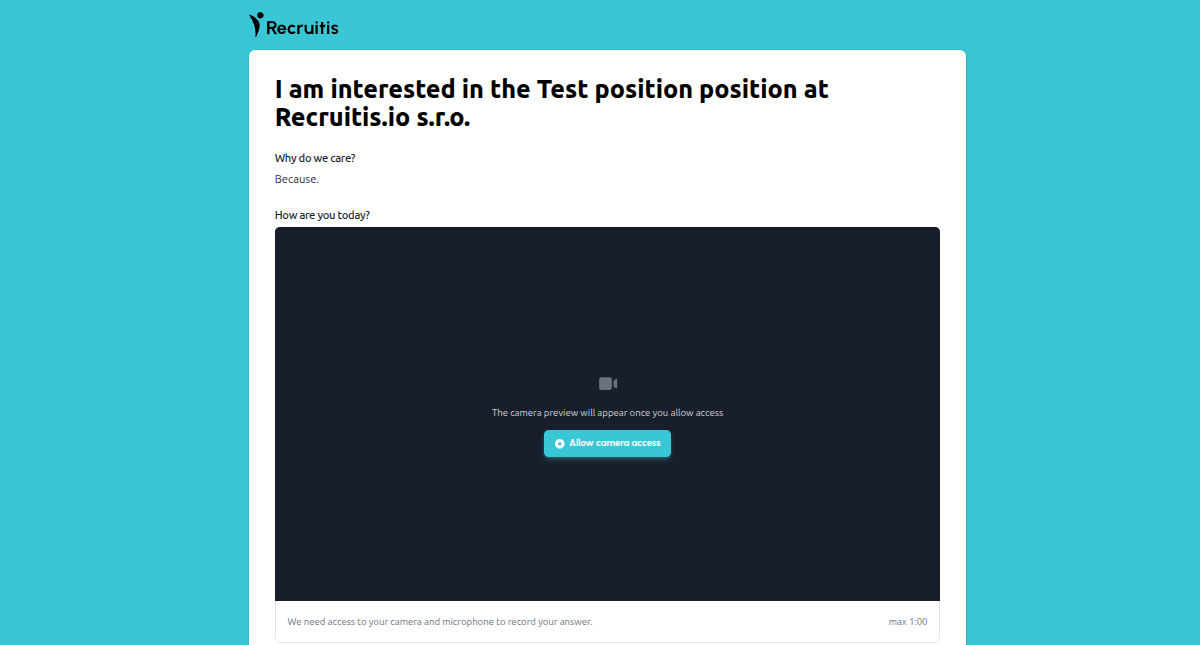
Currently, you can select a design manually only for so-called dynamic questionnaires or response forms (see the description of the feature Tool for creating forms and questionnaires).
Example of setting up multiple company designs
Example of selecting a design in a questionnaire template
💡 Tips and recommendations
- A logo in SVG format is displayed sharply on every device, from a mobile phone to a large monitor. If you don’t have one, ask your marketing team or graphic designer for it.
- Watch the contrast – the main colour is used on buttons with white text, so choose a rather more saturated shade. In the preview you can immediately check that everything is legible.
- Name your designs clearly, ideally with the year or the name of the event. Once you have more of them, you will save yourself the searching.
- Choose the main company design as the default, i.e. the one the candidate is to come into contact with most often. Then use themed designs in a targeted way for specific events and campaigns.
Related articles
Webhooks for the Nelisa portal
Let ATS Recruitis automatically download your candidates from the Nelisa portal.
Impersonation
Combining the answers of a historically depersonalized candidate with a new answer.
Talent database and its possibilities
The talent database does not have to be used only for searching contacts for candidates.