New requisition design
Requisitions are often the first step of every recruitment in a company. Before a position appears on the career site, someone has to propose it, justify it and approve it. Thanks to requisitions, this process has clear rules: managers request new positions in one place, approvers have an overview of everything waiting for them, and HR knows exactly what recruitment needs the company has.
Requisitions thus connect recruitment planning, budget and collaboration across teams. That is why we have given them a new look.
The redesign brings the requisitions page in line with the other key pages in ATS Recruitis, especially the position list. You will find the same UX/UI elements you are used to and the same flexibility in display settings. At the same time, in terms of content these are still the same requisitions you know – so you don’t have to learn anything from scratch and you will work with requisitions just as before, only a little faster.
New page layout
💡 You can switch to the new design using the toggle below the requisition list at the bottom of the page.
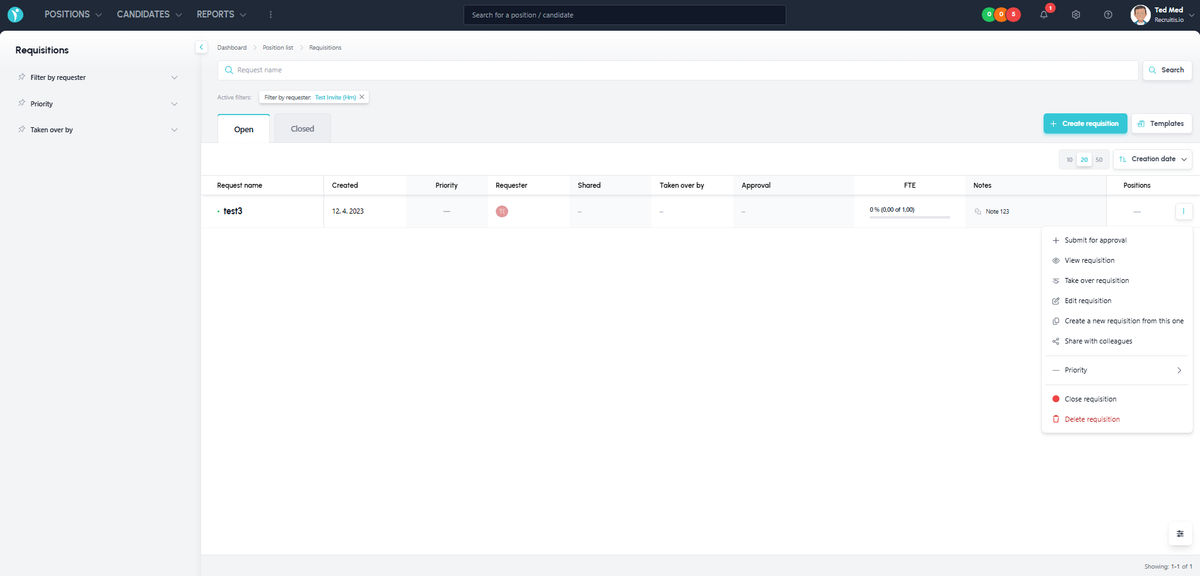
The page layout mirrors the position list page, so you will see familiar patterns:
- On the left is a column with filtering, where you can choose the filters you want to pin. This part can be minimised.
- Using the settings widget in the bottom right corner, you can choose the columns you want to see in the list table.
- At the top is the text search and the filters, if you have any pinned.
- The body of the page contains the row-based list of requisitions, which has richer content so that you can see more important values at a glance (e.g. FTE), and you can now also add notes.
- At the end of each row are three dots that display the menu with requisition actions, just as in the original design.
- You can choose the number of requisitions displayed per page and paginate comfortably in the page footer.
What are the main new features and differences?
In addition to the more flexible and intuitive design you are used to from other pages such as the position list, we have also adjusted some elements and items that customers reported with requests for improvement.
- Better support for displaying more complex HTML templates
- A Kanban view of the assigned positions directly in the requisition list
- Control of fields such as FTE or sharing by clicking the given item directly in the list table
- Option to add notes to a requisition
- Clearer template management
- Text search of requisition names directly in the list
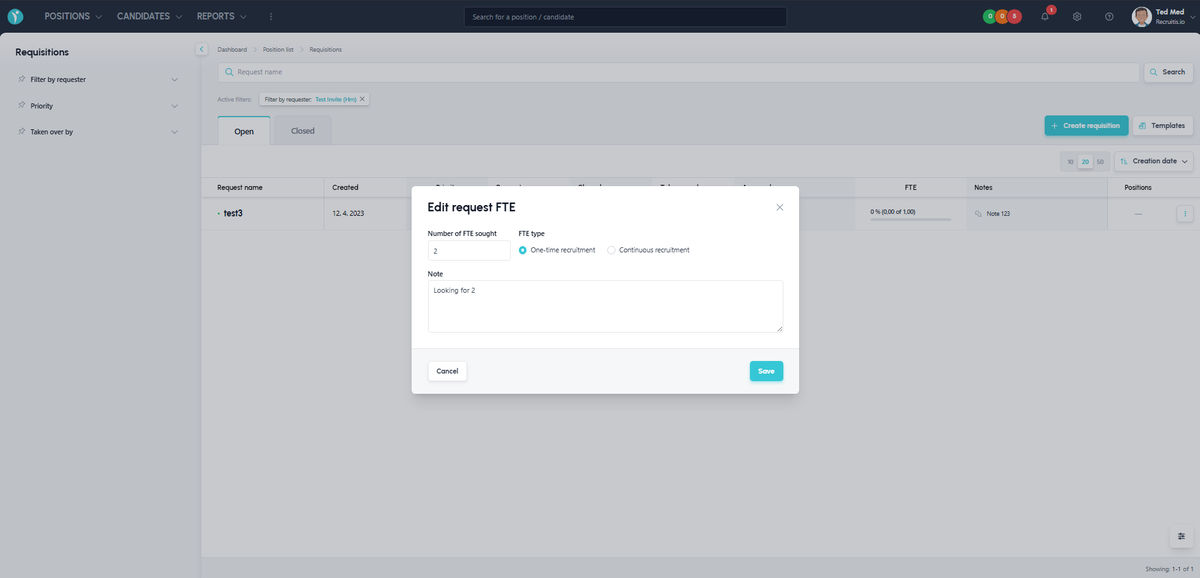
Editing FTE directly from the requisition list
To edit FTE, you no longer have to edit the requisition via the menu – the FTE value and its fulfilment percentage are now shown directly in the requisition list, and it is also a clickable element. After clicking it, a window appears where you can adjust the FTE.
In the same way, you can also edit the sharing of a requisition with colleagues directly from the list.
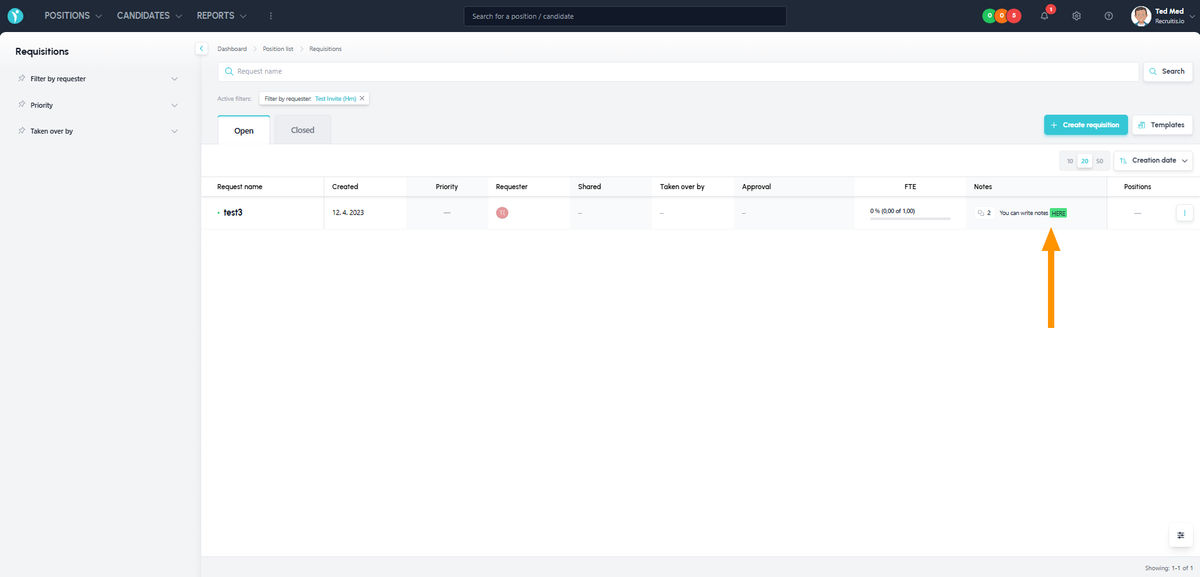
Notes
You can now write notes on requisitions. The way of writing and the available options are the same as for notes on positions and candidates.
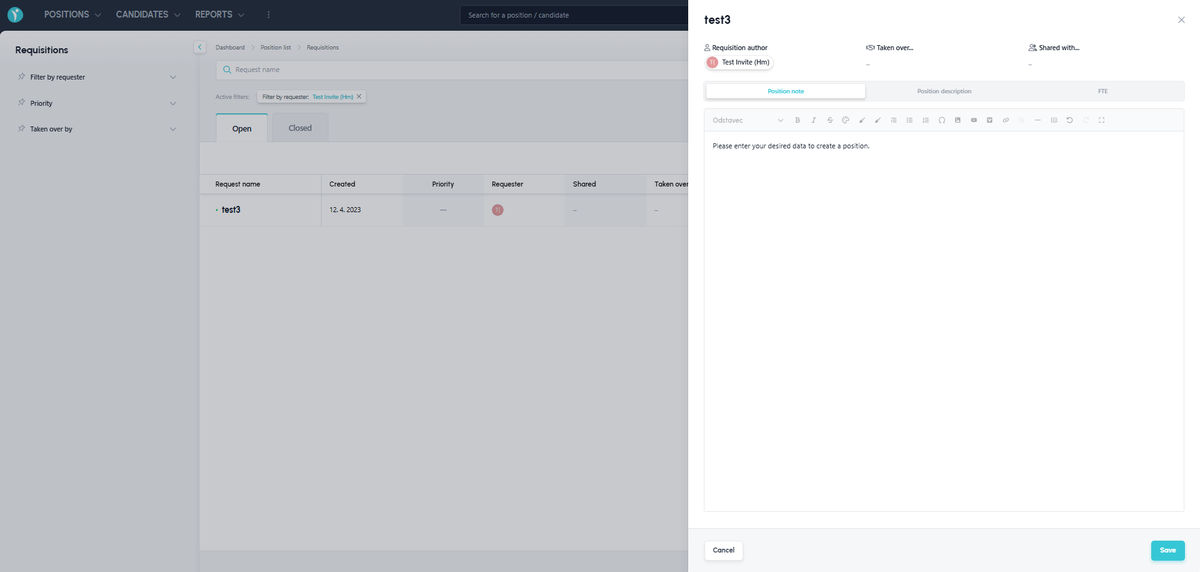
Better display of requisition content and editing
The right-hand panel with the requisition preview has new content and a new layout, so you will see both sections (“Position note” – i.e. the content of the requisition, and “Position description” – i.e. the draft text of the future job ad) essentially across the whole area of the panel. So it will no longer happen, especially with HTML requisition templates, that the text is not readable in the preview, as was the case in the old design, where both sections including FTE were on a single page.
What’s more, the content can be edited directly in the preview, so you no longer have to switch to a different menu and a different page.
Kanban with candidates on positions created from a requisition
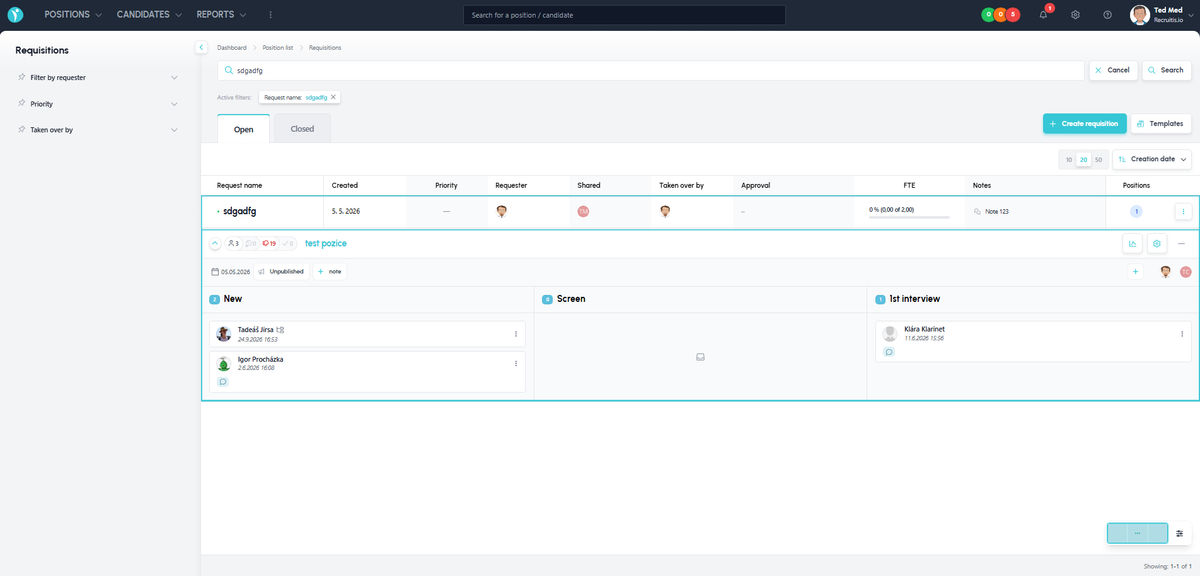
If you have positions assigned to a requisition, you can control them directly from the requisition list – you have the settings, the menu with position actions, etc. at your disposal, just as you know them from the position list.
In addition, using the small arrow to the left of the position name, you can display a Kanban with the list of candidates directly in the requisition list and work with it, again just as in the position list.
Related articles
Webhooks for the Nelisa portal
Let ATS Recruitis automatically download your candidates from the Nelisa portal.
Impersonation
Combining the answers of a historically depersonalized candidate with a new answer.
Talent database and its possibilities
The talent database does not have to be used only for searching contacts for candidates.