AI Reporter
AI Reporter is a tool you simply talk to about reporting. Instead of a fixed set of ready-made metrics and KPIs, you define the output yourself, in plain language.
Just type something like "Which sources did candidates hired in the last month come from?" and AI Reporter will build exactly what you need. You can also keep adding information to your queries, for example "Also add the creation date for each candidate", gradually fine-tuning the report into a shape that makes sense to you.
A big advantage is the ability to define your own terms that you commonly use in your company. For example, you can set "recruiter = position author" and then use that term directly in your prompts to AI Reporter. This lets you communicate about reporting as naturally as possible, in your company's own language, without having to think about what a given piece of data is called in the system.
You can also save your prompts for later, come back to them, edit them, and so on.
💡 AI reporting is available for Premium and Enterprise licenses.
💡 AI Reporter is visible to all users who have access to the Reports menu.
BETA version
AI Reporter is currently in beta. That means it's in a testing phase where we're gradually fine-tuning the feature based on real-world use. This means the tool is fully available and you can use it normally, while we're also collecting feedback from customers and adjusting its settings accordingly, so it covers as many reporting scenarios as possible.
Your experience and input are key to us at this stage, helping us improve the feature and speed up its path to a full release. So if you run into anything that could be improved, or you're missing a scenario, please let us know using the feedback feature (see description below).
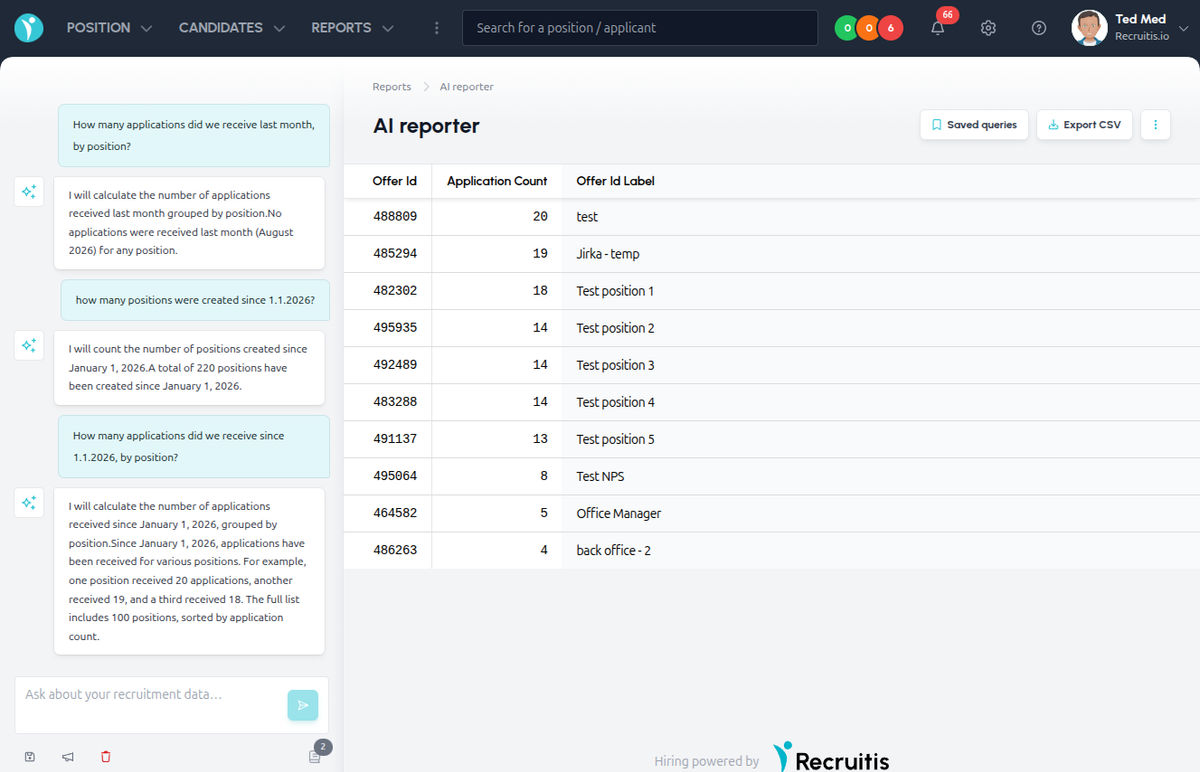
Where to find AI Reporter
You'll find AI Reporter in the Reports menu.
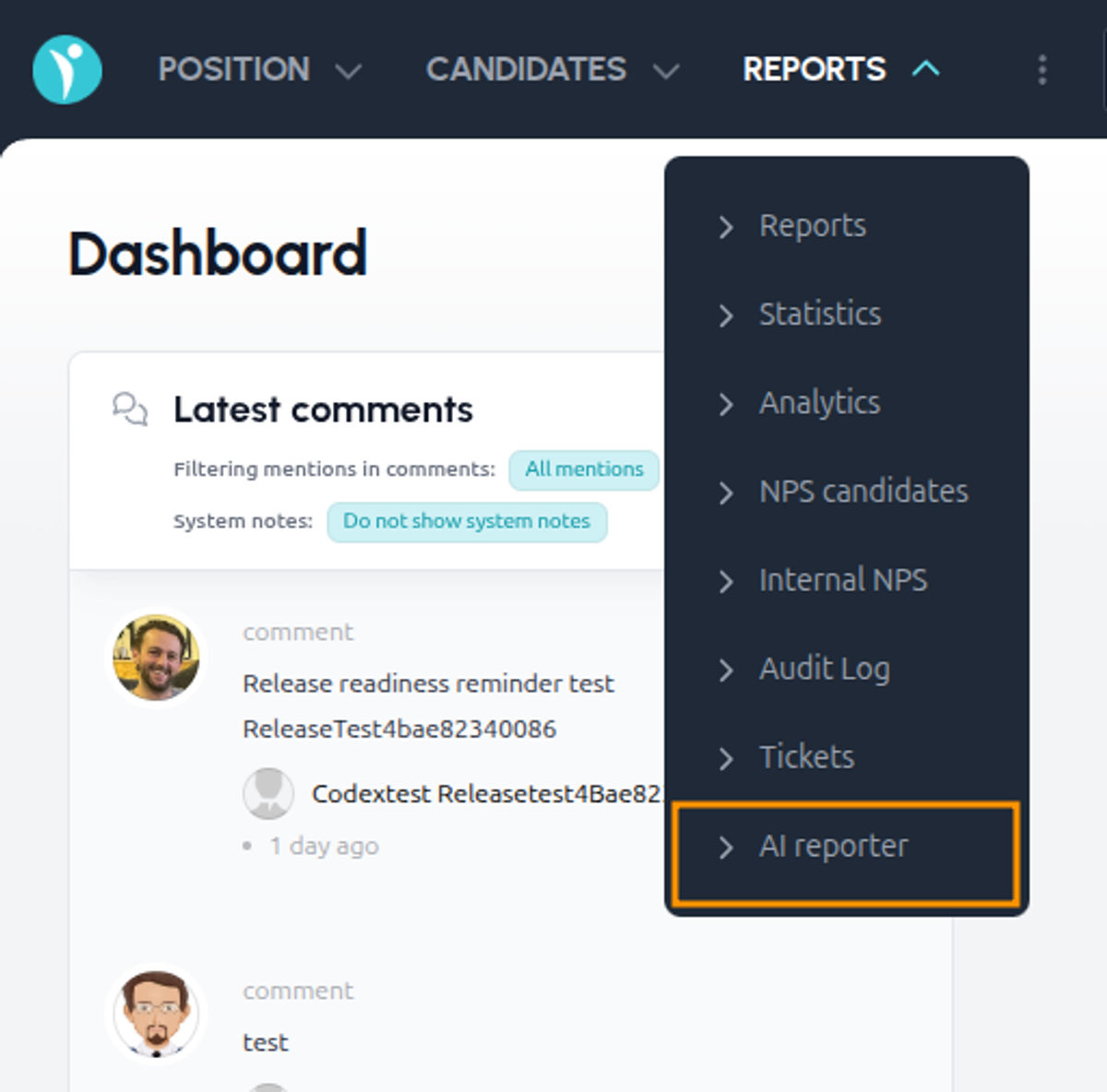
How it works
The first time you open AI Reporter, you'll see it in its initial state. On the left, you'll find brief information about how the tool works, a notice about using AI, and a few sample queries (prompts) to help you get started with reporting. The area on the right, where results will appear, is empty for now.
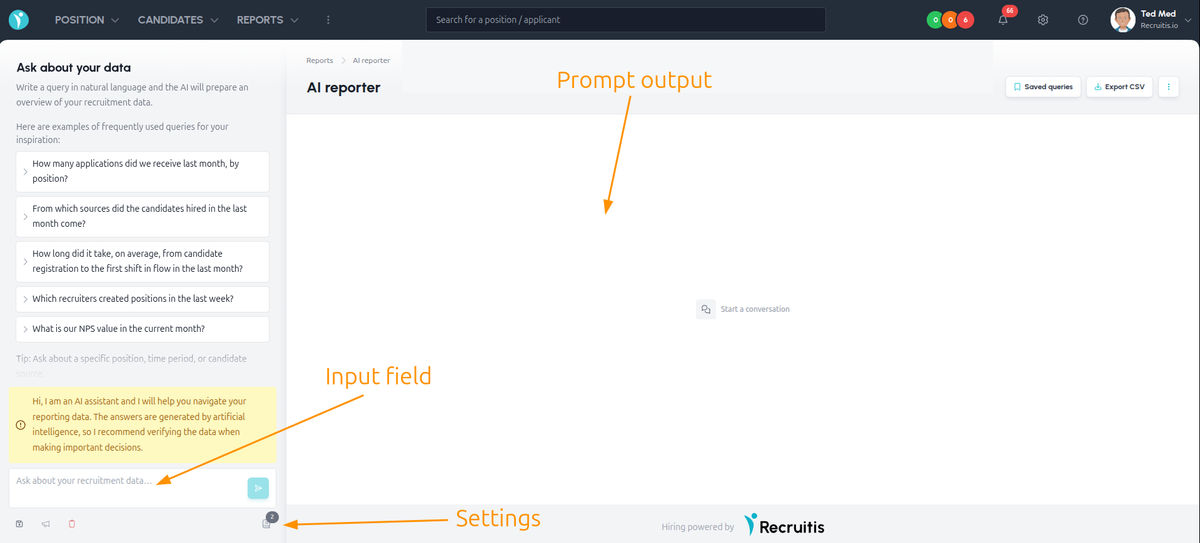
Once you enter your first query, the initial screen disappears - the sample queries and the AI notice are hidden, and you continue in a regular conversation with AI Reporter, similar to other chat tools.
From this point on, all of AI Reporter's answers are shown below your questions in the chat, and outputs gradually appear directly in the output window.
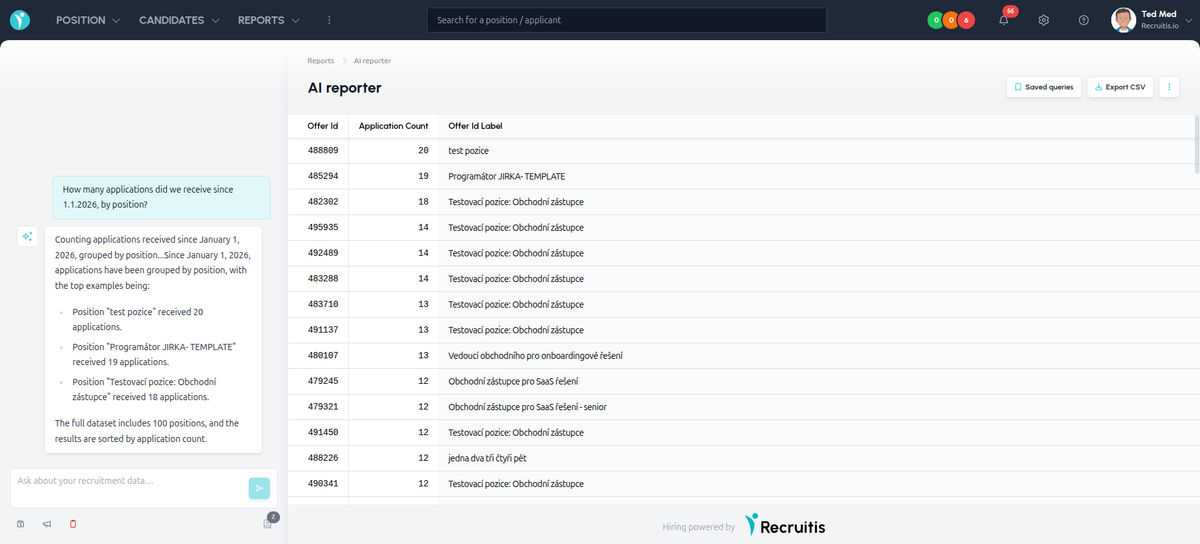
Settings
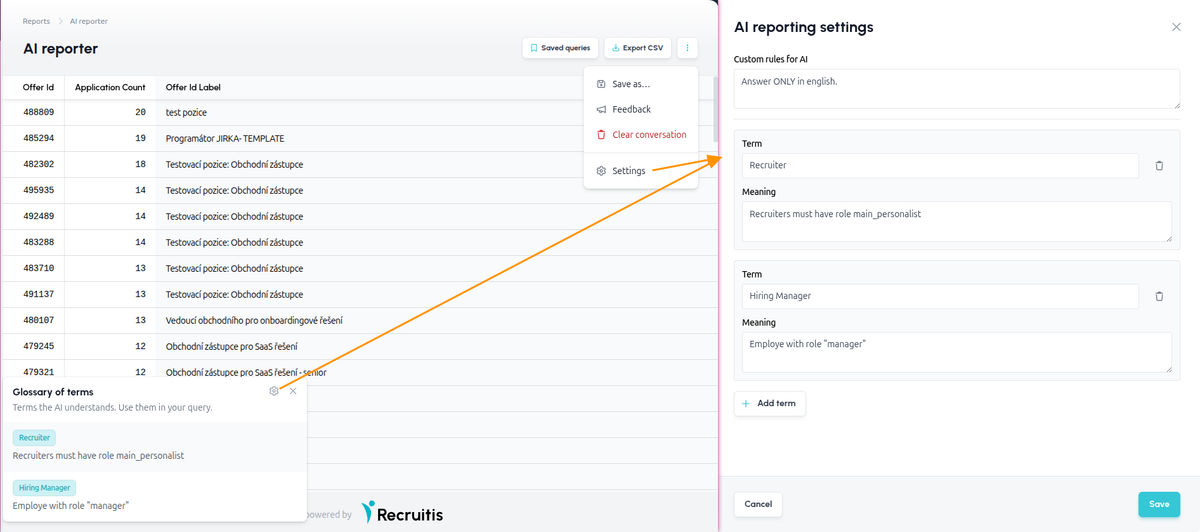
In AI Reporter's settings you'll find several options that let you tailor the tool to your needs:
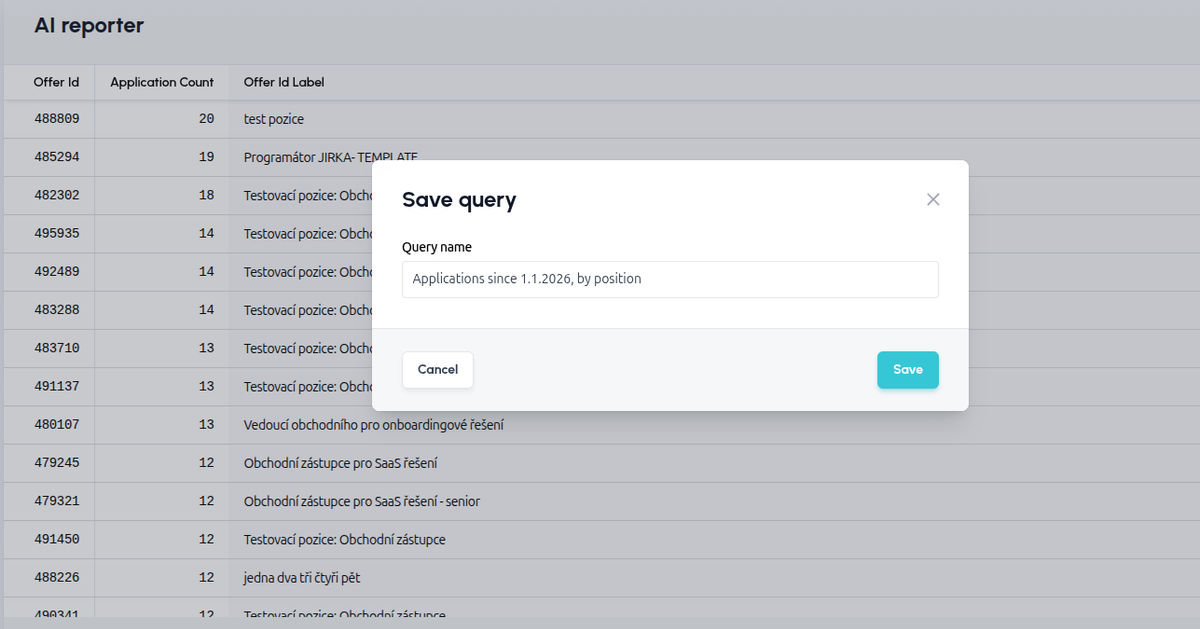
- Save query saves the current conversation exactly as you had it, so you can come back to it and continue it at any time.
- Feedback lets you send us feedback on the results, whether positive or negative. It helps AI Reporter gradually learn and make its answers more accurate.
- Clear conversation deletes the current chat, letting AI Reporter start completely from scratch, without the context of the previous conversation.
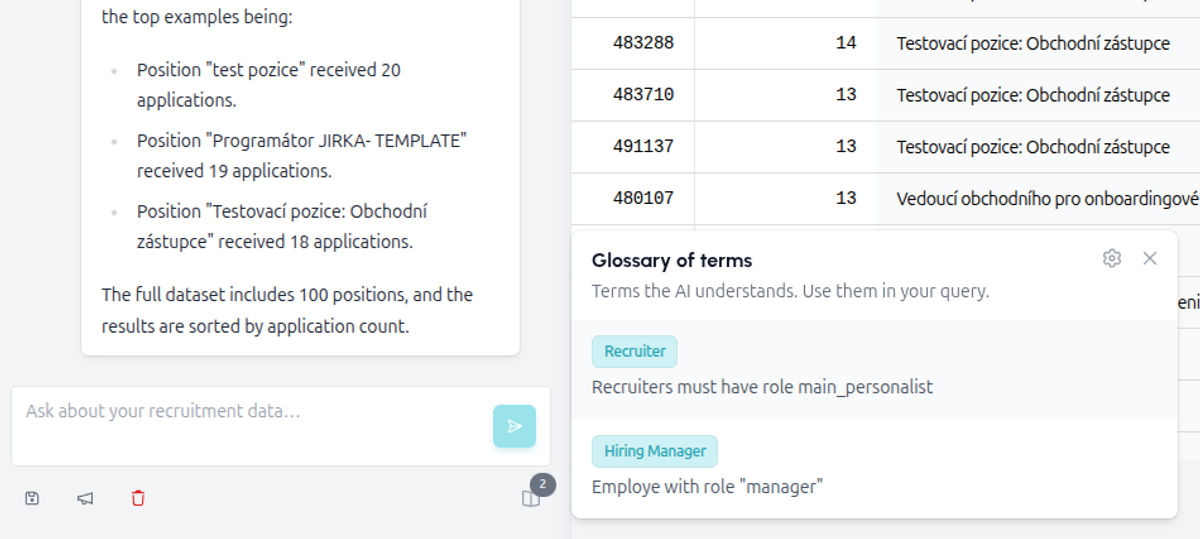
- Glossary lets you define terms you use when communicating with AI Reporter, so it understands them exactly the way you mean them and can correctly apply them in its answers.
- Custom AI rules - add your own instructions and basic rules for AI Reporter to follow, so it returns more relevant and accurate results.
💡 You can get to the settings from the "three dots" menu in the top right, or via the gear icon in the glossary in the bottom left below the chat window.
Feedback
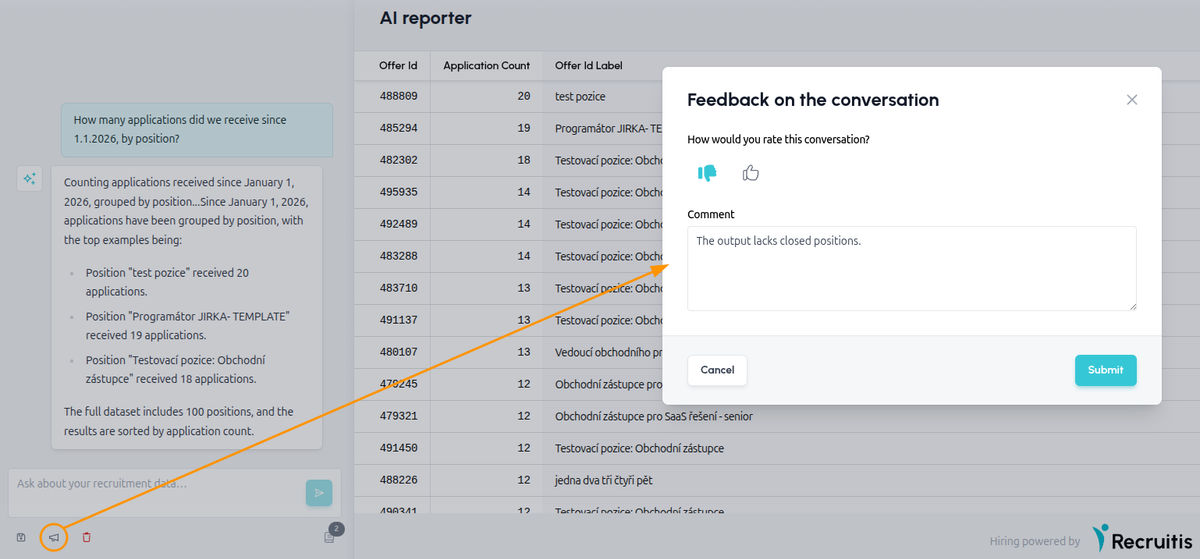
Below the query input field, in the bottom left, you'll find a megaphone icon. Clicking it opens a window for giving feedback on the conversation. There you can rate the conversation with a thumbs up or down and write a comment about what worked well, or conversely what was missing or didn't work as expected.
Because AI Reporter is in beta, your feedback is exactly what's key to helping us fine-tune the feature faster and bring it closer to a full release.
But for it to really help us, it should be specific and to the point. Instead of a general rating like "it doesn't work", please tell us exactly what was missing from the answer or didn't match reality.
A good example is the situation in the image above: a user asked for an overview of positions with candidate counts, but the output was missing positions that were already closed. A comment like "The output is missing already-closed positions" shows us exactly what needs fine-tuning, and we can process feedback like that much faster than a general comment.
Related articles
Webhooks for the Nelisa portal
Let ATS Recruitis automatically download your candidates from the Nelisa portal.
Impersonation
Combining the answers of a historically depersonalized candidate with a new answer.
Talent database and its possibilities
The talent database does not have to be used only for searching contacts for candidates.