Sorting candidates in the list by their requirements
How much time do you spend clicking through candidate cards just to find out who fits your budget or who can start right away?
Now you have candidate requirements right in your custom candidate list for a position and in the talent pool. You can see salary, preferred location, start date or notice period for all candidates at once and sort candidates by them with a single click.
Need to fill a position as soon as possible? Sort candidates by start date. Keeping an eye on the budget? Sort them by salary expectations and you'll immediately know who it makes sense to talk to. This makes selection faster and easier to navigate.
Which requirements you can add to the list
You can add all the details from the Candidate Requirements widget on the candidate card to the list:
- Salary: the candidate's salary expectations.
- Preferred location: where the candidate would like to work.
- Start date: when the candidate can start.
- Notice period: how long the candidate's notice period is with their current employer.
- Employment type: for example, full-time employment, an agreement to perform work or freelance cooperation.
- Home office preference: whether the candidate wants to work from the office, from home or in a hybrid mode.
How to add requirements to your custom list
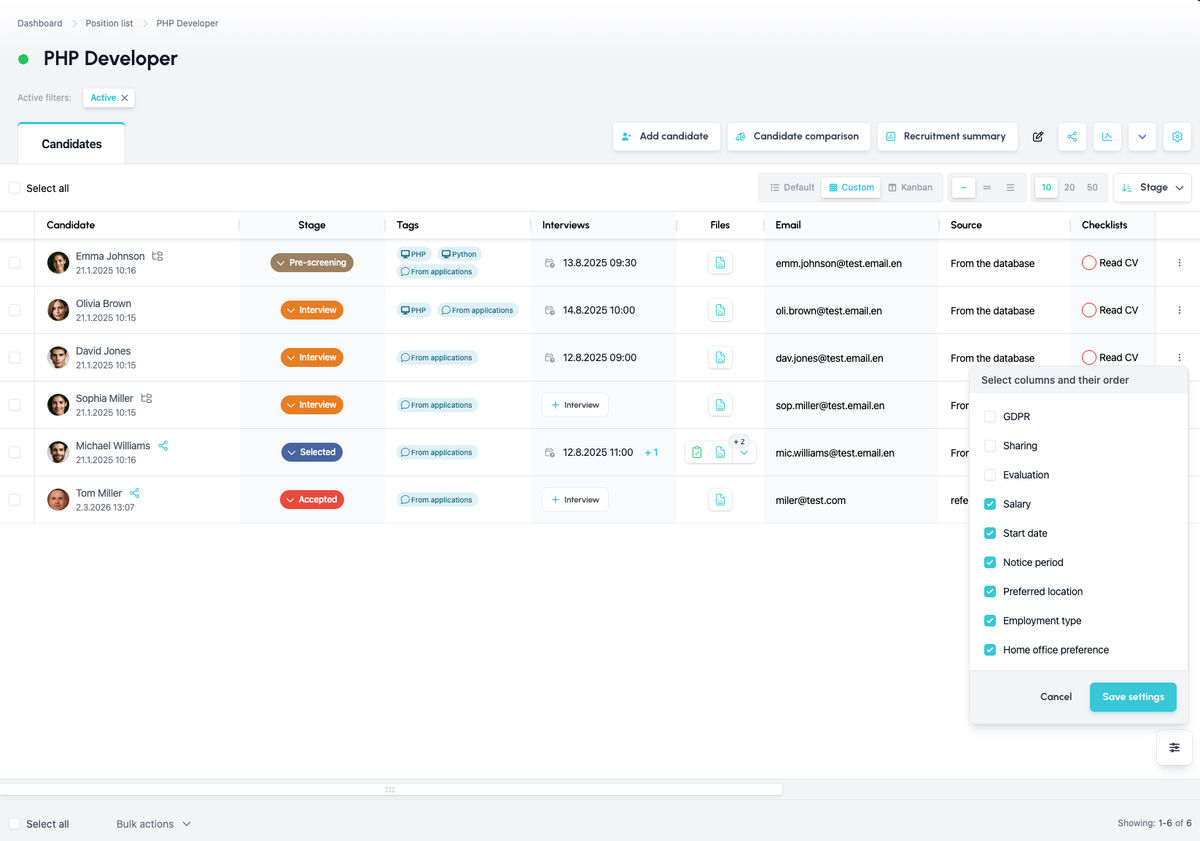
Open the candidate list for a position or in the talent pool and go to the custom list settings. Among the available columns, you'll now also find the individual candidate requirements. Tick the ones you want to see and the list updates immediately. You can add or hide columns at any time, depending on what you need at the moment.
Sorting candidates by requirements
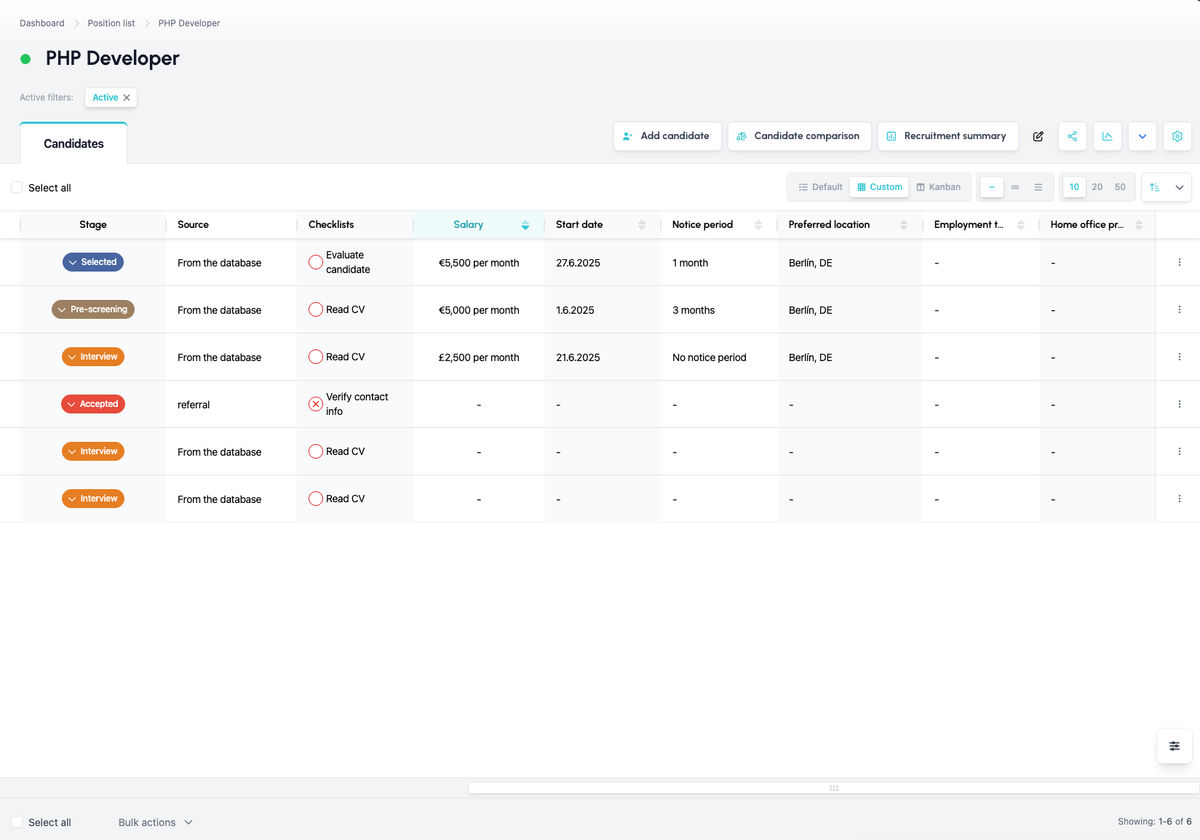
To sort candidates by a requirement, click the column header. Click again to reverse the order, for example from the lowest salary expectation to the highest or vice versa. This way you can immediately see who can start the earliest, who has the shortest notice period or who wants to work in your location.
Related articles
Webhooks for the Nelisa portal
Let ATS Recruitis automatically download your candidates from the Nelisa portal.
Impersonation
Combining the answers of a historically depersonalized candidate with a new answer.
Talent database and its possibilities
The talent database does not have to be used only for searching contacts for candidates.