Candidate Actions - Copying and Moving Candidates to Position
What is copying and moving candidates to positions for? What is the difference between them?
Action Copy candidate to position
- Creates a copy of the candidate's response to a specific position.
- Therefore, you can create multiple copies to multiple positions from one response at once.
- The primary purpose of this function is assigning candidates to current positions from the candidate database, whether they are candidates who were created without a position through sourcing, or "recycled" candidates from the talent pool who responded to historical positions.
Example 1:
Candidate Josef applied for the PHP Programmer (Senior) position. During the recruitment process, we find that Josef fits our team perfectly, but doesn't have the required senior skills, but fortunately we have an open offer for PHP Programmer (Junior). We reject the candidate for the senior position because he doesn't have the required knowledge/experience and we copy him from the Senior position to the PHP Programmer (Junior) position. All information obtained so far, connected with the PHP Programmer (Senior) position, i.e., interview notes, notes, history, etc., remain on the candidate card under this position.
Example 2:
Candidate Josef previously applied for a historical position, was not accepted, but was a capable applicant whom we kept in the database. In case a position for which candidate Josef would be suitable appears in the future, we copy the candidate to that new position. All information obtained so far, connected with the previous position, i.e., interview notes, questionnaires, etc., remain on the candidate card, only in the tab of that historical position.
Action Move candidate to another position
- Deletes the candidate's response from the given position and moves it to another position. So the result is a situation as if the candidate never applied for the original one.
- Its primary purpose is situations where a candidate accidentally responds, or is accidentally assigned by a recruiter, to a position that doesn't match their profile, but you have another position where they fit.
- The move action is not suitable in a situation where you already have the recruitment with the candidate in an advanced stage (e.g., to the interview state, you have notes from it, etc.) - then the solution is to reject the candidate for this position and copy them to the second position so you don't lose your data.
Example:
Candidate Josef accidentally applied for the Warehouse Worker position instead of Warehouse Manager. So we move candidate Josef to the correct Warehouse Manager position before we work with him in any way. All information connected with the Warehouse Worker position will disappear.
Where do we find these functions?
You can find these two actions on the candidate card or in bulk actions on position detail.
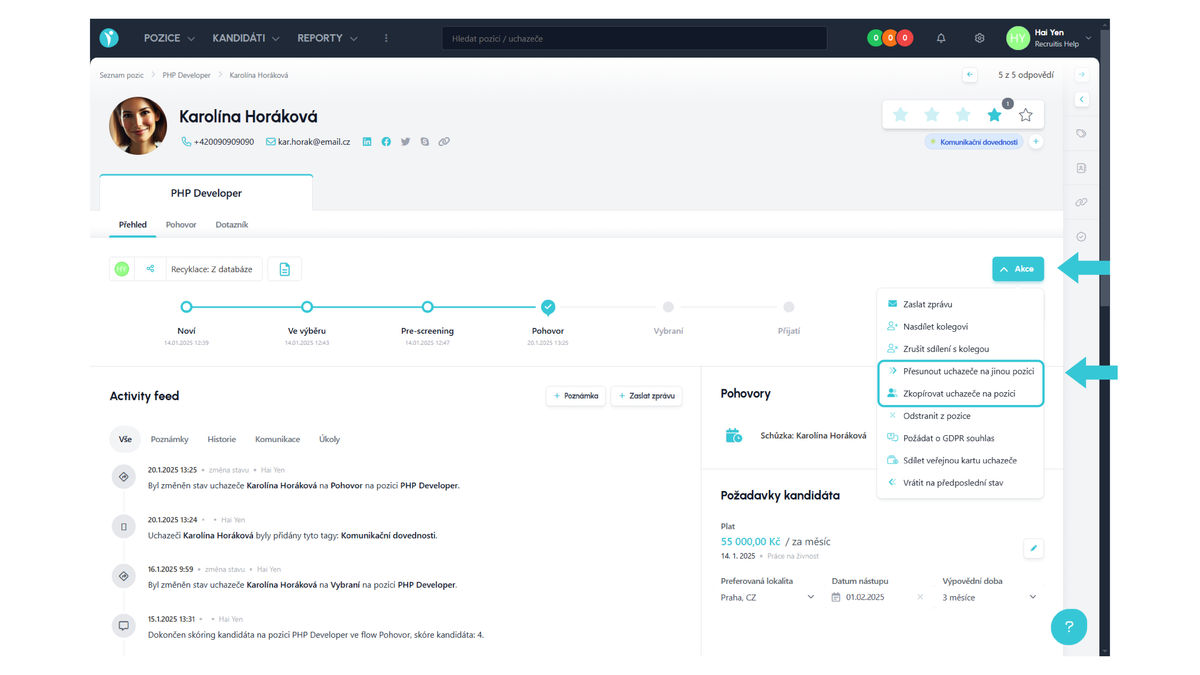
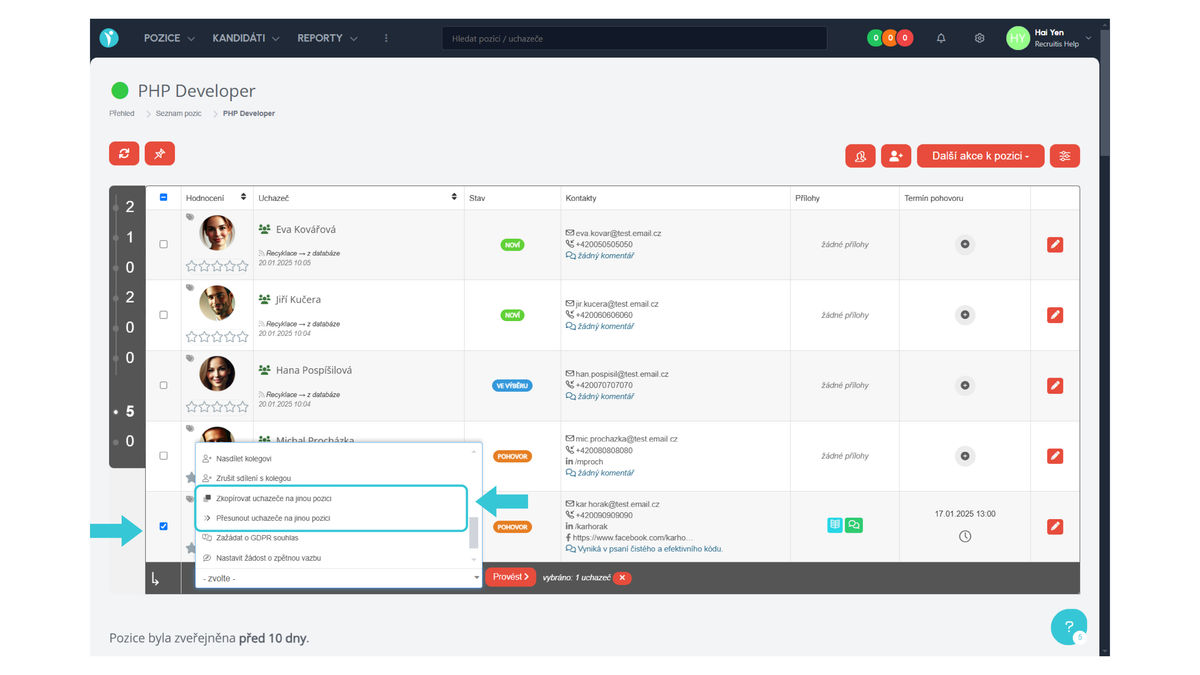
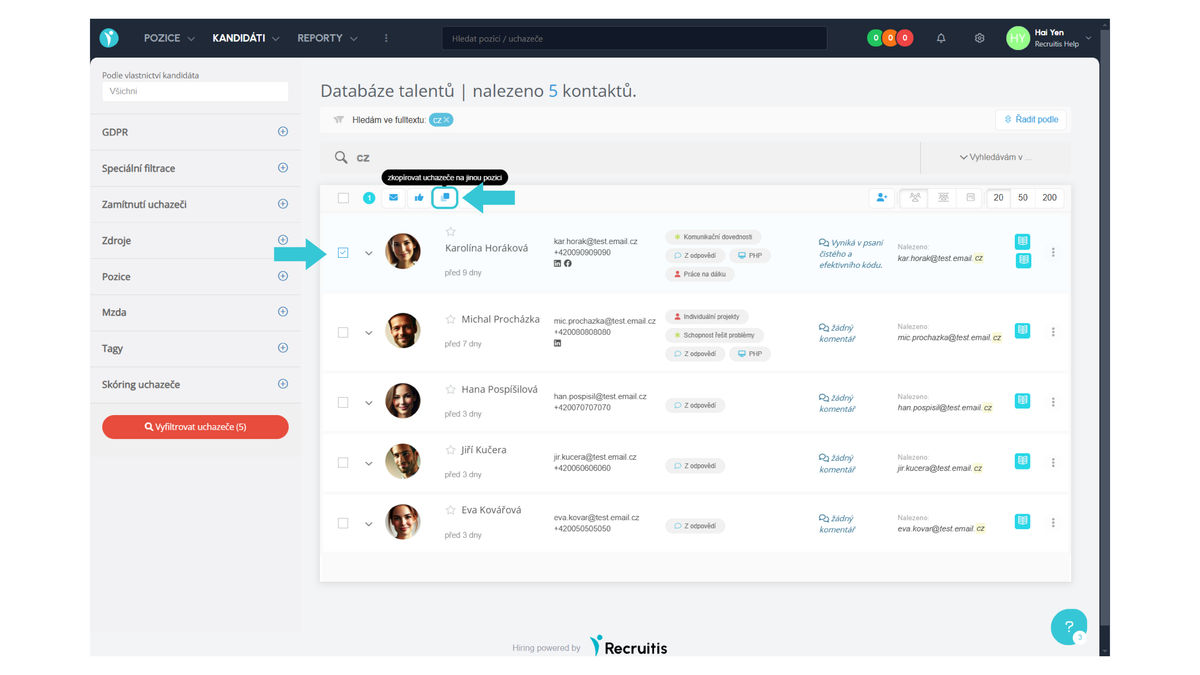
You can also find the "Copy candidate to another position" action in the candidate database.
How to work with these functions?
Action Copy candidate to position
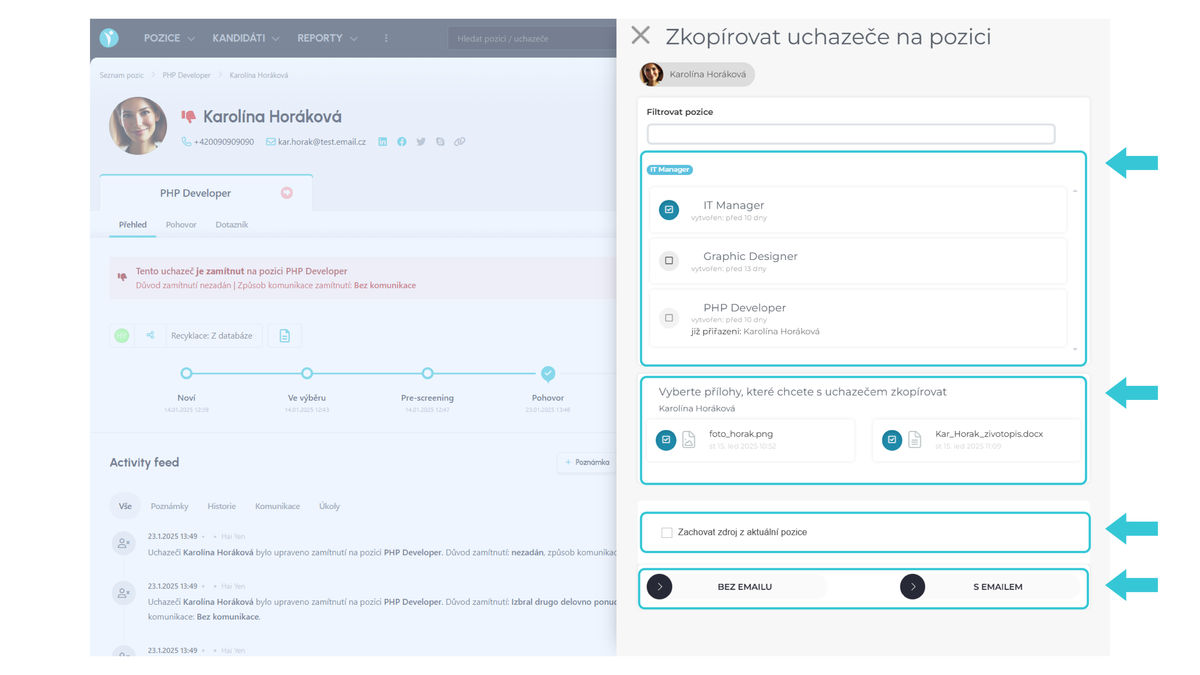
This action allows you to copy a candidate to multiple positions, so select positions, then attachments you want to copy to the selected positions, and if you want to keep the response source from the current position, just check this option. If you don't select the last option, this value will automatically be "Recycling: From database".
Copying a candidate can be done by one of these options:
- with email
- without email
In other words, you choose whether you need to inform the candidate about the new position offer via email and ask them for GDPR consent for placement in the given position. In both cases, the candidate's application for the given position is created, but in the "with email" scenario, it is unconfirmed from the personal data processing consent perspective for the given position. You cannot work with the candidate on the position until the confirmation takes place - either by the candidate (button in the sent email) or by the recruiter (thumbs up button from the recruiter's side).
As mentioned, when copying a candidate, we keep all information that we have obtained so far within historical positions. Information for specific positions can be found in the tabs of the given specific position under the candidate's name.
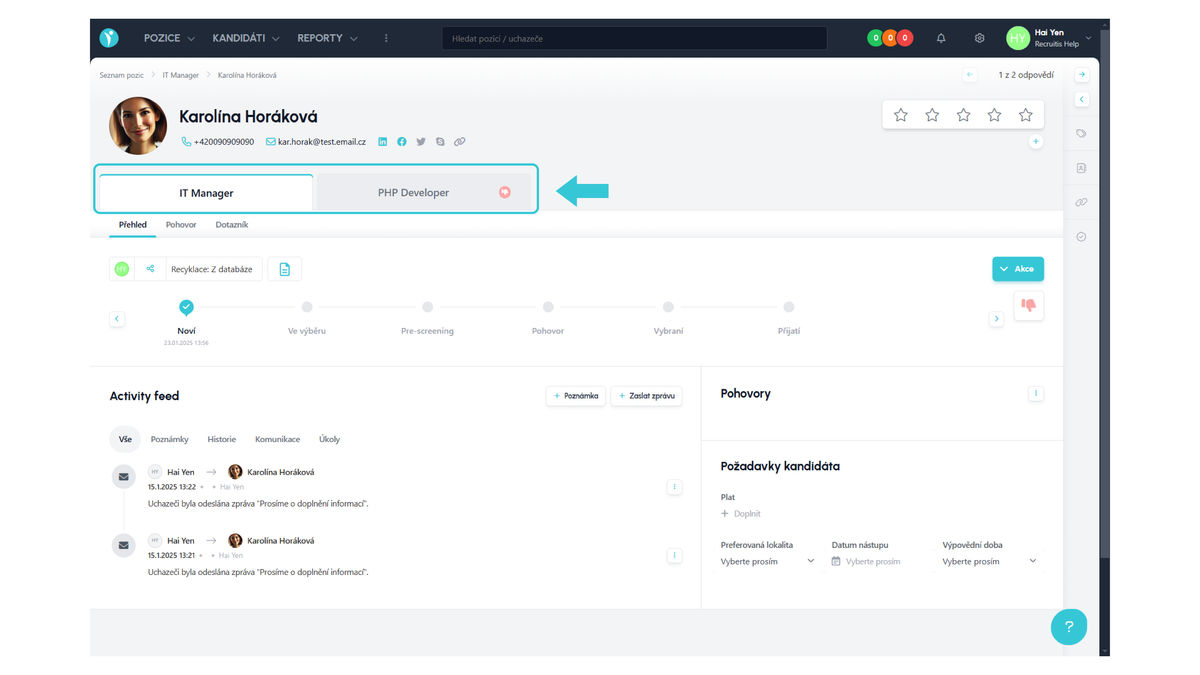
Action Move candidate to another position
This action allows you to move a candidate from position A to position B.
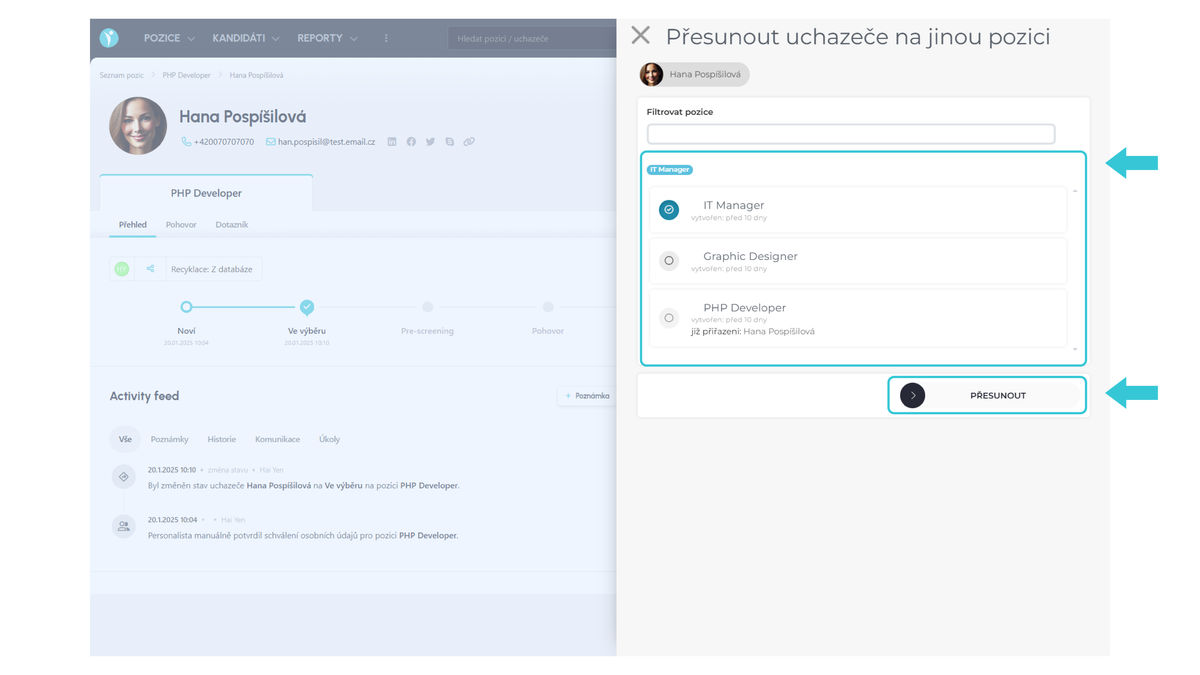
Before the move actually takes place, you will be warned about the loss of interview notes and questionnaire. What does this mean? All information connected with the previous position will be removed and the only position tab will be the one you just moved the candidate to.
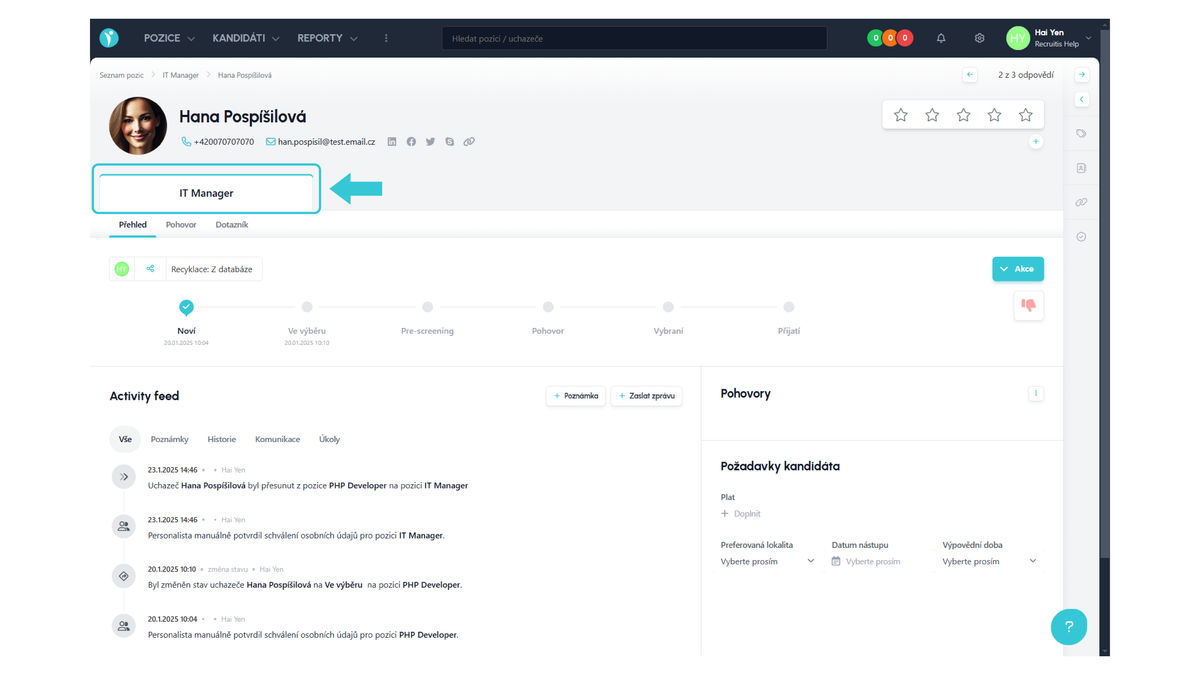
Good to know
- When choosing the copy or move action, also consider the impact on statistics - i.e., whether you want or don't want to have a record of the original candidate application for position A for statistics purposes.
- When copying a candidate, multiple records are created from the new candidates count perspective.
- When moving a candidate, the record of the original application disappears and one new record is created - the final count of new candidates thus remains the same.
- You can always replace the move action with a combination of rejection on position A and copying to position B.
- When copying and moving, the candidate is always created in the first state of the recruitment process (typically "New").
Related articles
Webhooks for the Nelisa portal
Let ATS Recruitis automatically download your candidates from the Nelisa portal.
Graphics and system appearance
Basic settings of graphic elements - logos and background.
Position editor settings
Select the optional items in the position editor that you want to display.