System flow
Do you have different recruitment flows for different positions? That’s how it should be, because recruiting a developer works differently from recruiting a salesperson or a warehouse worker. The problem arises the moment you need to answer a simple question: “How many candidates have we invited to an interview this year in total, and how many of them did we make an offer to?”
That’s why we have prepared the system flow. It acts as a connector between your recruitment flows. You map the steps from the individual flows to shared key stages and get a unified view of the whole recruitment funnel – without changing anything about how the individual teams work.
Where to find it
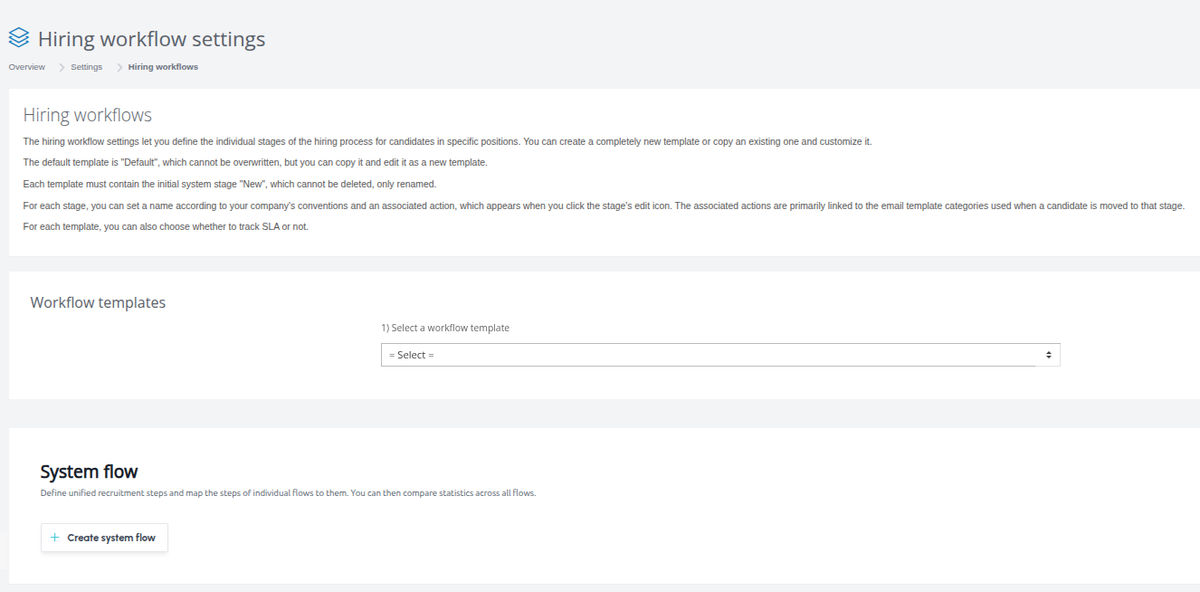
You set up the system flow in Settings → Recruitment flows. Below the list of your regular recruitment flows for positions, you will find a section for the system flow.
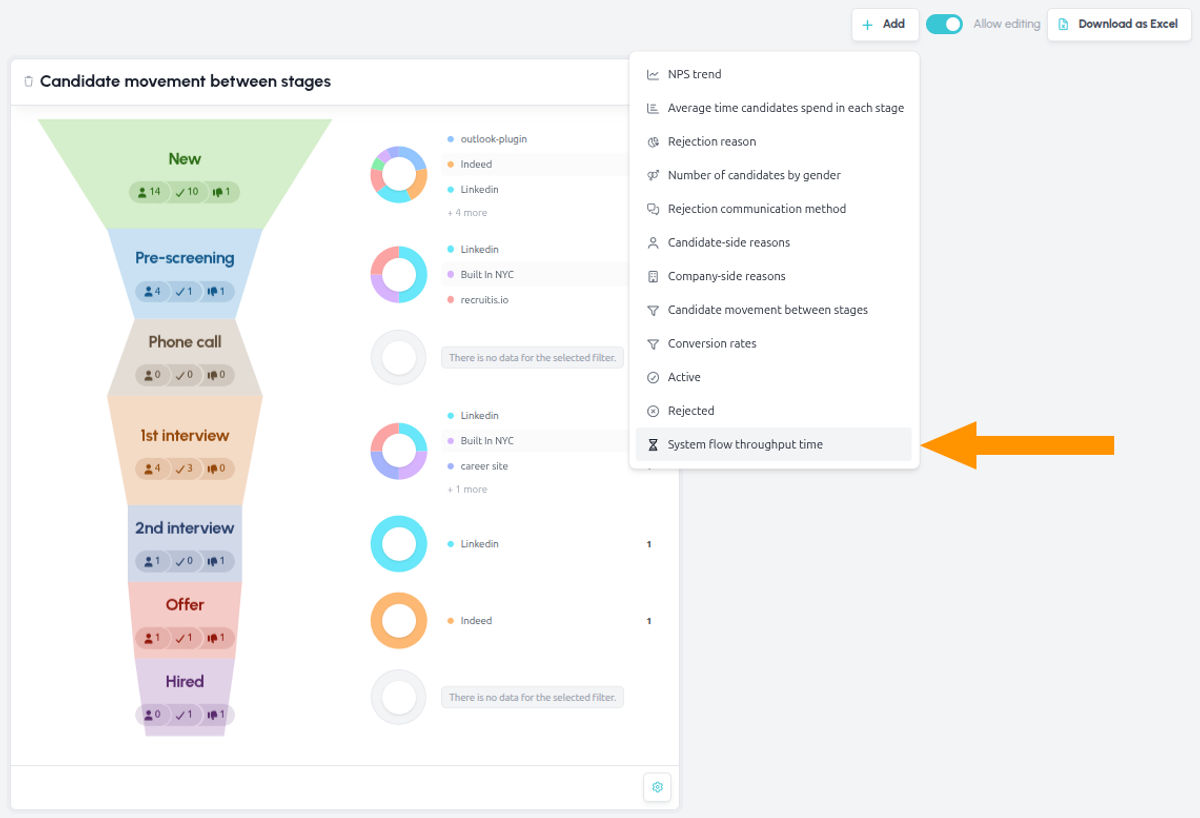
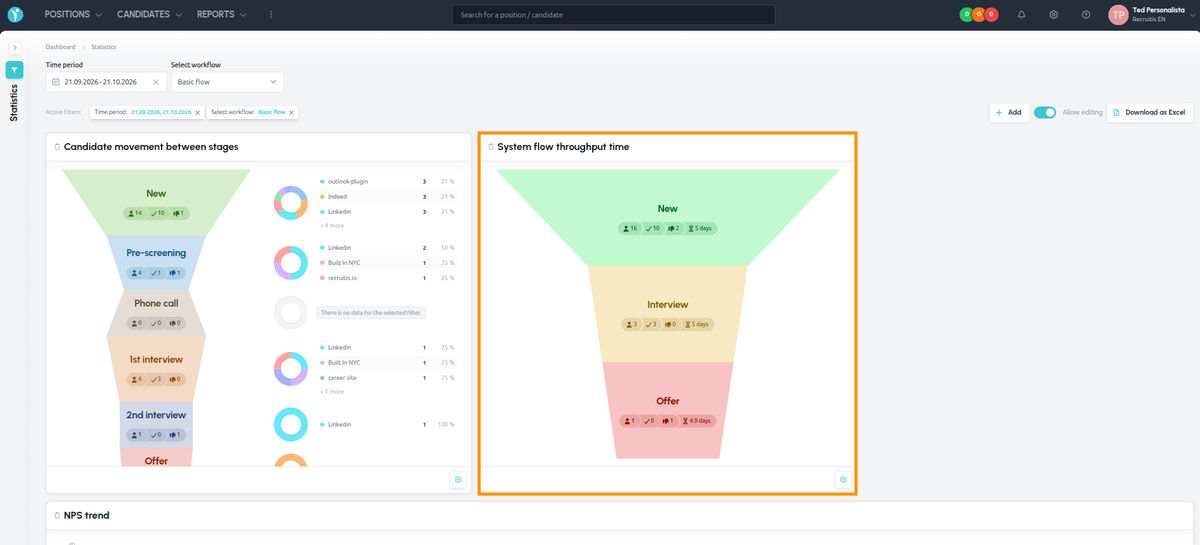
You then track the summary data in Statistics, in the new System flow throughput time widget.
How to set it up
Only an administrator can set up the system flow.
Each account can have one system flow.
1. Define the steps of the system flow
Create steps that represent the key stages of your recruitment. The system flow should be simpler than your operational flows and contain only the milestones you want to track across the whole company. It might look like this, for example:
- New candidate
- First interview round
- Offer
- Hired
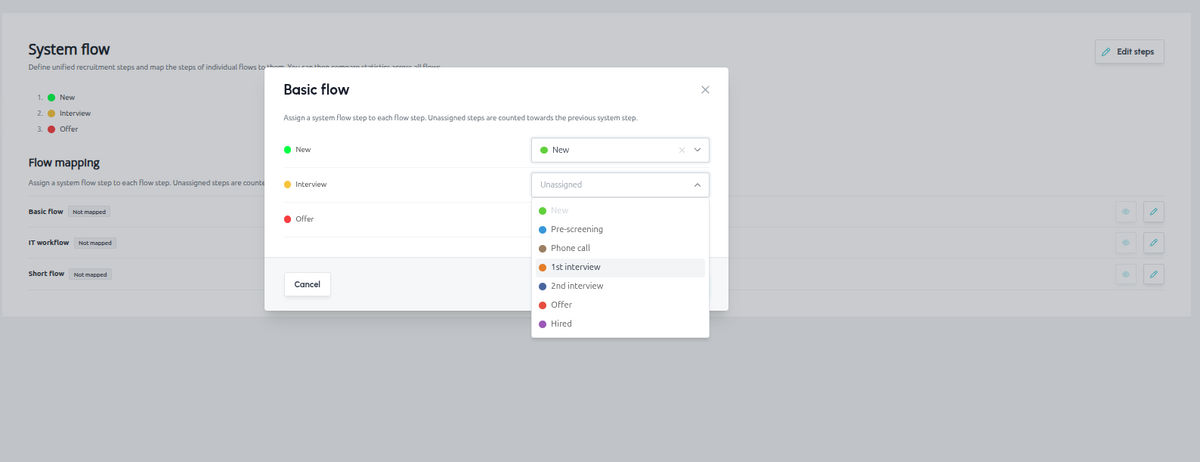
2. Map the steps from the individual flows
Assign the corresponding steps from your recruitment flows to each step of the system flow. For example, the “First interview round” step may correspond to the “HR interview” status in one flow and the “Phone screening” status in another.
You don’t have to map everything:
- Operational flows usually have more steps than the system flow. You map only those that correspond to the key stages.
- A system flow step doesn’t have to have an equivalent in every flow. Map it only from the flows you want to include in the calculations.
Track the results in Statistics
Open the System flow throughput time widget. You will see the total numbers of candidates in the individual stages across all mapped flows, as well as the time candidates spent in the individual statuses.
The calculations also include historical data, so you see the results right after setting it up.
💡 What to focus on
- The company’s overall recruitment funnel: Find out how many new candidates you had in total, how many of them made it to the first interview round, how many offers you made and how many people you hired. All for all flows at once.
- Finding bottlenecks: Thanks to the time spent in each status, you can easily spot where candidates wait the longest. It may be, for example, the stage between the interview and the offer, where speed is crucial.
- Reporting for management: Instead of manually adding up data from the individual flows, you have one consistent number you can present straight away.
- Keep the system flow simple, ideally with 4–6 steps. The fewer steps, the clearer and more comparable the data.
- You can track only the flows that matter to you – want to track only a certain type of recruitment, say only office positions? Map only the relevant flows into the system flow and leave the others out.
Related articles
Webhooks for the Nelisa portal
Let ATS Recruitis automatically download your candidates from the Nelisa portal.
Impersonation
Combining the answers of a historically depersonalized candidate with a new answer.
Talent database and its possibilities
The talent database does not have to be used only for searching contacts for candidates.