Timezones in calendar
If your company operates across multiple time zones, or if you handle recruitment for branches located in a different time zone than Central European Time (CET, i.e., UTC+1), you can change your time zone settings.
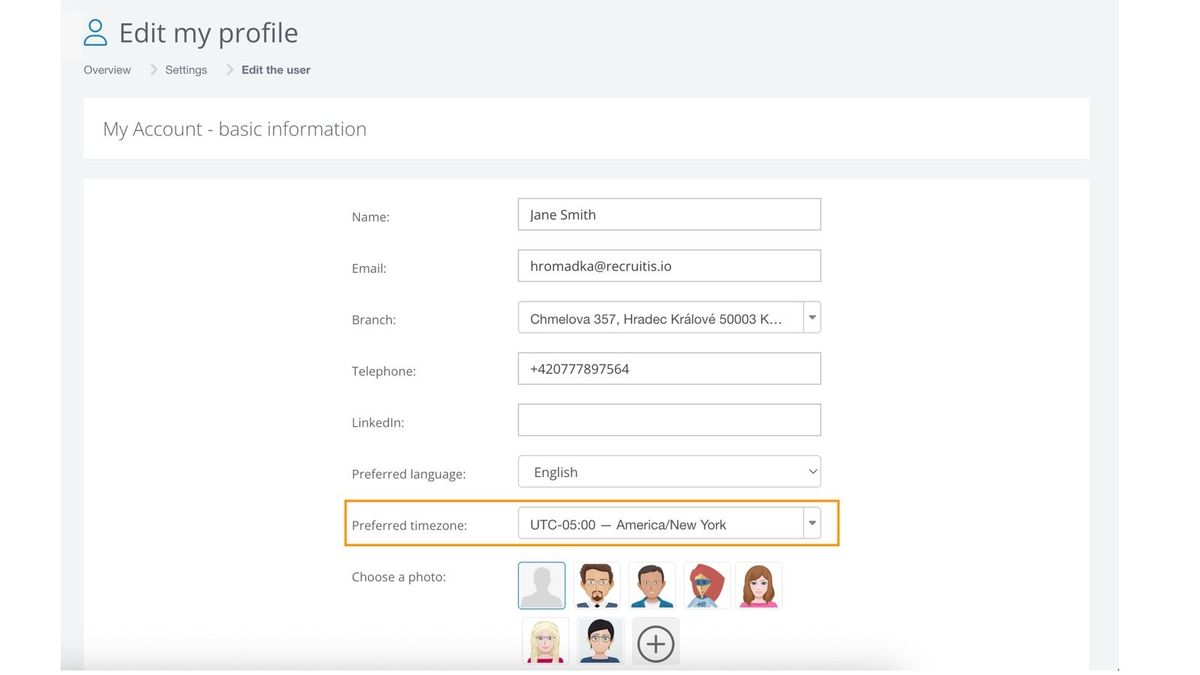
User preferred time zone settings
Within their user profile settings, users can set any time zone for the calendar in the Recruitis ATS. Administrators can also change this setting for individual users, similar to language preferences.
After changing the setting, all events in the calendar will be recalculated to the selected time zone.
Event time zone settings
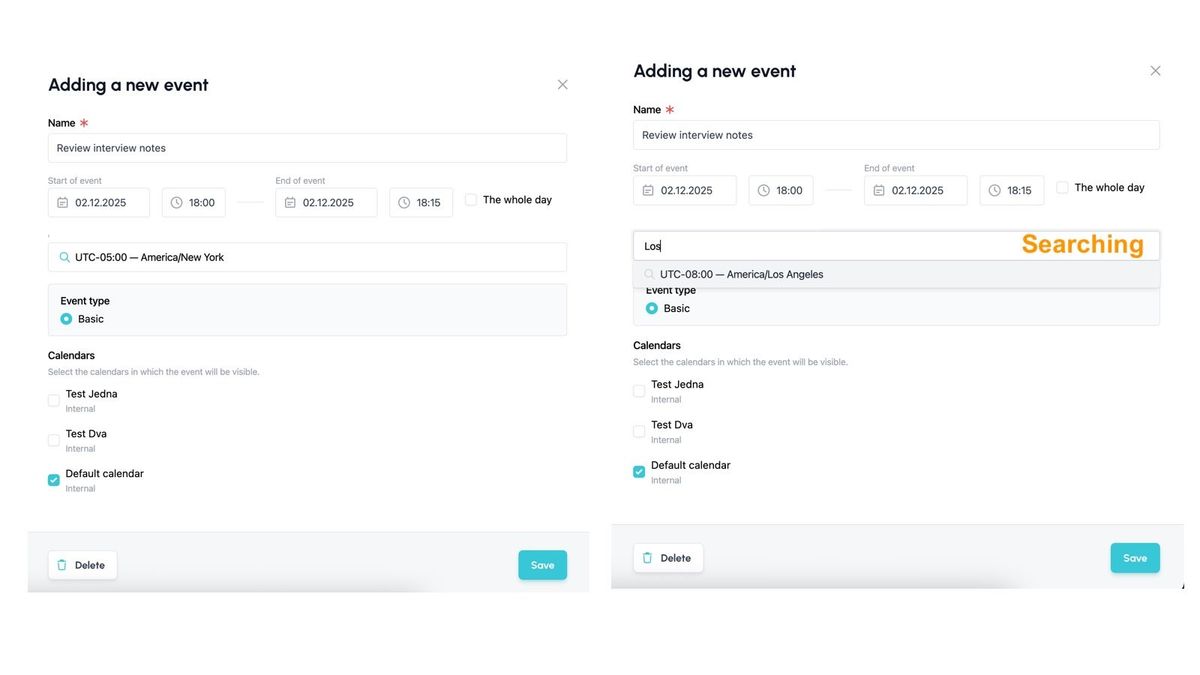
The time zone can also be set individually for each event created within the Recruitis ATS calendar.
So even if my user settings are set to Prague time, and I want to schedule a meeting at 8:00 AM New York time for a colleague in the US branch, I can enter the event as 8:00 AM New York time (i.e., UTC-5) without manually converting the event start time from Central European Time.
Related articles
Webhooks for the Nelisa portal
Let ATS Recruitis automatically download your candidates from the Nelisa portal.
Impersonation
Combining the answers of a historically depersonalized candidate with a new answer.
Talent database and its possibilities
The talent database does not have to be used only for searching contacts for candidates.