AI draft – your assistant for writing emails
Writing a personal email to every candidate is the ideal – but in everyday recruiting there's often no time for it. AI draft changes that. Based on the action in your recruitment process (moving a candidate to the next round, rejecting them) and with knowledge of their CV, cover letter and, where applicable, the reason for rejection, it prepares an email draft tailored to that specific candidate in just a few seconds. You can start from your own template or let AI write the text entirely from scratch. All you have to do is review it, fine-tune it if needed, and send it.
What does it look like in practice? Imagine you're rejecting a candidate for a project manager role after the first round. Instead of a generic "unfortunately, we have decided to go with another applicant", you get a draft that appreciates her experience leading agile teams mentioned in her CV and clearly explains why you're choosing a different profile this time. Or you're moving a developer to the next round. AI draft mentions his motivation to work on the product, which he wrote about in his cover letter, and describes what awaits him at the technical interview.
The result is personalized communication at scale. Candidates feel that you really read their application – even when they're being rejected. This way you build a positive candidate experience and a stronger employer brand, while saving the time you would otherwise spend rewriting templates or copying text to and from an AI tool.
Where to find AI draft
You'll find AI draft in the email sending window when moving a candidate in the flow or rejecting them, as a bright button in the right-hand part of the window.
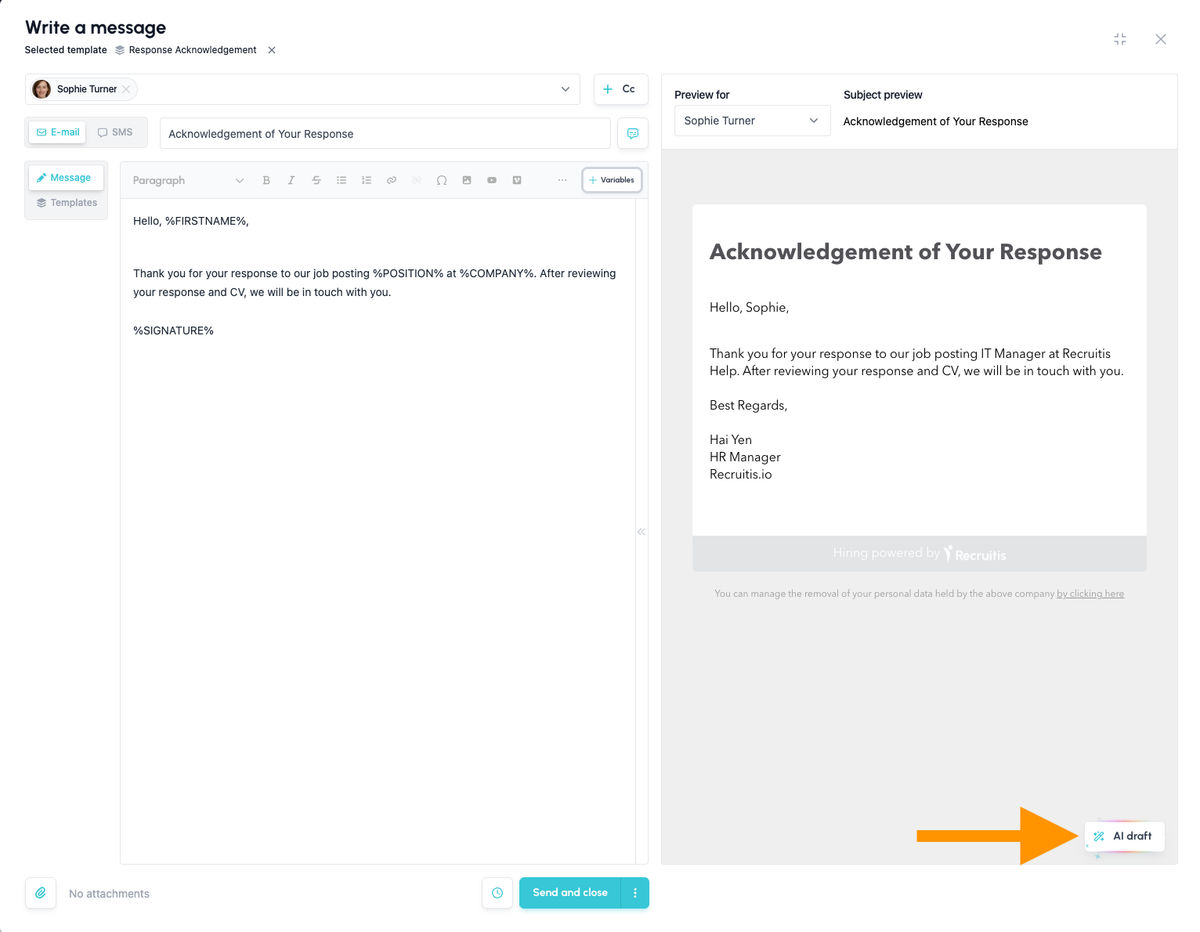
How does it work?
In the email window, you can either choose a template you want to use as context, or let AI generate the email completely from scratch (i.e. when you choose the "Write a new message" option in the template selection).
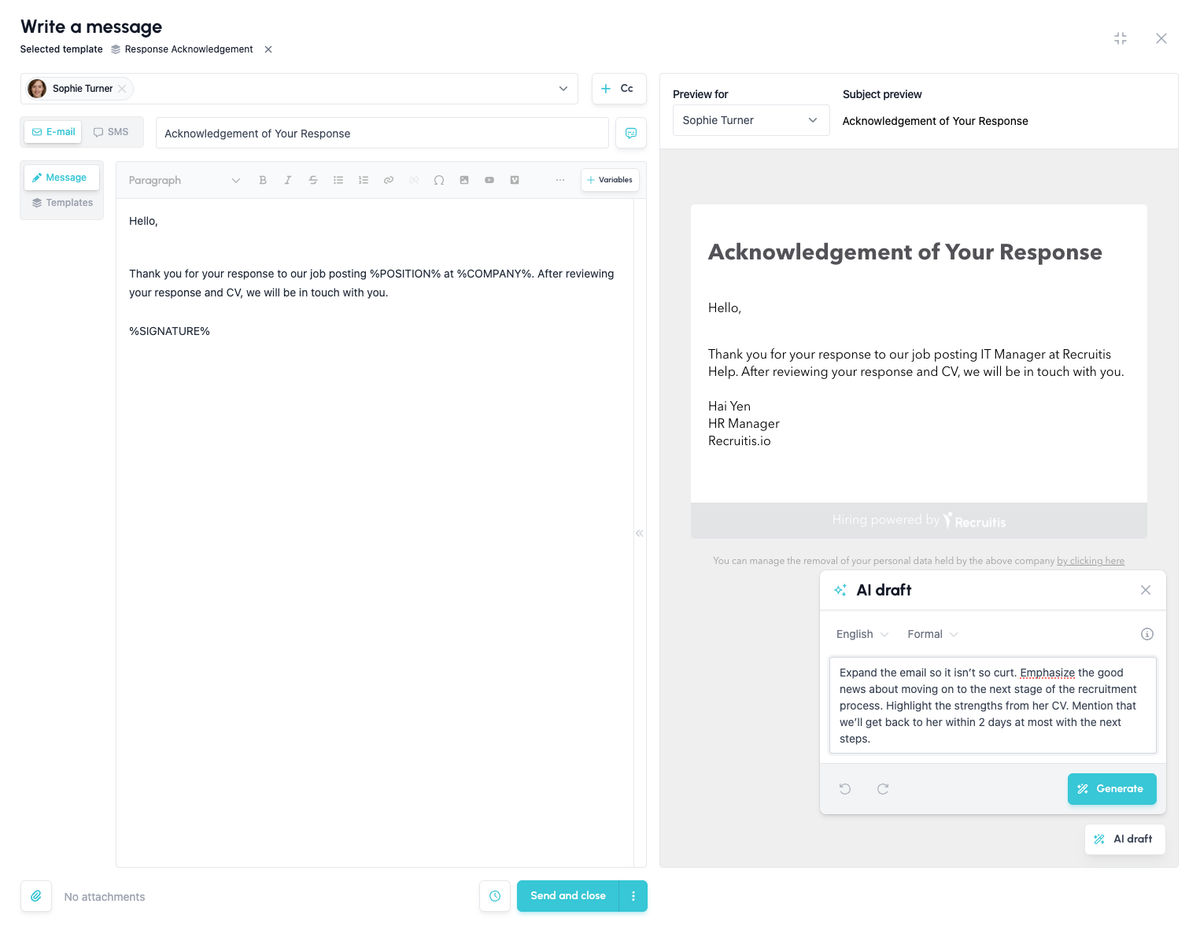
After clicking the "AI draft" button, a small prompt window opens. In it you can see and adjust:
- the language of the email
- the tone of the email
Hover over the (i) icon to see the context of the email.
The largest item is the space for your prompt, which you can use to give AI draft further instructions for adjusting the text.
💡 For more complex types of emails – especially interview invitations or GDPR consent requests, which require specific template settings – you first need to select a default template from which the settings are taken. These emails can't be written from scratch.
Context is key
Compared to generating a similar email in your own AI tool, such as ChatGPT or Claude, the advantage is that ATS Recruitis automatically knows the context within the recruitment process (for example, whether you're moving the candidate to the next stage or rejecting them). It also knows the candidate's CV, cover letter or reason for rejection, so it can add truly specific details for that particular candidate to the email.
💡 The available contexts will be gradually expanded – the current selection isn't final.
A practical example
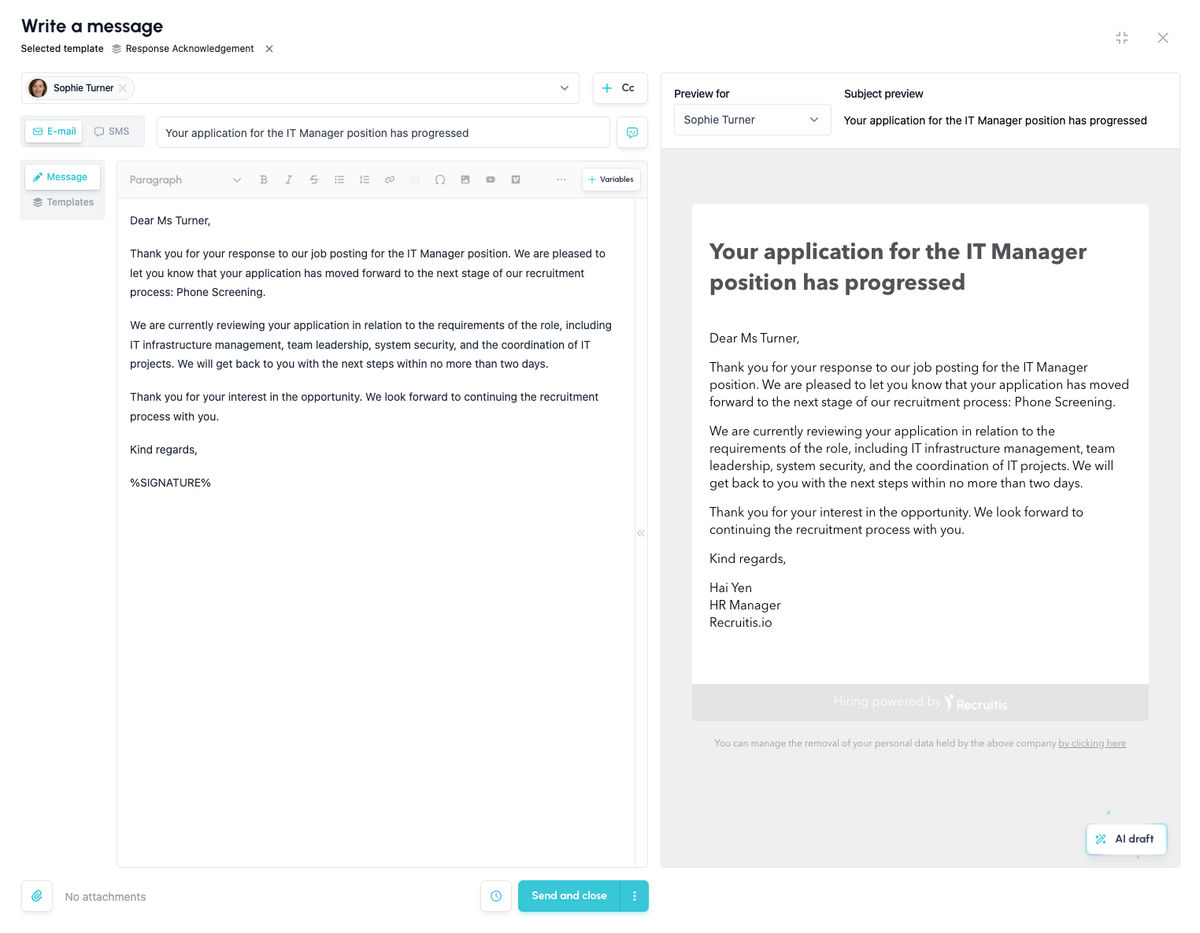
The images below show how a single prompt can turn a formal, briefly informative template into a genuinely warm email containing specific information relevant to the candidate.
What happens with your data?
This AI feature in Recruitis is powered by a language model that we run ourselves, locally, within the Recruitis ATS infrastructure in the EU. We don’t use any public AI services. Your data, including candidates’ personal data, never leaves the Recruitis environment because of AI features, and no additional third party gains access to it. The model simply processes the data and returns the result. It doesn’t remember anything from it or retain it beyond the processing itself, and we never use your data to train or fine-tune it. Your data is protected by the same security rules and the same GDPR safeguards as all other data in Recruitis, as covered by our existing agreements. This lets you enjoy the benefits of AI and save time in your day-to-day work with candidates, without worrying about where your data goes.
💡 Good to know
- If you use several prompts in a row (i.e. have the generated text regenerated again), you can switch between the individual versions using the forward and back arrows below the prompt box. This also changes the context: if you go back one version and write a new prompt such as "make it friendlier", AI draft will work from the version you currently have selected, not from the very latest one.
- If you don't select a template at the start, AI draft uses only the action you're currently performing as context – for example, moving the candidate to a certain stage, rejecting them with a specific reason, and so on.
Related articles
Webhooks for the Nelisa portal
Let ATS Recruitis automatically download your candidates from the Nelisa portal.
Impersonation
Combining the answers of a historically depersonalized candidate with a new answer.
Talent database and its possibilities
The talent database does not have to be used only for searching contacts for candidates.