Message Sending Dialog
Sending emails and SMS is one of the key features in ATS Recruitis, and the dialog that controls it is therefore a very important part of everyday work with the system.
Based on customer feedback, we have included several significant changes in the redesign of this dialog, which primarily aim to make your work easier and improve the user experience.
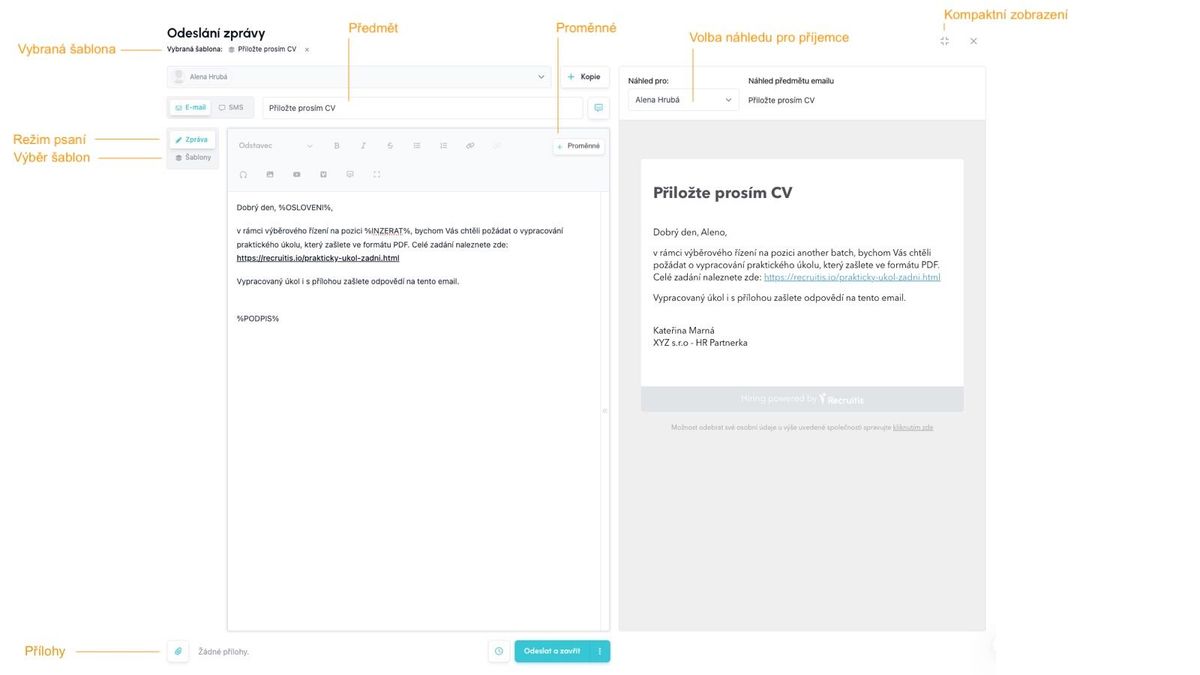
What are the operating principles of the dialog?
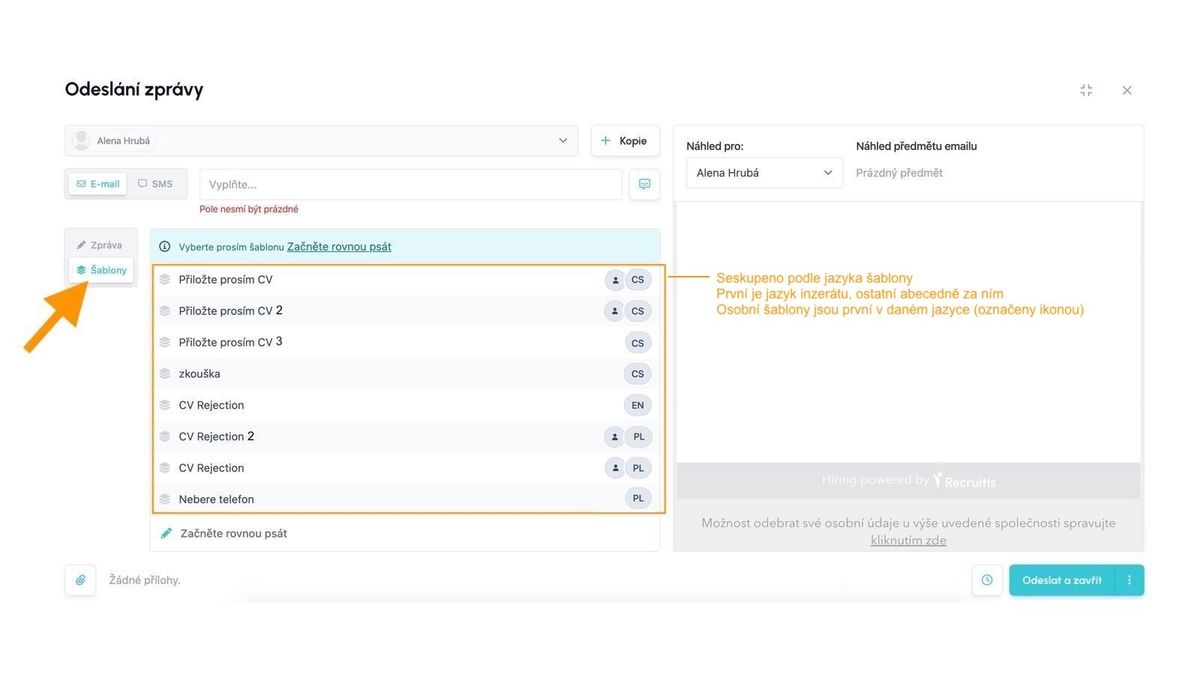
When you open the window, you will see a list of templates
The first thing you will see in the dialog after opening the window is a list of templates, so you can immediately select the one you want to use with a single click, without having to search for it and select it additionally.
Templates are grouped and sorted according to this logic:
- templates are grouped by the language set for the template
- templates with a language matching the job ad language are displayed first (if it can be determined - for actions within the recruitment flow, the position is known, but e.g., for general message sending, it is not)
- other languages are sorted alphabetically
- within each language, your private templates marked with a "person" icon are prioritized (if such exist)
After selecting a template, you will automatically switch to writing mode and the name of the selected template will be displayed in the window header, where you can also cancel the template selection.
You can easily get back to template selection via the button in the left part of the writing window, and clicking on another template will again switch you to the window for displaying template content and writing.
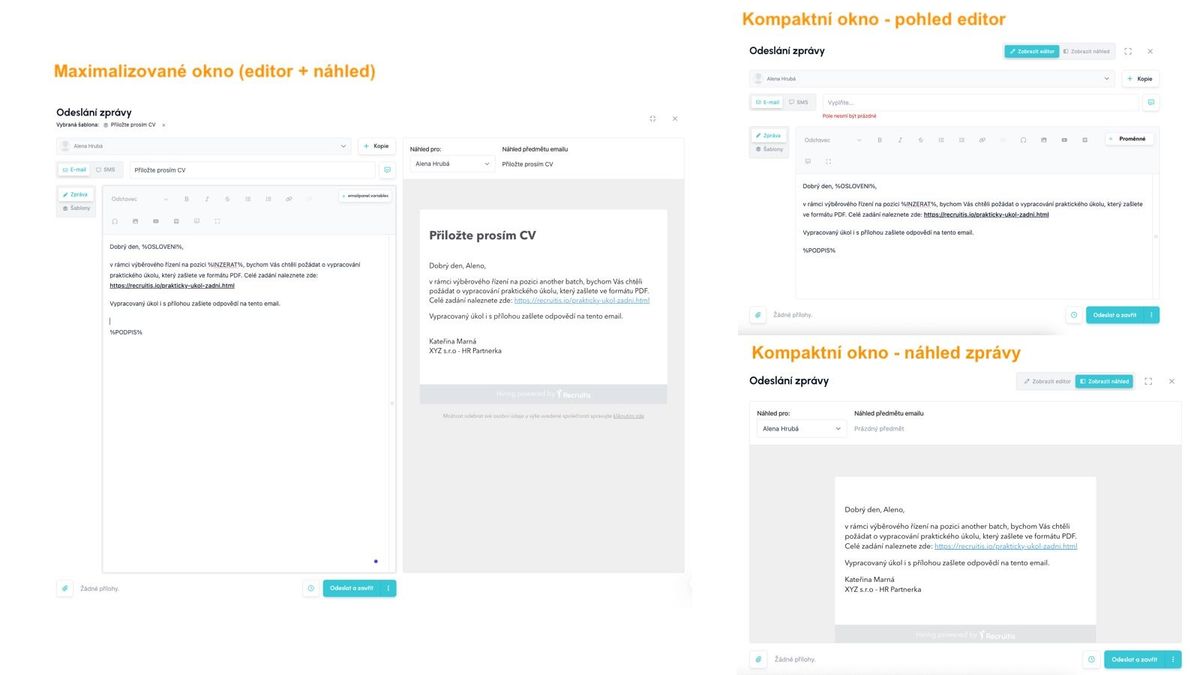
The window opens in maximized mode by default, including preview
When first opened, the window now opens directly including the preview section, so you do not need to click several times extra to display the preview.
If this does not suit you, you can display the compact version of the window without preview in the upper right corner, which you can then switch to using the button in the upper right part of the window.
The system always remembers your last setting and the next time you open it, the sending dialog will be displayed either in maximized or compact version depending on which one you had turned on last.
Working with attachments
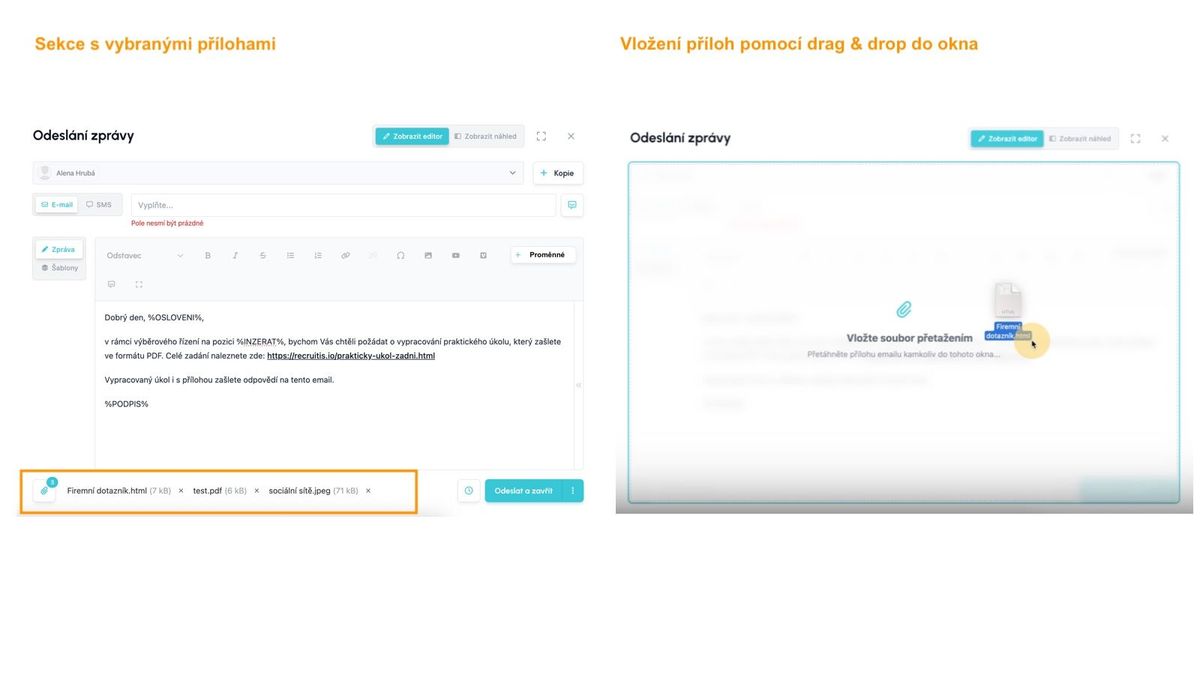
Attachments are displayed directly in the main window at the bottom left instead of a separate tab.
You can insert an attachment either directly via the button or by drag & drop to any place in the dialog (similar to how Gmail has it, for example).
For each uploaded attachment, you can see the name, size, and also an "X" to remove the template.
Related articles
Webhooks for the Nelisa portal
Let ATS Recruitis automatically download your candidates from the Nelisa portal.
Impersonation
Combining the answers of a historically depersonalized candidate with a new answer.
Talent database and its possibilities
The talent database does not have to be used only for searching contacts for candidates.