Google Chrome Plugin for Loading Gmail Messages
The Recruitis plugin now also enables synchronization with Gmail. Emails from candidates are automatically linked to their profile in the Recruitis system. Every recruiter and hiring manager thus has access to a complete communication history – organized, secure, and without unnecessary searching.
If you have a candidate in Recruitis ATS and receive a message from them in Gmail, the Recruitis plugin icon will appear next to the message with the option to select a specific position – in case the candidate has applied for multiple positions at once. Simply select the correct position and upload the communication by clicking the Recruitis plugin icon.
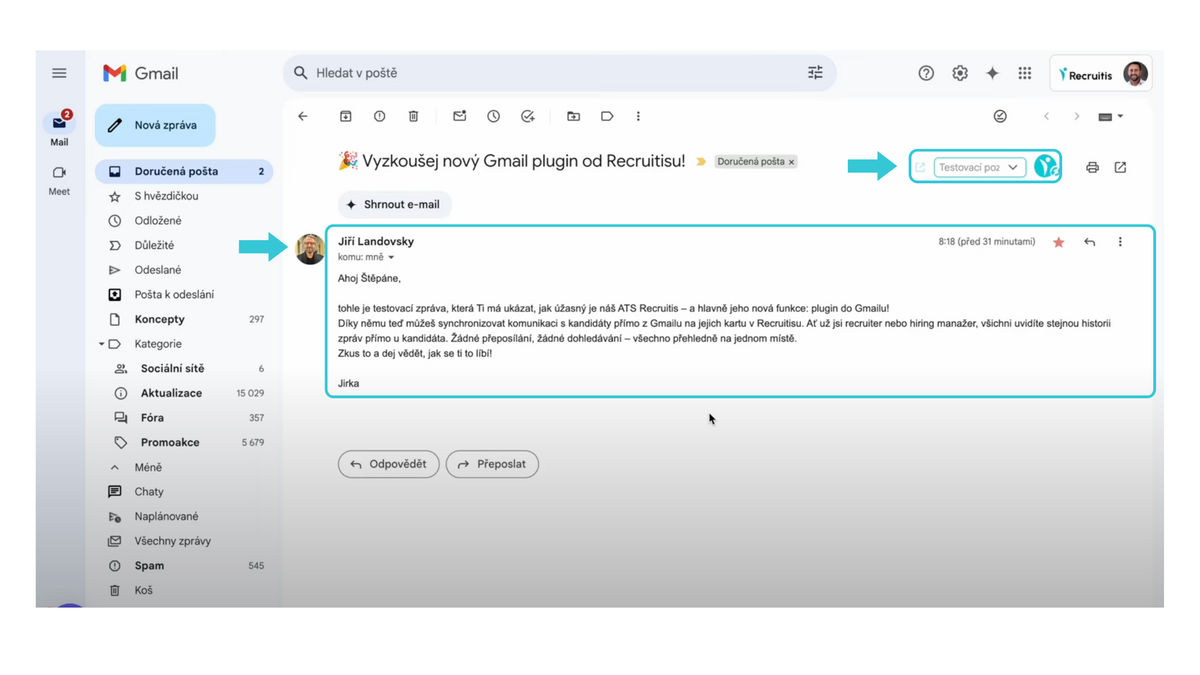
After successful synchronization, a checkmark will appear under the plugin icon, confirming that the email conversation has been successfully transferred.
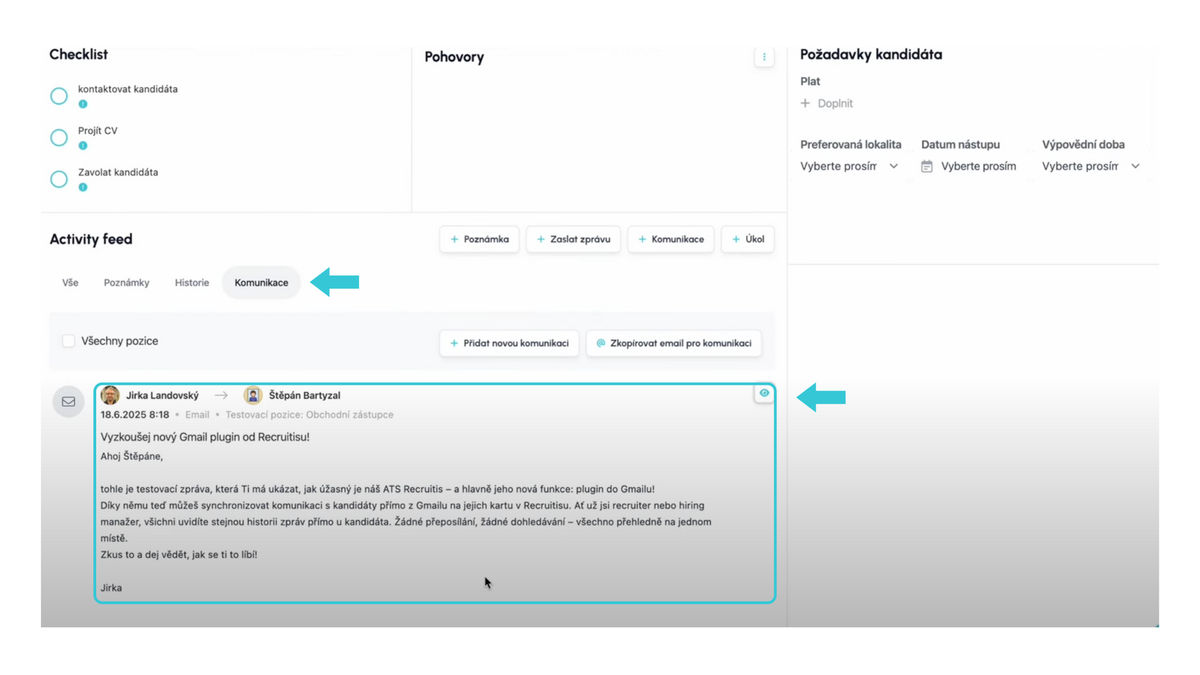
The messages will then be displayed on the candidate's profile in the Communication section, which you can access either directly via the link from the plugin, or through the candidate's profile in the Recruitis system.
🎥 For a quick overview, watch this short video 👇
Related articles
Webhooks for the Nelisa portal
Let ATS Recruitis automatically download your candidates from the Nelisa portal.
Impersonation
Combining the answers of a historically depersonalized candidate with a new answer.
Talent database and its possibilities
The talent database does not have to be used only for searching contacts for candidates.