Creating a Position
Where to create a position?
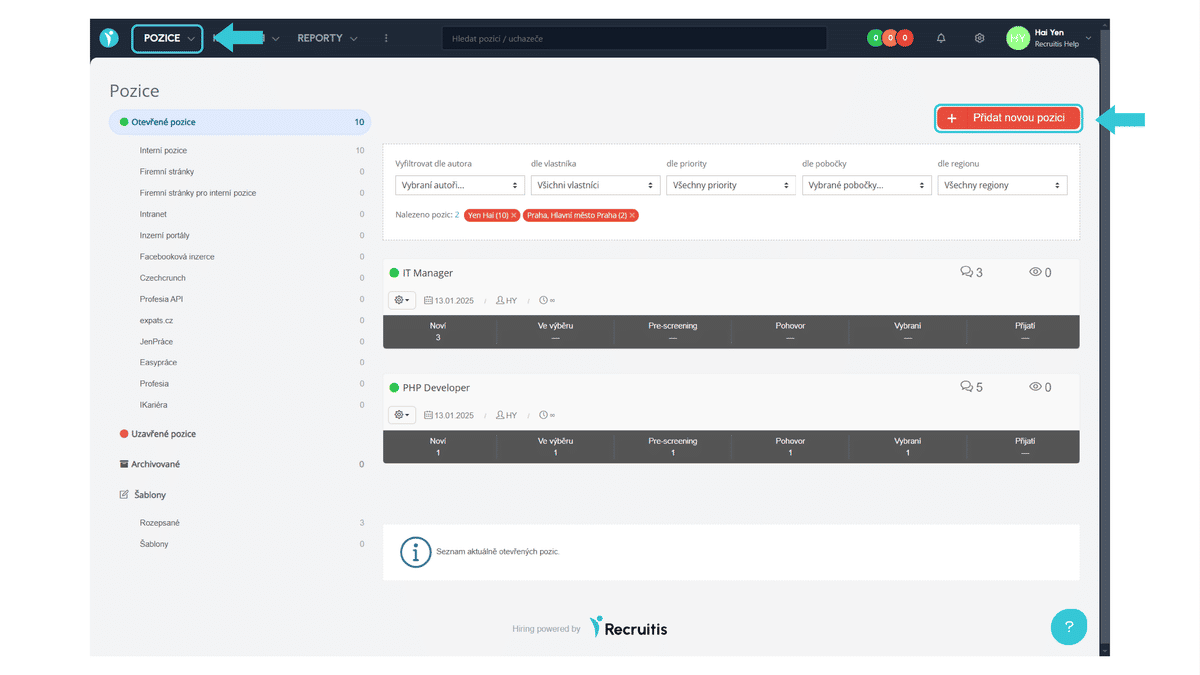
A position in Recruitis can be created by clicking on the Dashboard button Positions > Add new position.
You will enter an editor that consists of required and additional information, and the last step is for publishing the position itself.
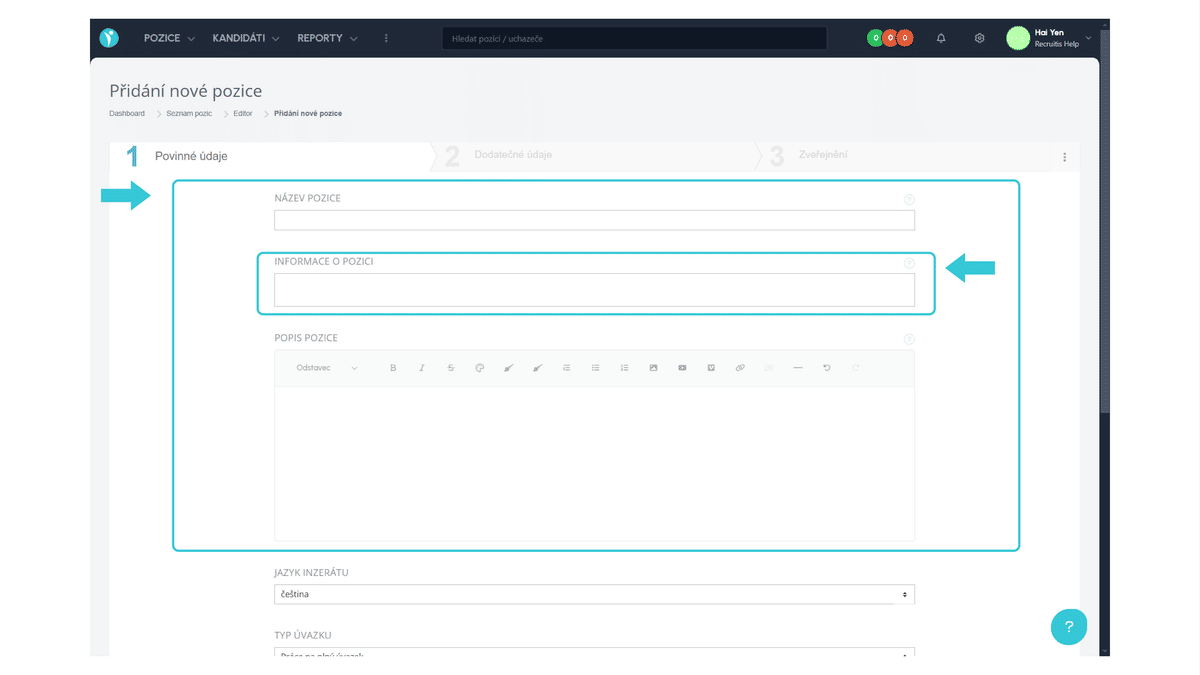
Required Information
In the editor, you first enter the position name and its description - this includes all key information such as job description, candidate requirements and benefits you offer. You can use basic text editing or simply paste an already prepared advertisement using CTRL + V, including styling and other elements.
You also have the option to fill in internal information that is intended for your team. You can enter the reasons for opening the position, on whose behalf the recruitment is taking place, or by when the position needs to be filled. These details help with better organization and overview in the recruitment process.
Other required information includes, for example, the work field and profession, type of employment, or place of work. The contact person can be filled in manually or simply selected from the list of colleagues.
After clicking the "Go to next step" button, you will get to additional information, which is optional.
Images cannot be inserted directly into the editor, for example from your disk, but must always be a link to an image. The same applies to video.
Fields and professions can be changed to a non-required field in the position editor settings. You can only make this choice if you do not advertise on job portals (i.e. only on your career pages, where you handle fields and positions differently, for example using filter items). On most job portals, this field is required and not filling it in would mean that the given position cannot be posted on the portal.
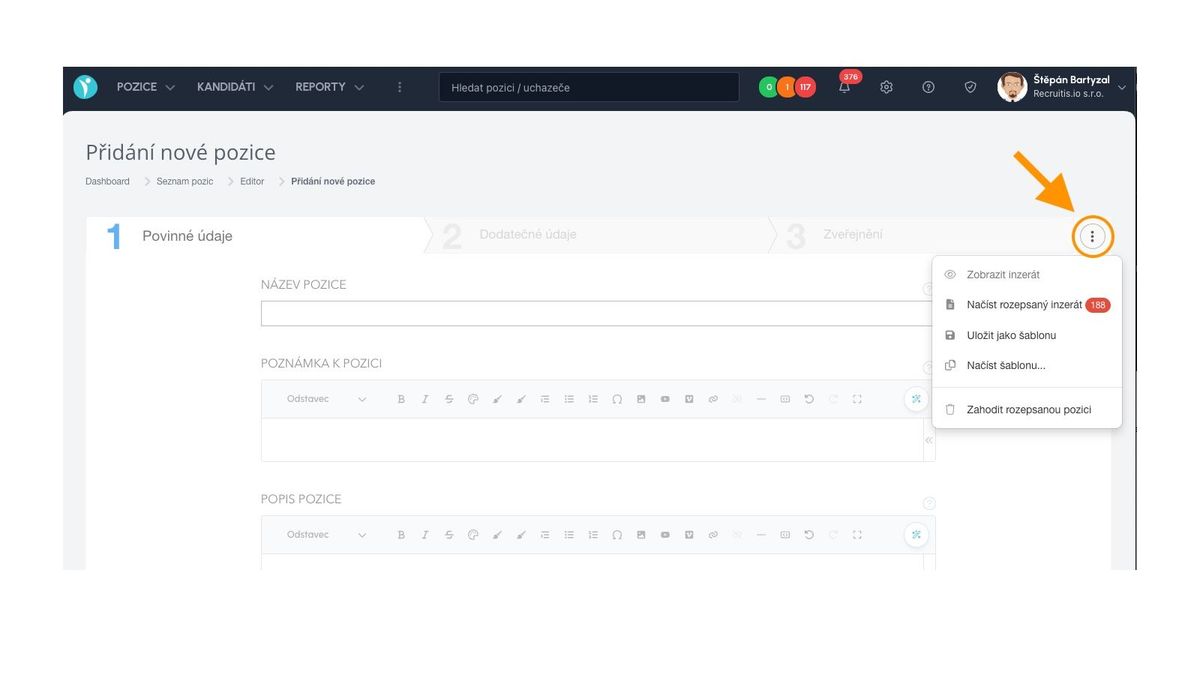
Templates
When creating a position, you can also use templates.
- You create a template from the current content using the "Save as template" action
- You load a template using the "Load template" action
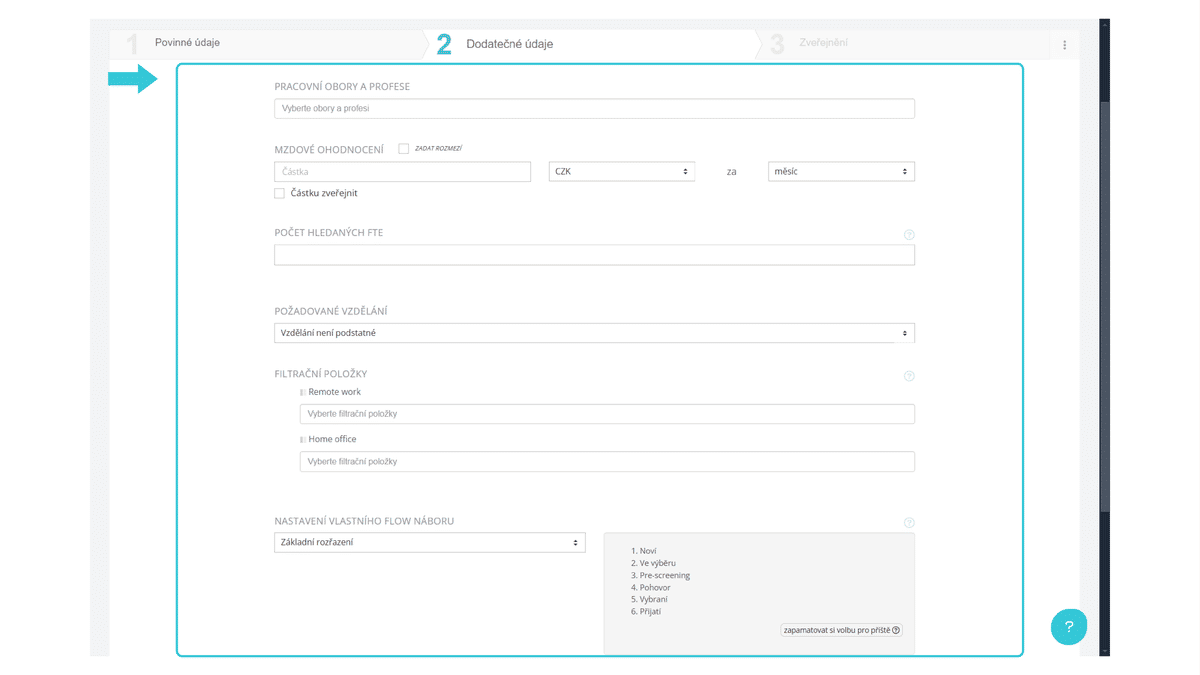
Optional Information
Here you can (but don't have to) add, for example, salary, its range, required education level, or workload size.
A number of items on this page can be enabled or disabled in the position editor settings.
Even though certain items are optional from the ATS Recruitis perspective, typically salary, there are portals where this item is required and filling it in is essential for posting the position.
Position Publication
In the last step of publishing a position, you can choose where you want to publish the specific job advertisement. You can publish it:
- Only internally in the system (i.e. the position is open but not published on any public publication channel).
- On standard publication channels - for example, on the career pages channel, on the internal job offer channel, or even on the intranet channel.
- Through the job portal under the domain pracevcr.cz.
- On external job portals (i.e. portals that you gradually connect with ATS Recruitis).
- Through third-party XML outputs (which you can also gradually create and add to ATS Recruitis).
A detailed guide on how to set up publication channels can be found in the article Position Publication.
Related articles
Webhooks for the Nelisa portal
Let ATS Recruitis automatically download your candidates from the Nelisa portal.
Graphics and system appearance
Basic settings of graphic elements - logos and background.
Position editor settings
Select the optional items in the position editor that you want to display.