Internal NPS
Why is it important to measure recruitment satisfaction internally?
Hiring managers are key players in the recruitment process. Their satisfaction reflects how effective and smooth this process is. If managers are satisfied, it means the recruitment process is well-organized, effective, and brings quality candidates.
Satisfied hiring managers are generally more motivated and more likely to invest more time and effort in recruitment, which can lead to better performance of the entire team, and ultimately the entire company.
Hiring managers' satisfaction with recruitment often correlates with the quality of hired employees. If the recruitment process is effective and well-managed, hiring managers have a better chance of finding and hiring talents who truly match the needs of the team and company.
Regular measurement of hiring managers' satisfaction can help identify weaknesses in the recruitment process. This enables continuous improvement and adaptation of processes to be as effective and satisfying as possible for all parties involved.
Why use NPS?
NPS (Net Promoter Score) is a simple metric that is easy to use and interpret, which is why responses are easily quantifiable. Thanks to the simplicity of NPS, hiring managers can easily provide feedback, and this allows for regular and frequent satisfaction measurement without significant administrative burden.
NPS helps identify not only overall satisfaction but also specific managers who are either very satisfied or very dissatisfied. This can help focus on specific problems and areas for improvement.
Implementation of internal NPS in ATS Recruitis
In ATS Recruitis, this functionality is implemented in the menu Reports | Internal NPS
This functionality is available from the Enterprise license.
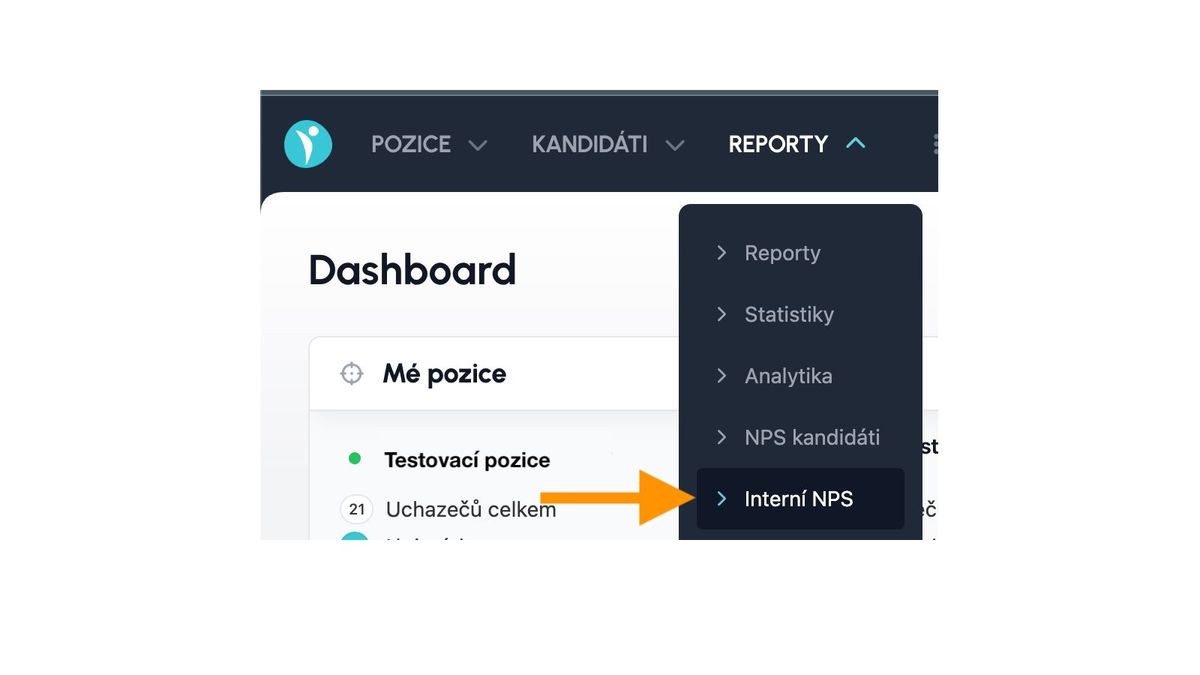
Principle of operation
From the menu mentioned above, you will get to a separate page where the entire internal NPS functionality is controlled and where collected data is also displayed.
Displayed values
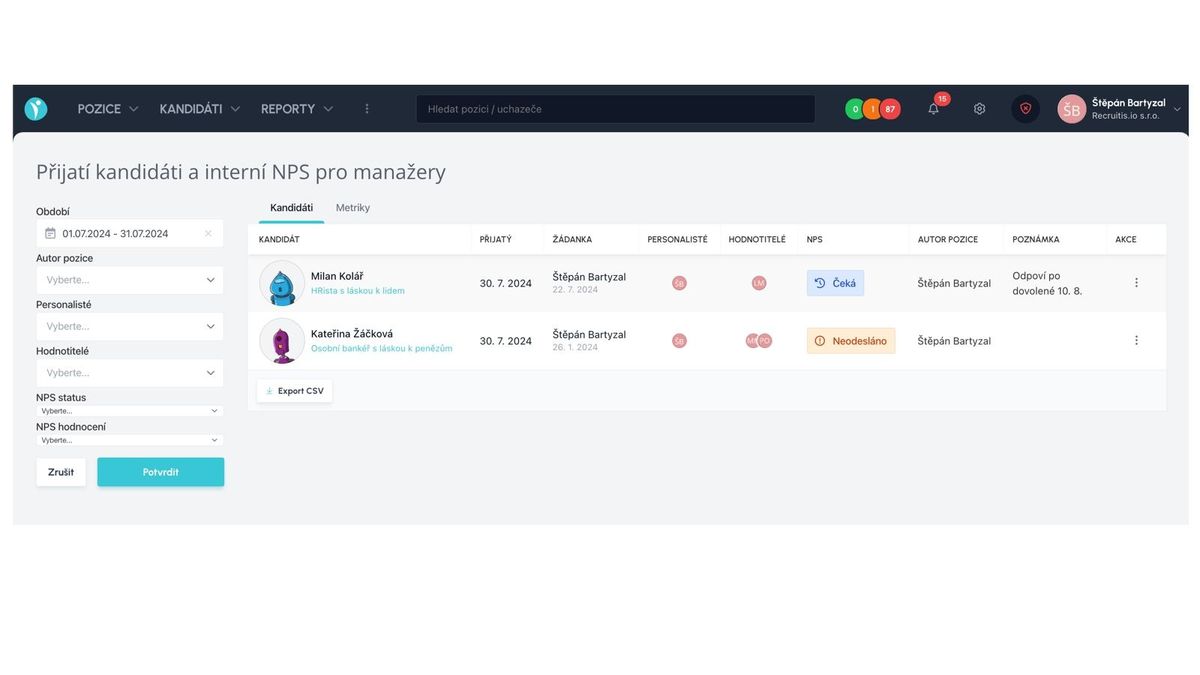
The default view is the "Candidates" tab, where accepted candidates for the given filtered period are displayed. Accepted means those who were moved to a state with the "Candidate is accepted for position" action during the given period.
The table contains these columns:
- Candidate name - including a link to the candidate card for the given position
- Candidate acceptance date
- Author and date of request creation
- List of recruiters - these are direct position owners with higher permissions
- List of evaluators - these are direct position owners with lower permissions
- NPS status - "Not sent", "Waiting", or filled NPS value
- Position author name
- Note - manually entered text within actions
- Actions - you can send an email requesting evaluation or enter a note
Displayed values, exactly as you have them filtered, can be exported for further processing e.g., in Excel using the "Export CSV" button
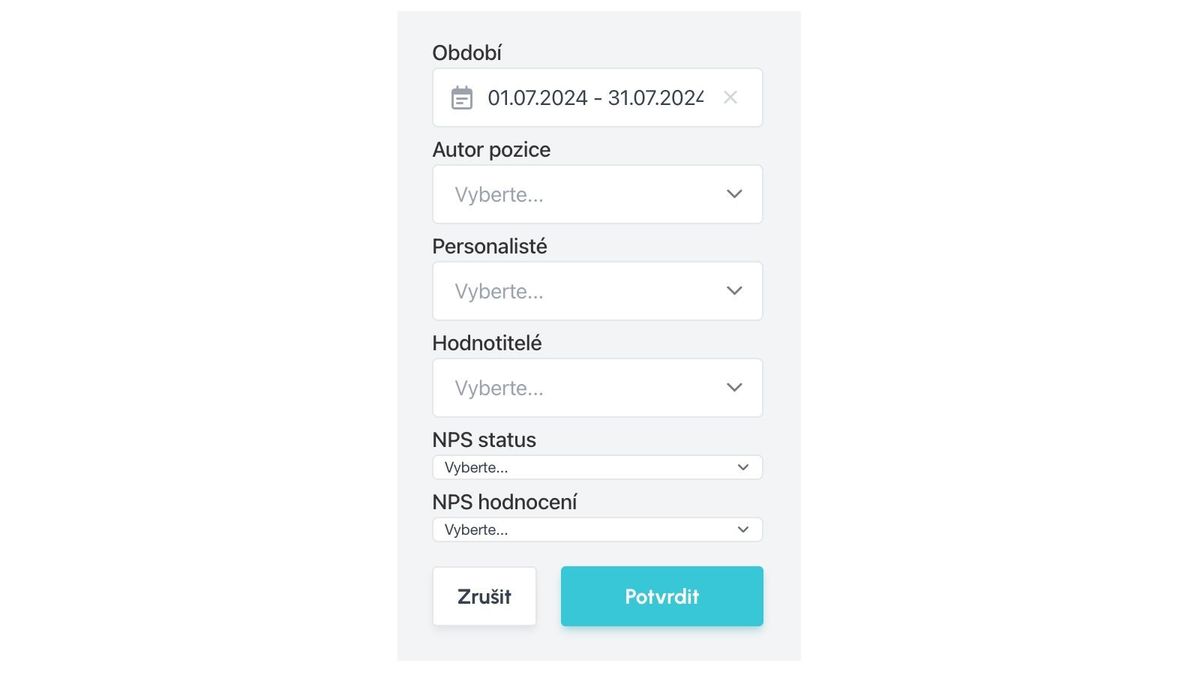
Filtering
Accepted candidates can be filtered according to the following criteria:
- Time period
- Position author
- Recruiters - i.e., evaluated recruiters
- Evaluators - i.e., hiring managers
- NPS status - not sent or filled
- NPS rating - promoters, detractors, or neutral
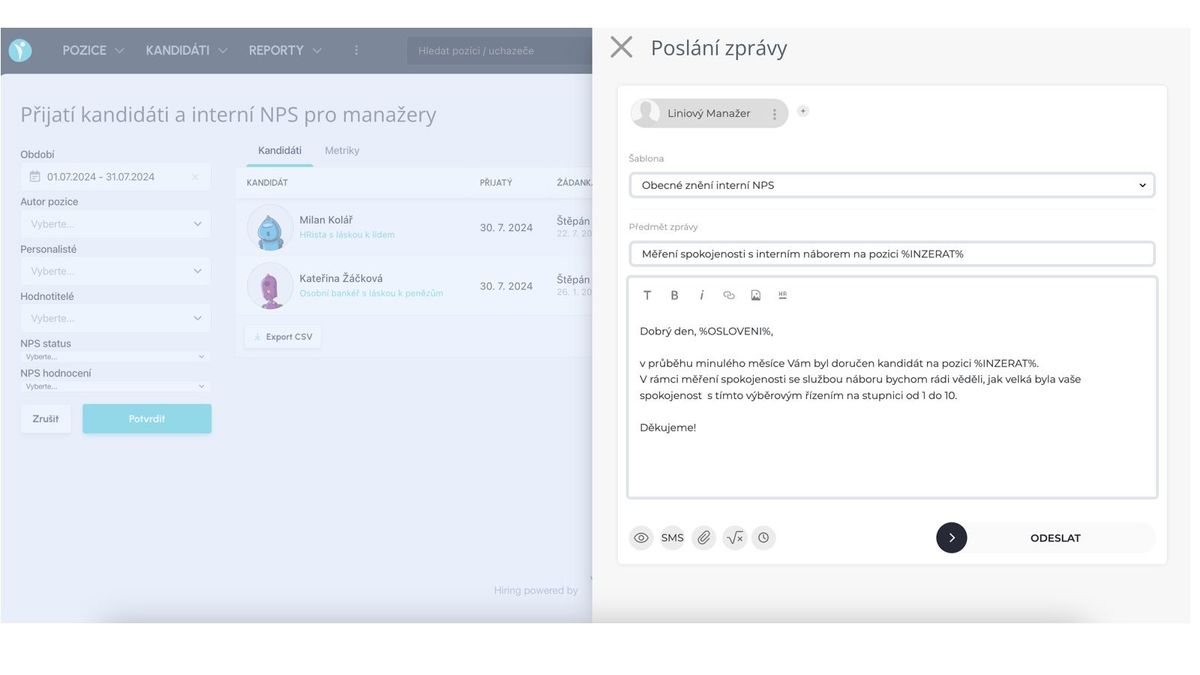
Sending feedback request
Sending a feedback request is triggered using the "three dots" menu at the end of each row by selecting "Send email".
Email sending works the same as for any other type of email in the system - a window for sending opens, where you can select a template to use or edit the text directly in the sending window.
Important principles:
- All from the "Evaluators" list are selected by default in the sender list
- Evaluators can only be removed, not added (the sent email must have at least 1 recipient)
- The email template contains, in addition to the displayed text, also a rating scale with stars (you will see the complete email in the preview in the sending window)
Filled values
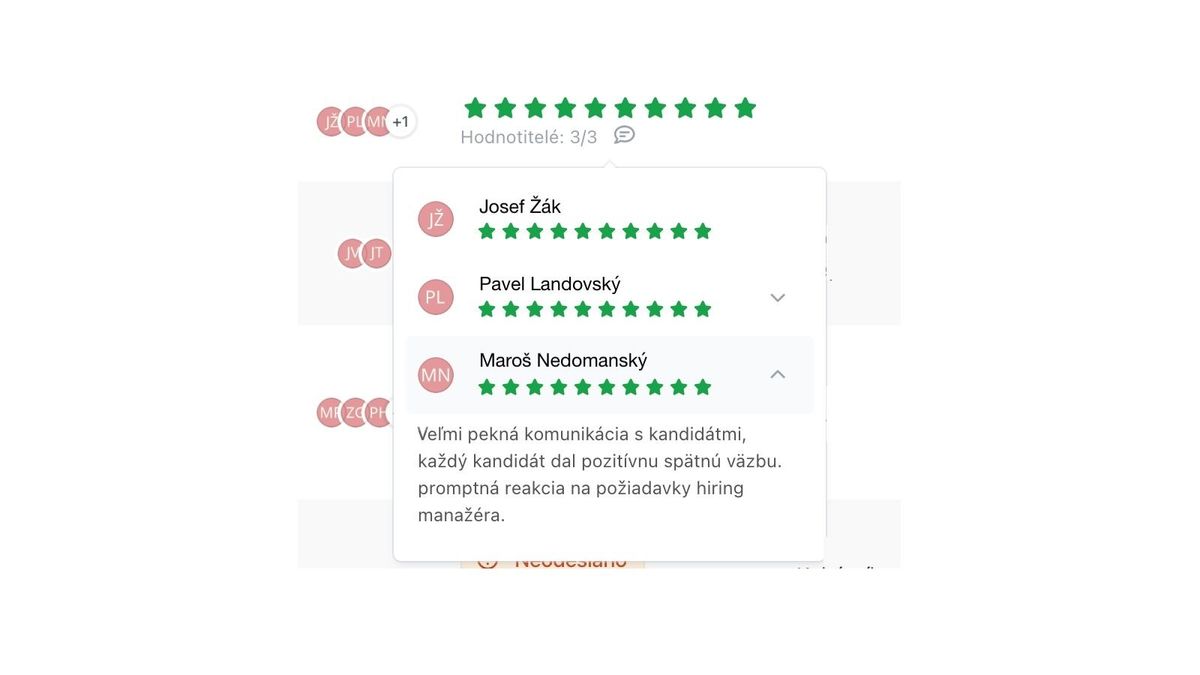
In the rating column, the average of all evaluators is displayed in the form of stars.
Furthermore, you can see how many evaluators out of how many have already responded, and also an indicator of whether any evaluator added a comment - the comment, like candidate NPS, is an optional field.
After clicking on the rating, you can see ratings of individual evaluators, where the "chevron" icon on the right indicates the existence of a comment.
Metrics
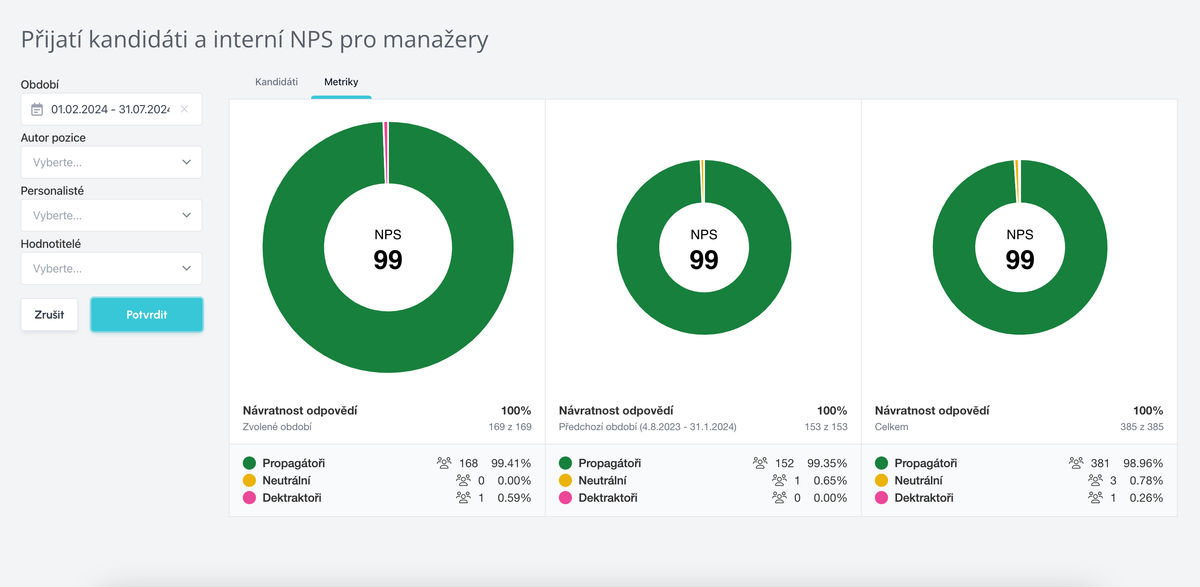
On a separate "Metrics" tab, you can see a summary of results.
- Results are divided into 3 sections:
- your filtered period
- previous period of the same length
- total for the entire measurement period
Within metrics, you can also filter by individual recruitment participants (evaluators or recruiters) and by time period.
Related articles
Webhooks for the Nelisa portal
Let ATS Recruitis automatically download your candidates from the Nelisa portal.
Impersonation
Combining the answers of a historically depersonalized candidate with a new answer.
Talent database and its possibilities
The talent database does not have to be used only for searching contacts for candidates.