New Position List [Beta]
In ATS Recruitis, we have prepared a new look for the position list, which you can now activate using a toggle. This is part of the global redesign of the entire application, based on the design you already know from the new candidate profile, the new talent database, and the new position detail.
This version is currently in beta testing. This means it does not yet include all functionalities, but it is fully usable for everyday work. We would be happy if you tried the new look and shared your feedback with us. We are continuously incorporating your suggestions, and once all of them have been addressed, we will switch to the new design permanently. We will, of course, inform you about this step in advance via notifications directly in the application.
How to switch to the new look
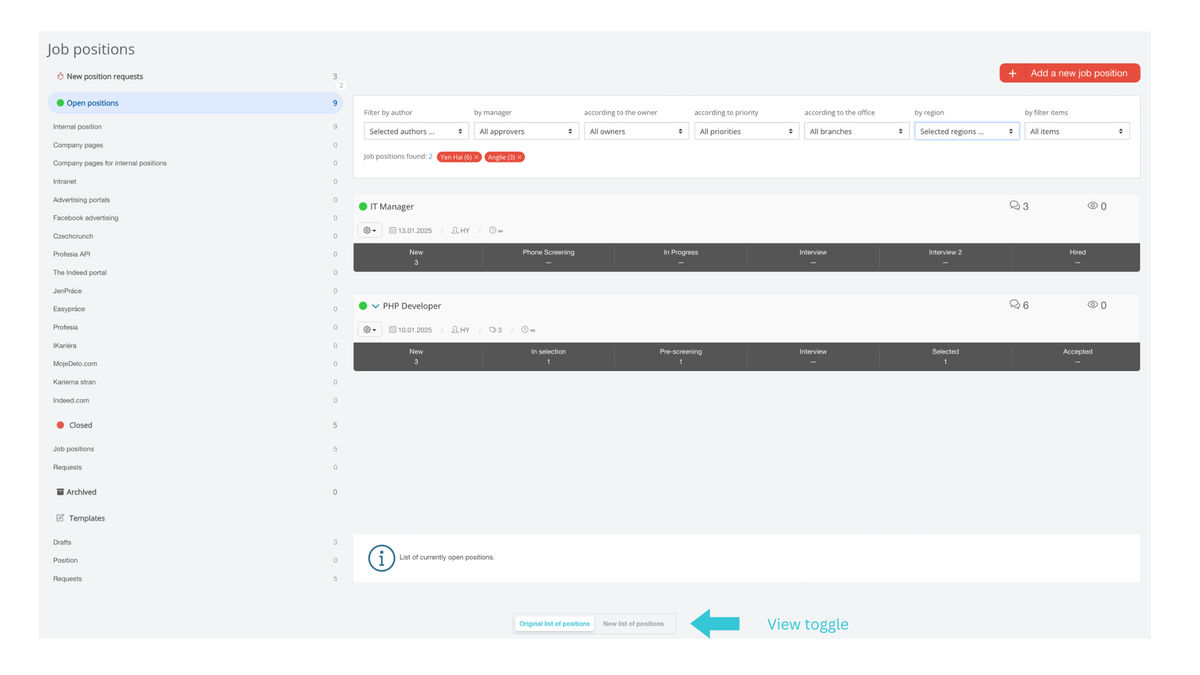
Below the position list, you will find a toggle that allows you to switch between the original, meaning current, view and the new one:
What else is new besides the look?
In addition to the graphical design, there are several new features and improvements based on your feedback from using the current position list view.
The main ones are:
- You can switch between two levels of detail for the information displayed in each row: compact and detailed.
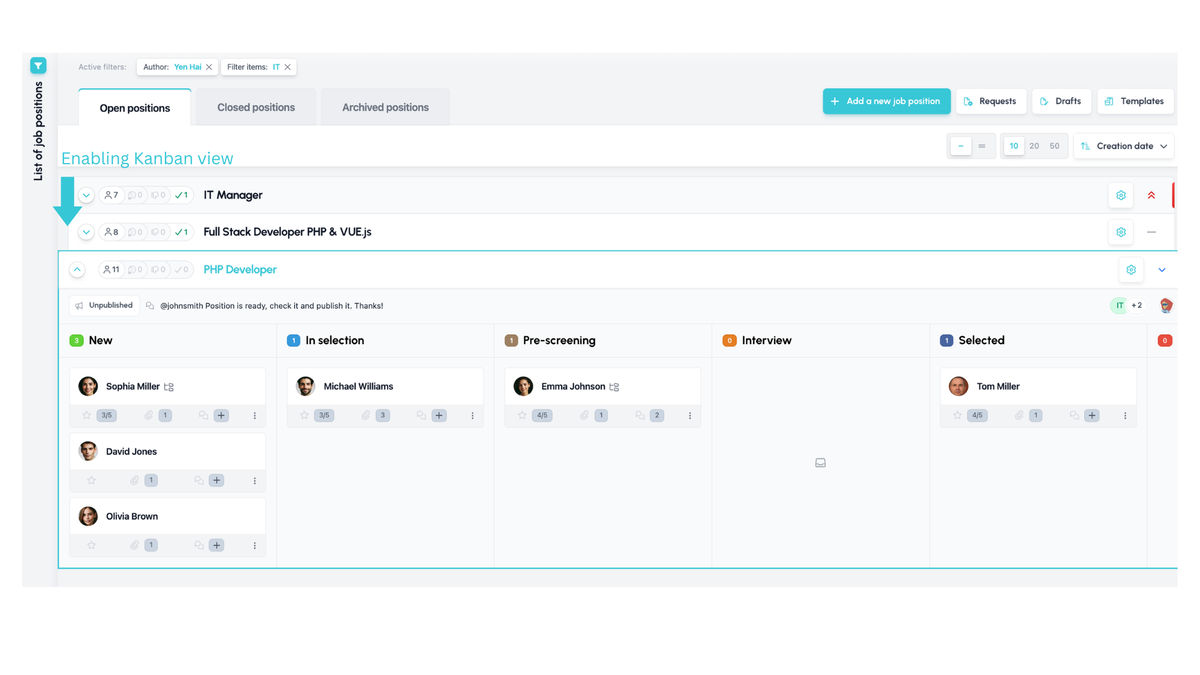
- You can display the Kanban view for a given position directly in the list.
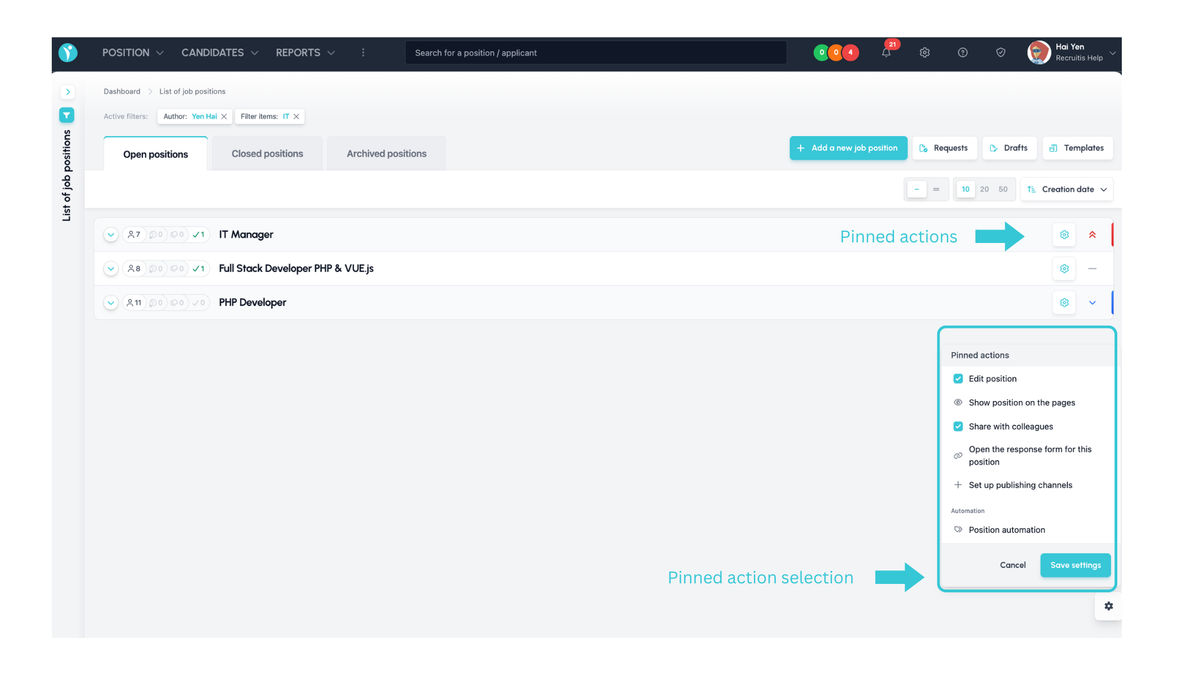
- You can pin your favorite or frequently used actions from the position action menu directly to the position row as shortcuts.
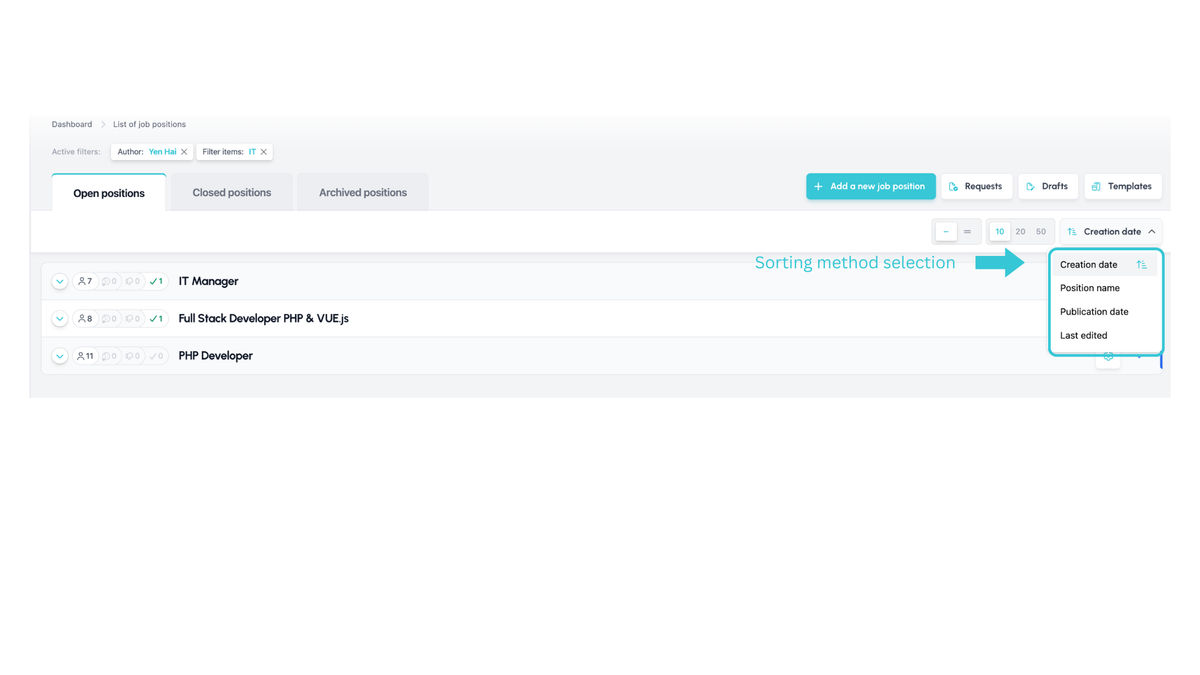
- More position sorting options are available, so positions are no longer fixed in order by creation date.
- The number of positions per page is no longer fixed at 10; you can now choose 20 or 50 as well.
Screen layout
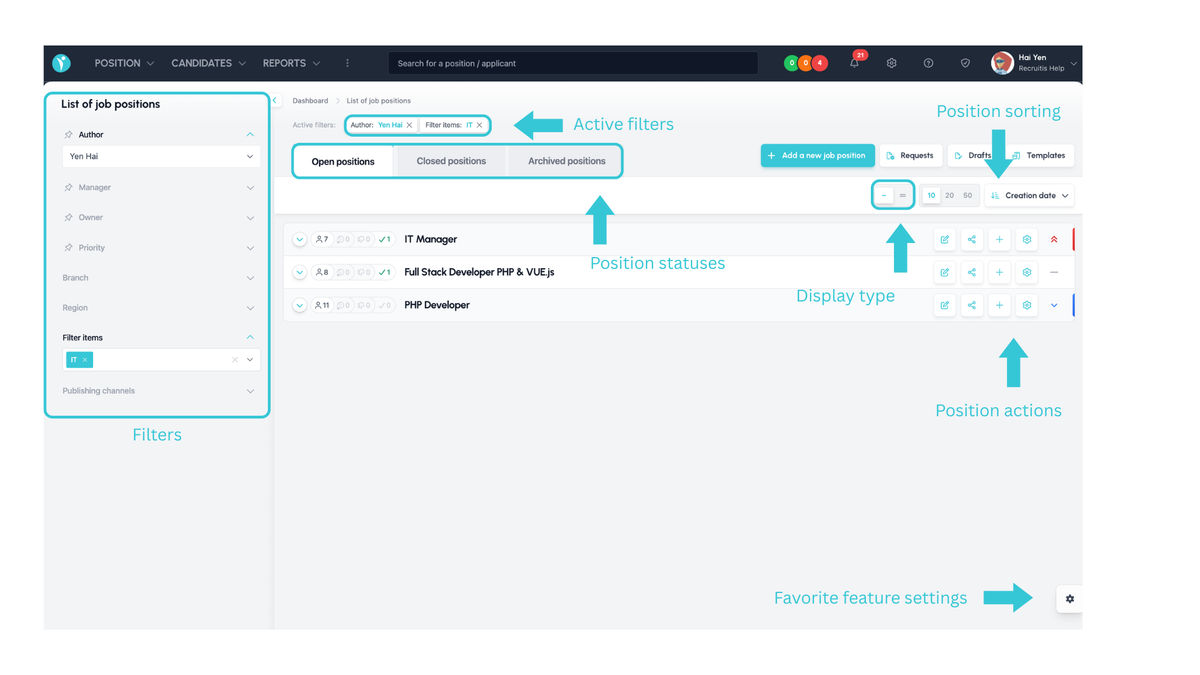
The position list screen has been reorganized. Most importantly, the left side no longer contains position statuses, which are now shown in tabs above the position list. Instead, it contains filters that can be opened and closed.
Compact list
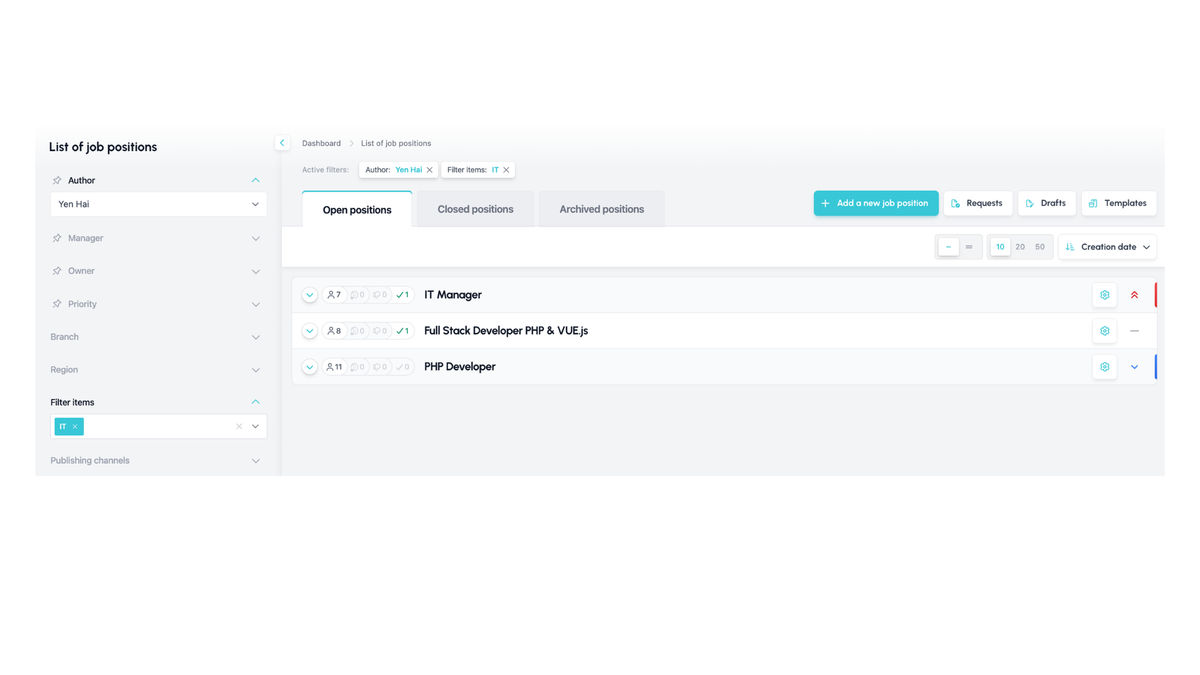
The row contains only the position title, position actions, and badges showing the number of candidates in various key statuses: active, pre-rejected, rejected, and hired.
This view is ideal if you do not need to work with position parameters and only want to access the detail of a specific position, or if you want to see an overview of positions for a particular filter item, such as department or position type.
Detailed list
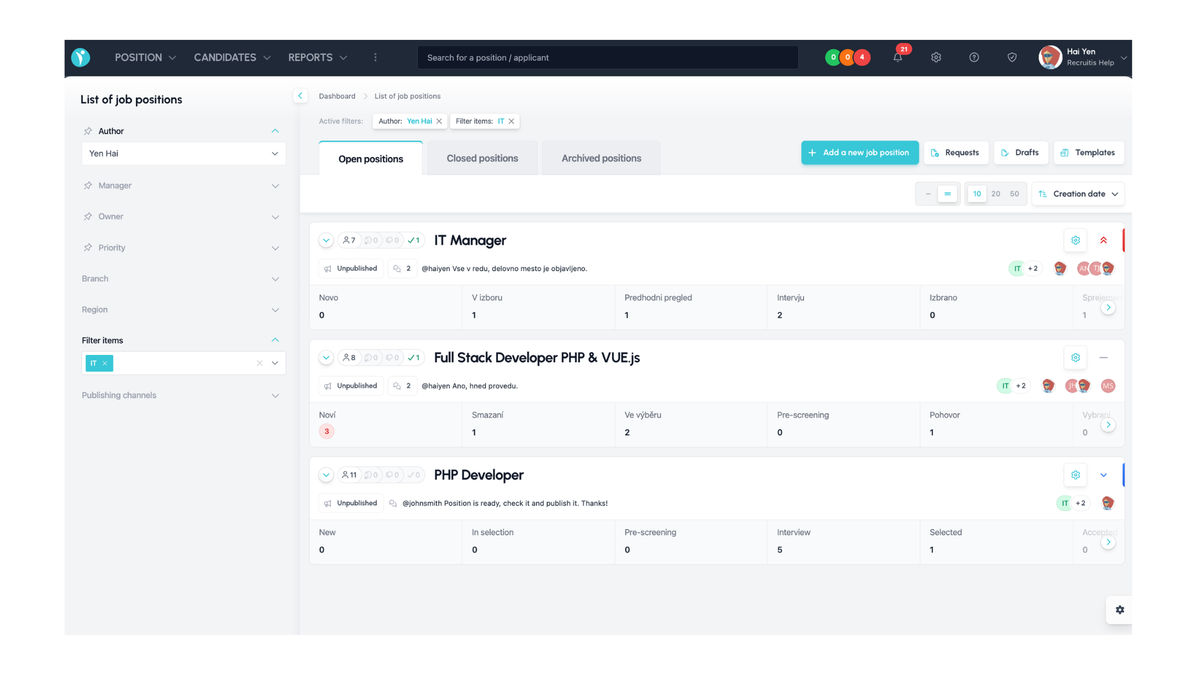
In the detailed list, the information in each row is much richer. At a glance, you can see, for example:
- Whether the position is published
- Filter items
- Who the position is shared with
- How many candidates are in each workflow status, including whether any of them are in red or orange SLA
- Position notes
Kanban
You can now work with candidates directly from the position list, so you no longer need to click through to the position detail. Simply use the icon on the left to display the Kanban view.
The Kanban view is identical to the one available in the new talent database and the new position detail, so it will be a familiar and consistent part of working with candidates in ATS Recruitis.
Pinned actions
A very useful feature is the ability to select actions from the position action menu and pin them as buttons directly in the position list.
This means that actions you perform often and repeatedly, such as editing a position, sharing it with colleagues, or setting publication channels, no longer have to be searched for in the menu. Instead, you can trigger them directly using a button. You can pin multiple actions.
Position sorting
As part of this update, we have also added new ways to sort positions. Previously, positions were fixed in chronological order by creation date, from newest first.
You can now sort both ascending and descending by the following parameters:
- Creation date
- Position title, alphabetically
- Publication date
- Last modified
Related articles
Webhooks for the Nelisa portal
Let ATS Recruitis automatically download your candidates from the Nelisa portal.
Impersonation
Combining the answers of a historically depersonalized candidate with a new answer.
Talent database and its possibilities
The talent database does not have to be used only for searching contacts for candidates.