Custom settings for widget filters on the dashboard
Your dashboard should work for you – not the other way around. That's why we keep expanding the ways you can customize ATS Recruitis content to fit your exact needs and working style. After a recent upgrade that let you freely arrange and organize widgets on the main dashboard, we've taken it a step further: now you can also customize the content of individual widgets. This means every user can have a dashboard that shows them, at a glance, exactly what they need to know – no more, no less.
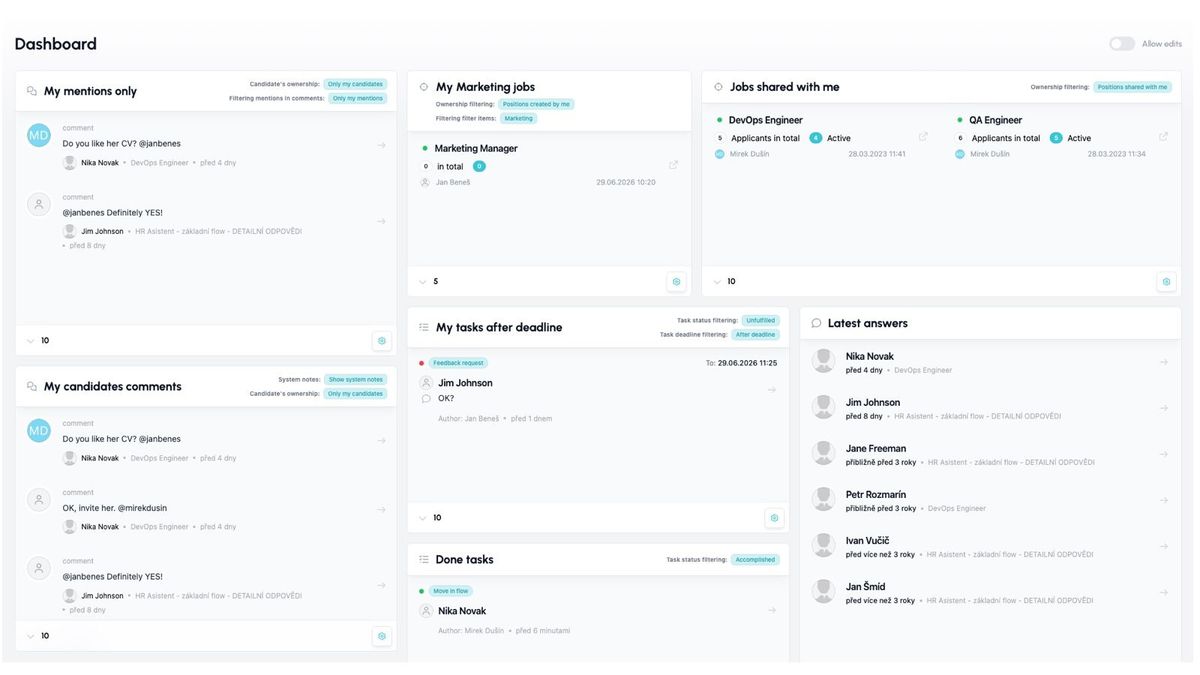
Specifically, for selected widgets you can set more detailed filtering, allowing you to use the same widget multiple times with different settings – for example, in one Positions widget you can show all positions you created yourself, and in a second Positions widget show all positions from the Headquarters branch that were shared with you.
Which widgets support this?
- Positions
- Tasks
- Comments
- Notifications
How to set up widgets
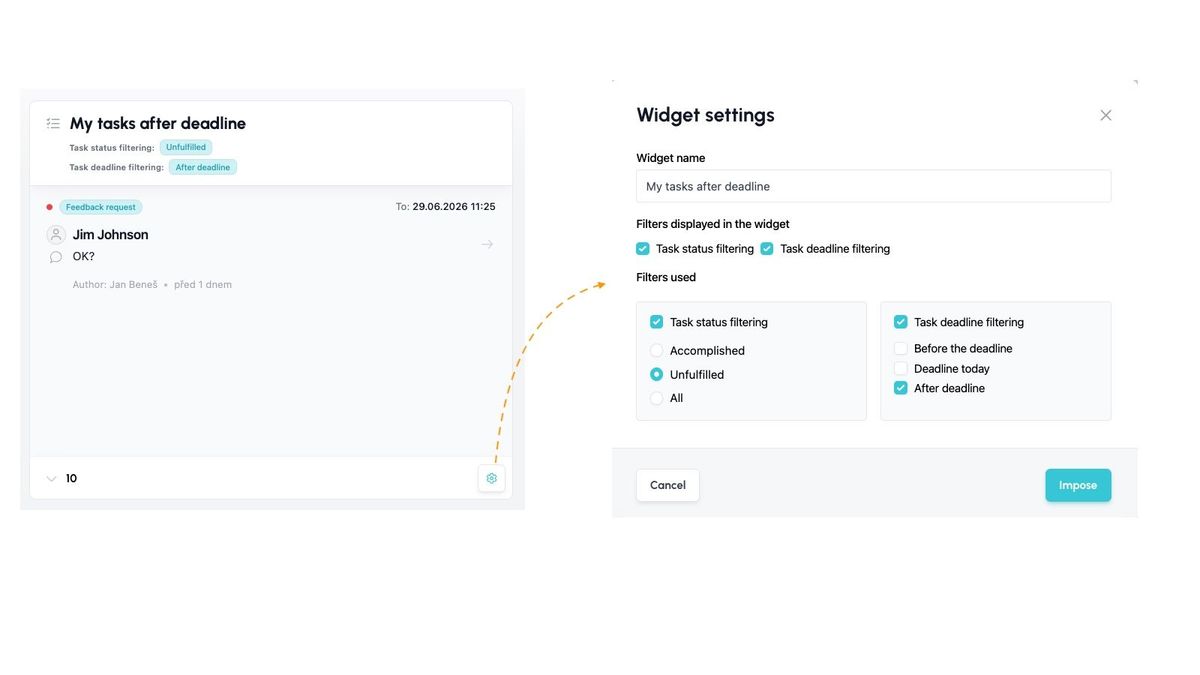
For every widget that supports filtering, you'll see a gear icon in the bottom right corner.
Clicking this button opens a dialog showing the filtering options available for that widget. The options vary from widget to widget depending on the type of information displayed.
In the settings, you choose your filter and also whether you want the filter description to appear in the widget itself (e.g., so that the widget title shows something like "Task deadline filter: Overdue").
Here is an example of setting up the Tasks widget to show only your tasks that are unfinished and past the deadline:
Example of practical use
Related articles
Webhooks for the Nelisa portal
Let ATS Recruitis automatically download your candidates from the Nelisa portal.
Impersonation
Combining the answers of a historically depersonalized candidate with a new answer.
Talent database and its possibilities
The talent database does not have to be used only for searching contacts for candidates.