Support Panel Inside ATS Recruitis
The "?" icon in the ATS Recruitis menu provides access to relevant online help topics and also for submitting customer support requests.
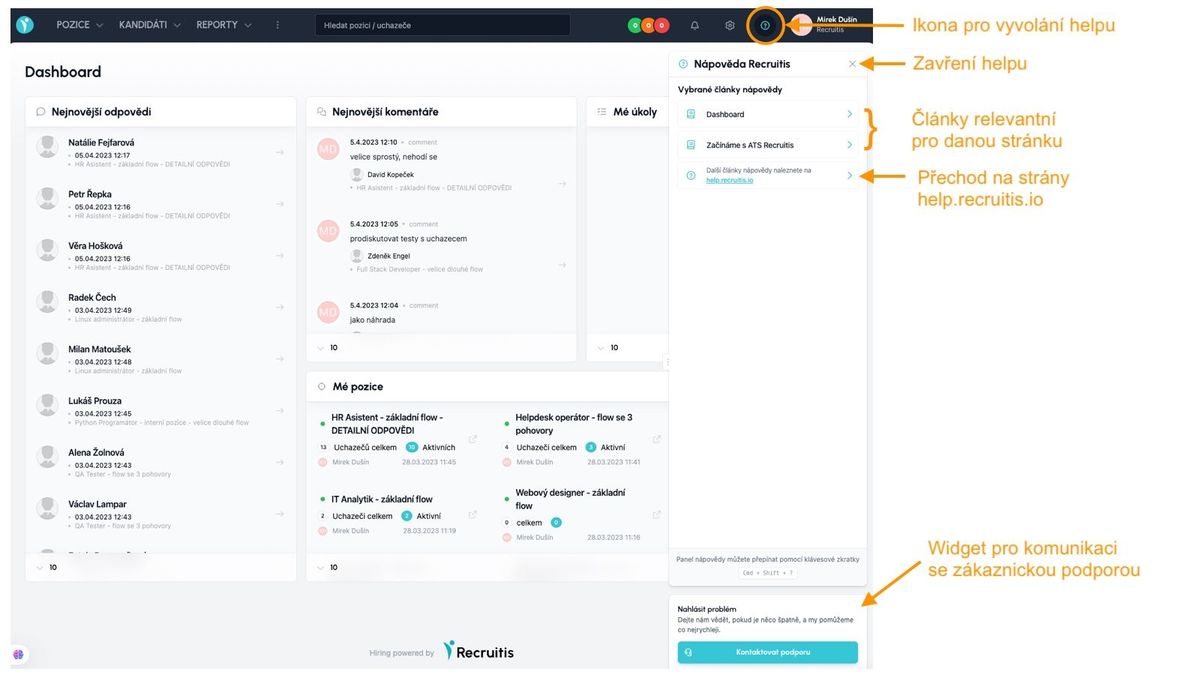
Main features of the support panel:
- Displays selected articles with information relevant to the given ATS Recruitis page (for the entire page or only for specific features displayed on it)
- Contains a link to the ATS Recruitis online support pages (help.recruitis.io), where you can find all articles
- Displays news in the system (see description below)
- Contains an integrated widget for submitting a request to ATS Recruitis customer support (link to the article dedicated to this widget)
- The support panel can also be opened and closed using the keyboard shortcut
CTRL + SHIFT + ?(Win) /CMD + SHIFT + ?(Mac)
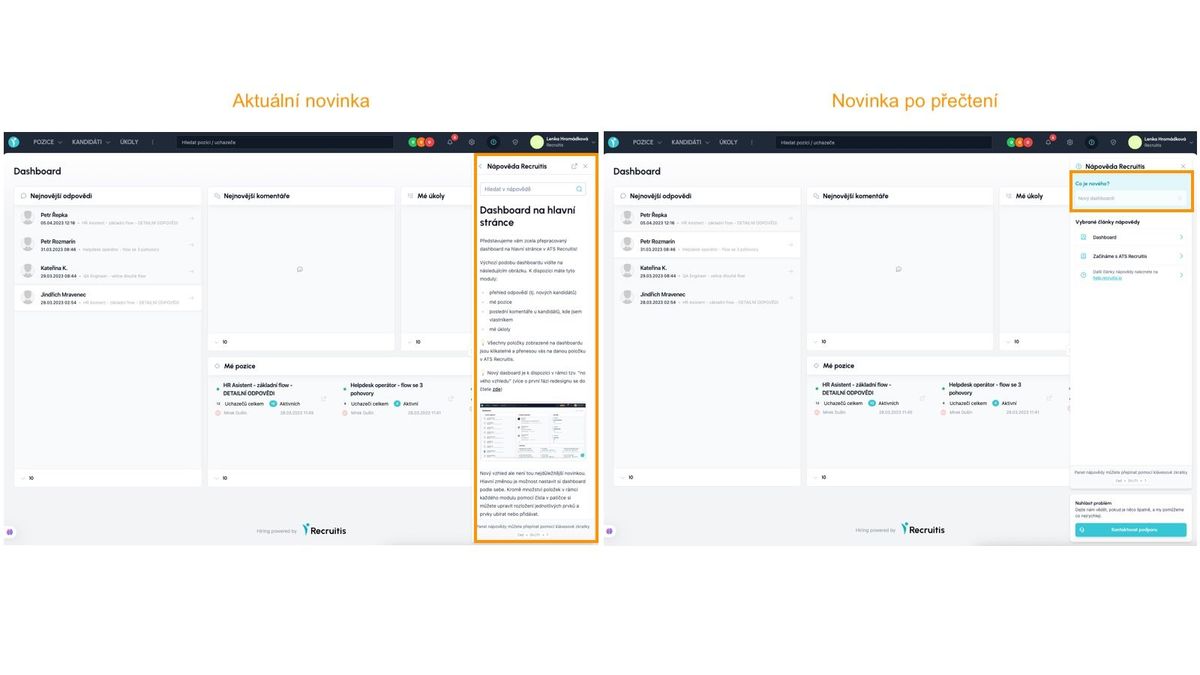
"News" Mode
Pokud se v ATS Recruitis objeví nějaká nová funkcionalita nebo dojde k zásadní změně ve stávající funkcionalitě, budete o tom informováni pomocí funkcionality “Novinka” v panelu podpory.
In such a case, on the page affected by the change, or on the main page if it is a general modification, the support panel will automatically appear open to the article about the news.
The news will keep appearing until you either click on it or close it using the buttons in the upper right corner of the support panel.
I po zavření se budete moci k novince dostat pomocí ikony “?”, kde se bude zobrazovat v separátní sekci nahoře.