Why the New Design Is Amazing
Every change is challenging and brings with it a certain degree of uncertainty — especially when it comes to your key recruitment software, which an ATS undoubtedly is. With the current updates, however, we dare to claim that although these are fundamental changes in fundamental places within the application (in fact, the most-used ones), the temporary user discomfort of adapting to the new look is far outweighed by a set of new features.
The common denominator of the biggest improvements is flexibility. Our goal is to let you customize the system to your needs as much as possible — our solution is used by recruiters ranging from small start-ups to huge corporations, and one universal setup can't suit everyone.
The second key motivation is to make work easier, especially in places where it used to be necessary to switch back and forth between the job list, the job detail, and then the candidate profile; to hunt for items you use every day in the job's action menu; and where search results in the Talent Pool couldn't be saved, etc.
So what will you love the most?
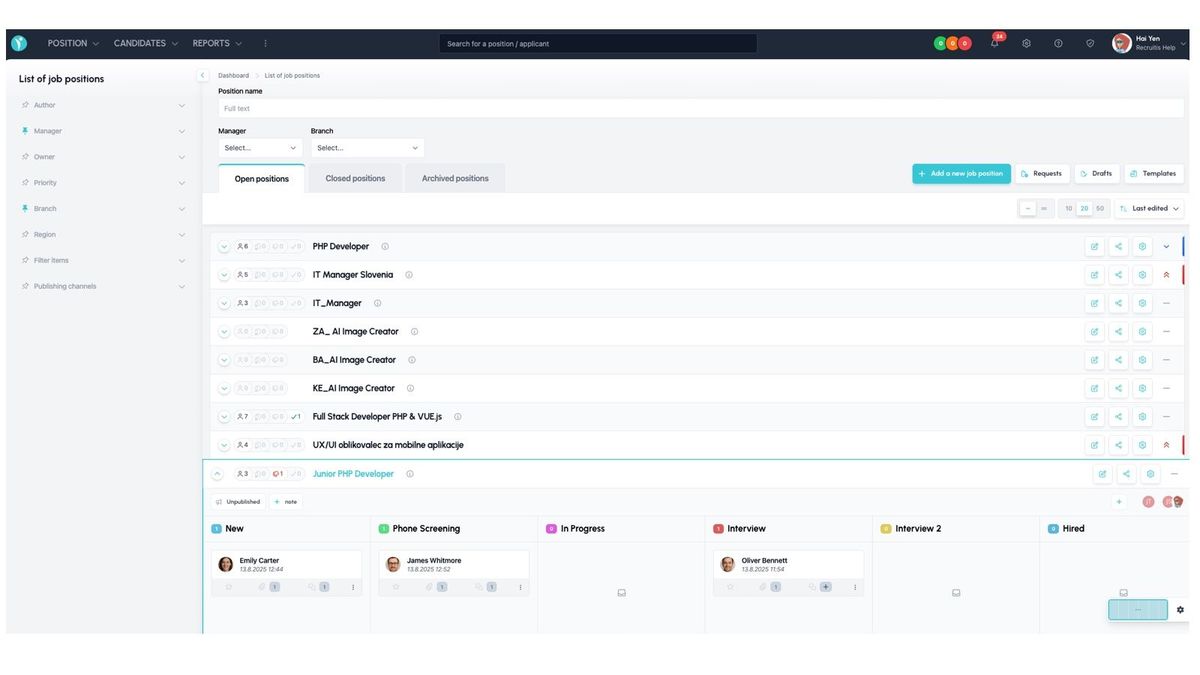
Job List
- Kanban board for processing candidates directly in the list
- Ability to save frequently used job actions as action buttons
- Two list views: compact (single-line) and detailed
- Ability to save favorite filters
- The last used filter is remembered
- Full-text search for jobs
Job Detail
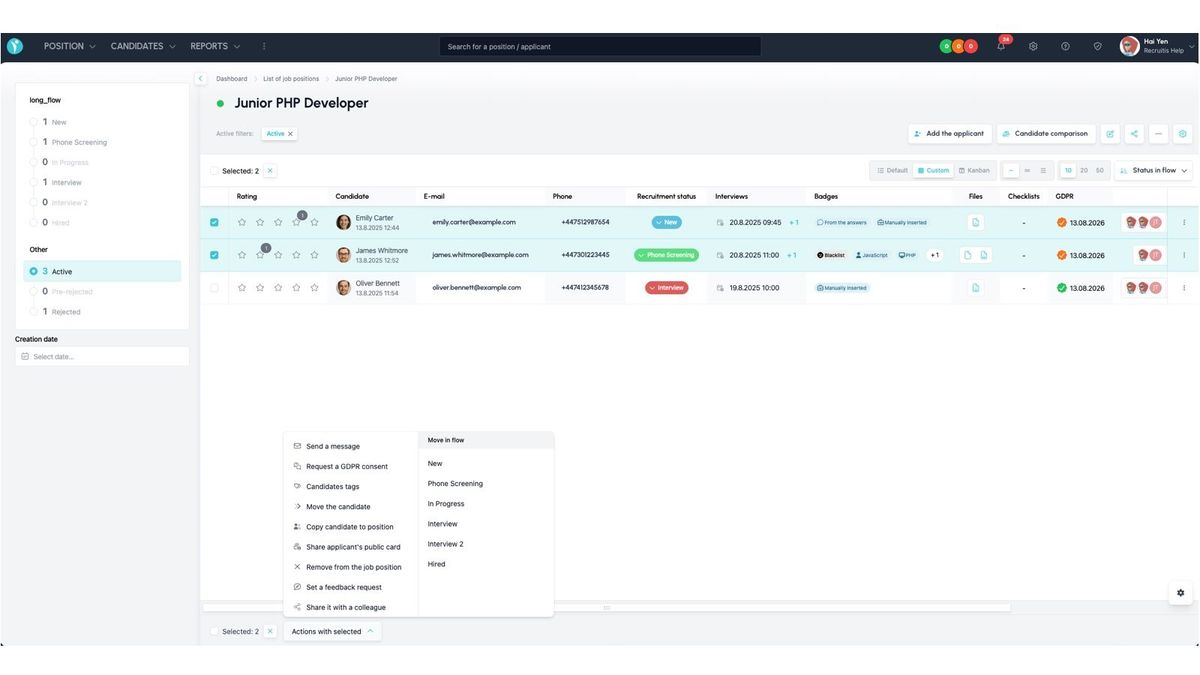
- Three default candidate list display settings, from compact to detailed
- Ability to create a custom data view — choose which candidate columns to show and their order
- Job Detail inherits action buttons from the Job List with frequently used job actions
- Candidate comparison is available directly as an action button on the job
- Bulk actions have a clearer layout and are performed with a single click
- An indicator in the candidate list shows applications to multiple jobs
- More actions can be performed directly from the candidate list, including completing checklists, managing tags, and the entire action menu from the candidate profile
Talent Pool
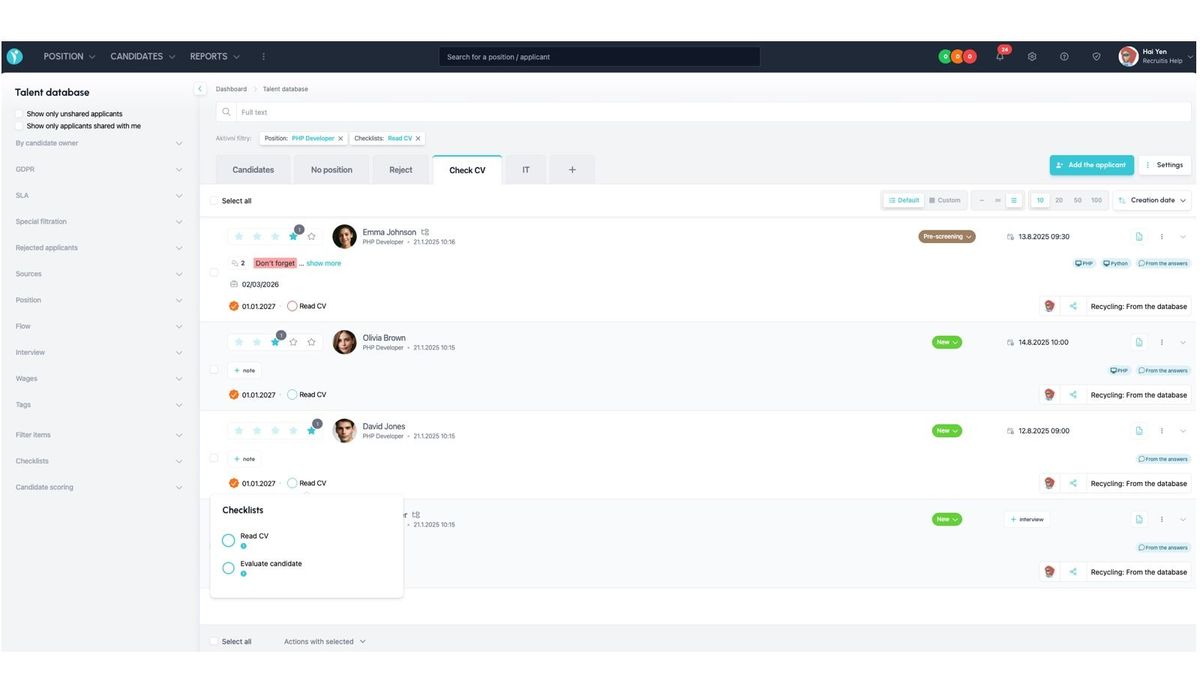
- You can save search results as so-called micro-pools, shown as tabs above the Talent Pool
- The candidate list view is just as flexible as in Job Detail — you can choose the level of detail and define your own custom view of the candidate table
- New search options have been added, including checklist statuses, interview dates, and candidate sharing
- Bulk action options have been expanded to match those in Job Detail
- The overall look and usage logic of the Talent Pool are now unified with Job Detail, so you can work the same way in both places
- Candidates without a job have their own system tab
💡 You can learn more about each feature directly in the articles describing the design change: