Request Approval
What are "requests"?
A position opening request is a definition of a recruitment requirement that the company wants to fulfill in the future. We use it when we need to define the position more closely or internally approve a recruitment request before proceeding to the actual recruitment, i.e., creating the actual positions and job postings.
The approval function formalizes the process by which requests are approved.
Learn more about requests in general in this article in our help.
Requests are a premium feature available from the Premium license.
How does the approval process work?
The approval process is very simple - one or more approvers can be assigned to each request, and they must all approve it before positions can be created from the request.
There are several options (let's call them modes) for how to set up the approval process:
- Enabling the functionality itself (approval is not available in the default setting)
- Enforcing approval (i.e., without approval, a position cannot be created from the request)
- Moving approval to recruiters (i.e., the approver is set only after creating the request, not in the request form itself)
These options are not enabled in the ATS Recruitis user interface; you must request ATS Recruitis support to configure them.
Rules
Here is an overview of the rules governing approval:
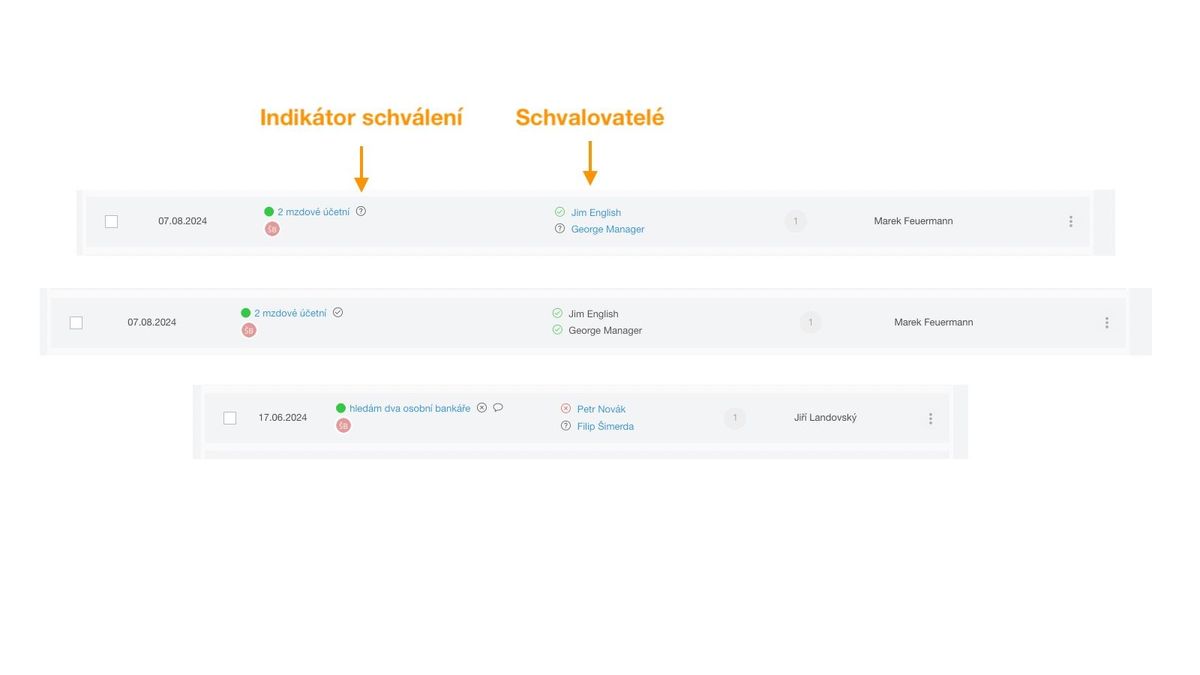
- A request is considered approved only if all defined approvers approve it
- A request in the approval process (i.e., until all approvers express themselves) cannot be edited or used to create positions; it can only be taken over
- There is no hierarchy in approval - all approvers vote together and with equal rights (i.e., they are equal)
- An administrator can approve on behalf of a defined approver (e.g., in case of absence, etc.)
- The approval author can cancel the current process
- The approver can only approve or reject
- If I am neither an admin, nor the approval author, nor an approver, I cannot interfere with the approval process at all
- If no approver is defined for a given request, it behaves as without an approval process (unless approval is enforced at your account level as a condition for creating a position)
Process demonstrations
Creating an approval process
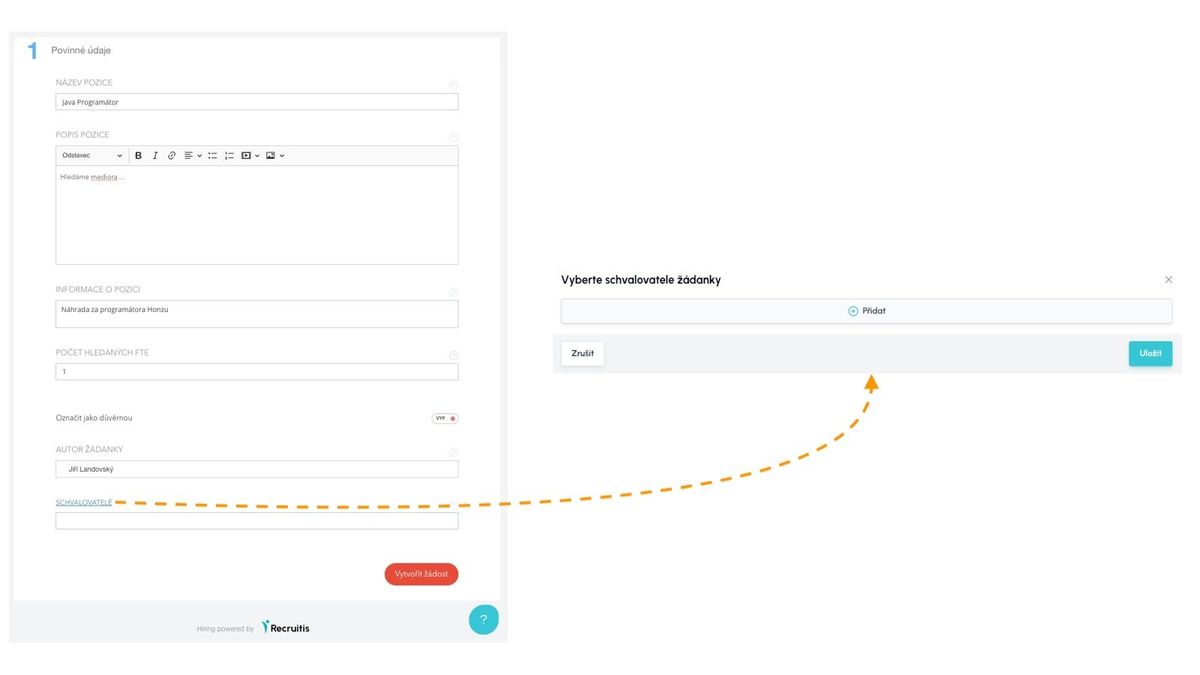
You can set up the approval process either directly in the request editor at the bottom or in the request overview via the menu action.
If you have it enforced in your company settings that only recruiters select approvers, you don't have the option to select an approver directly in the request editor.

Approval
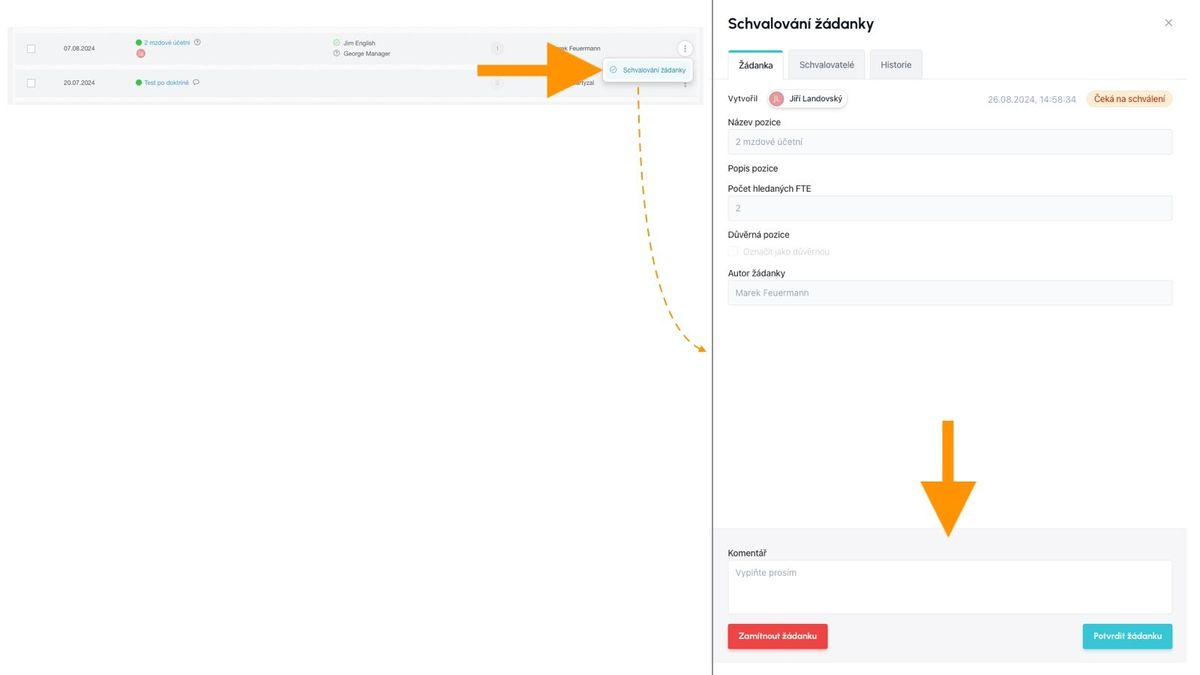
Approval can be performed directly by the selected approver or by an administrator on their behalf.

Cancellation
Canceling the approval process (and thus returning the request to a state where it can be edited again) can occur either by non-approval of at least one of the approvers, or directly by the "cancel" action initiated by the approval process author.

Checking the approval process status
The approval process creates a right-panel with all information about the request approval.

Notifications
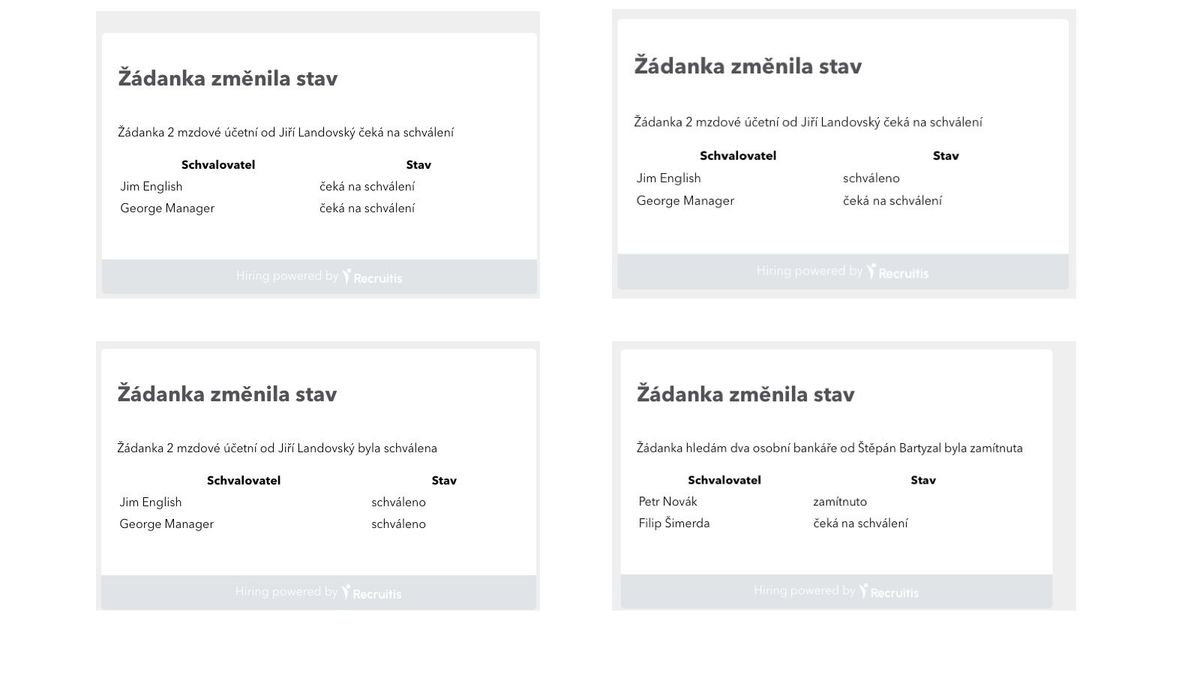
You are informed about each step in the approval process by a notification that lists approvers and the status of the process for each of them. The default state is when all approvers have the status "waiting for approval".