No entries.
Pre-rejection
What is pre-rejection?
The pre-rejection feature serves to remove a candidate from active candidates and mark them for later rejection.
The request for this feature from customers appeared most frequently in these scenarios:
- Managers should mark candidates who should be rejected (i.e., the manager says: "I don't want this one"), but the recruiter does not want the manager to perform the rejection themselves and communicate about it with the applicant.
- Recruitér chce mít po vzoru emailu “zero inbox” a chce si kandidáta, o kterém není přesvědčen předzamítnout a ty předamítnuté pak znovu projít a ty opravdu nevhodné na pozici zamítnout najednou.
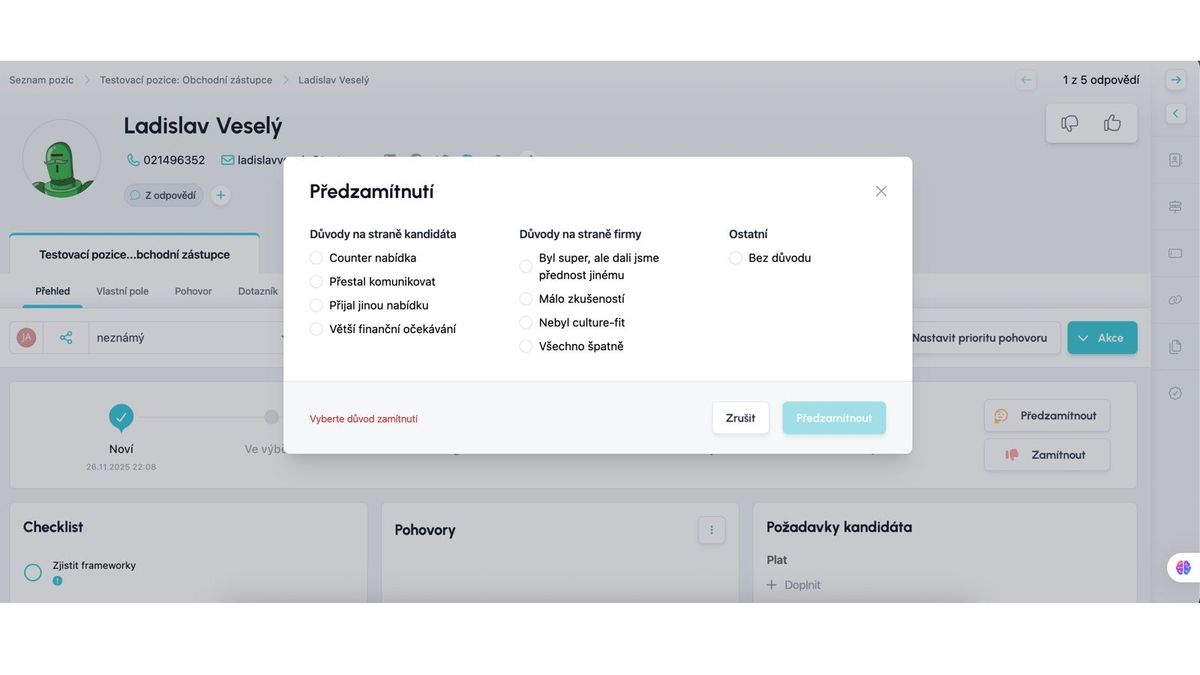
You can find the pre-rejection action button next to the rejection icon:
- On the candidate card
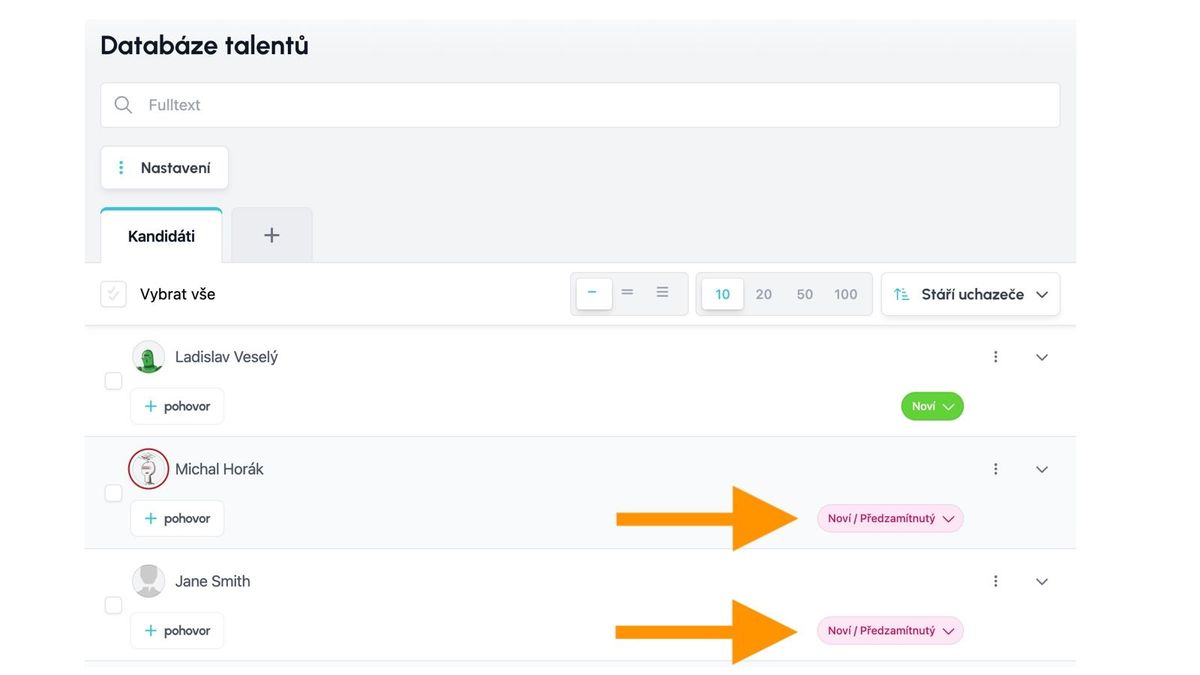
- In the new talent pool (as an action for a candidate or as a bulk action)


What happens to a pre-rejected candidate?
After you select the Pre-rejection action...
- A dialog with rejection reason selection will appear, similar to rejection. You cannot pre-reject without selecting a reason.
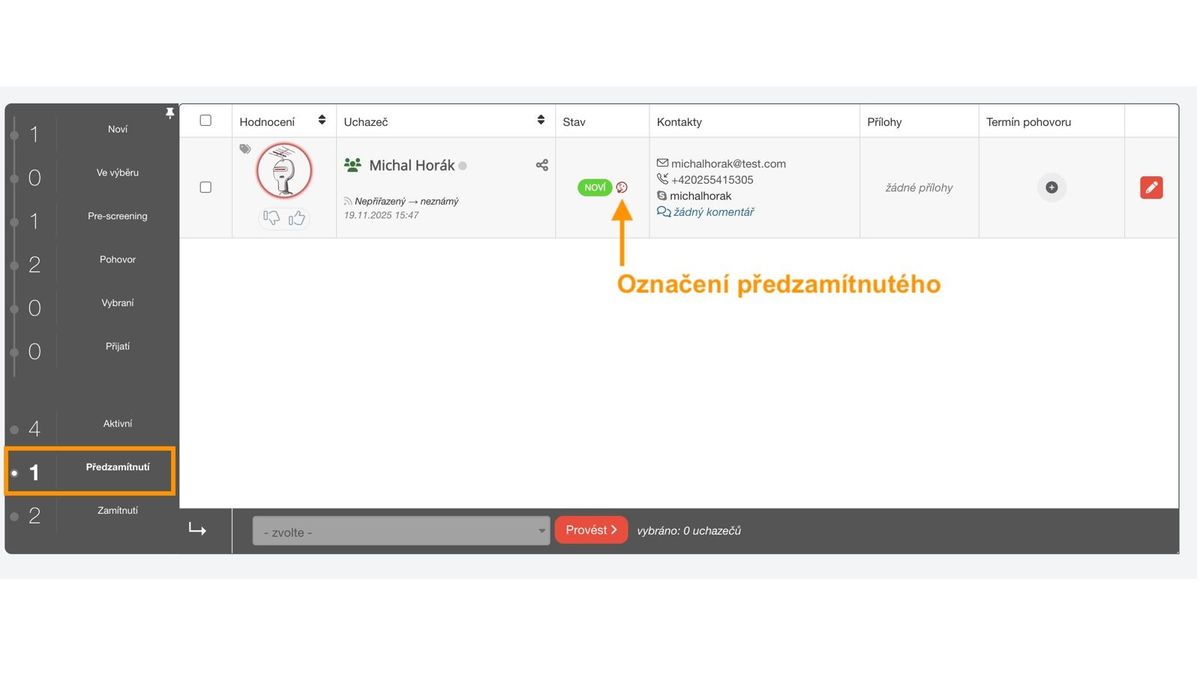
- With this reason, the candidate will be moved from active to pre-rejected in the position detail.
- The candidate is then marked with the pre-rejection icon on the card, in the position detail, and in the new talent pool.
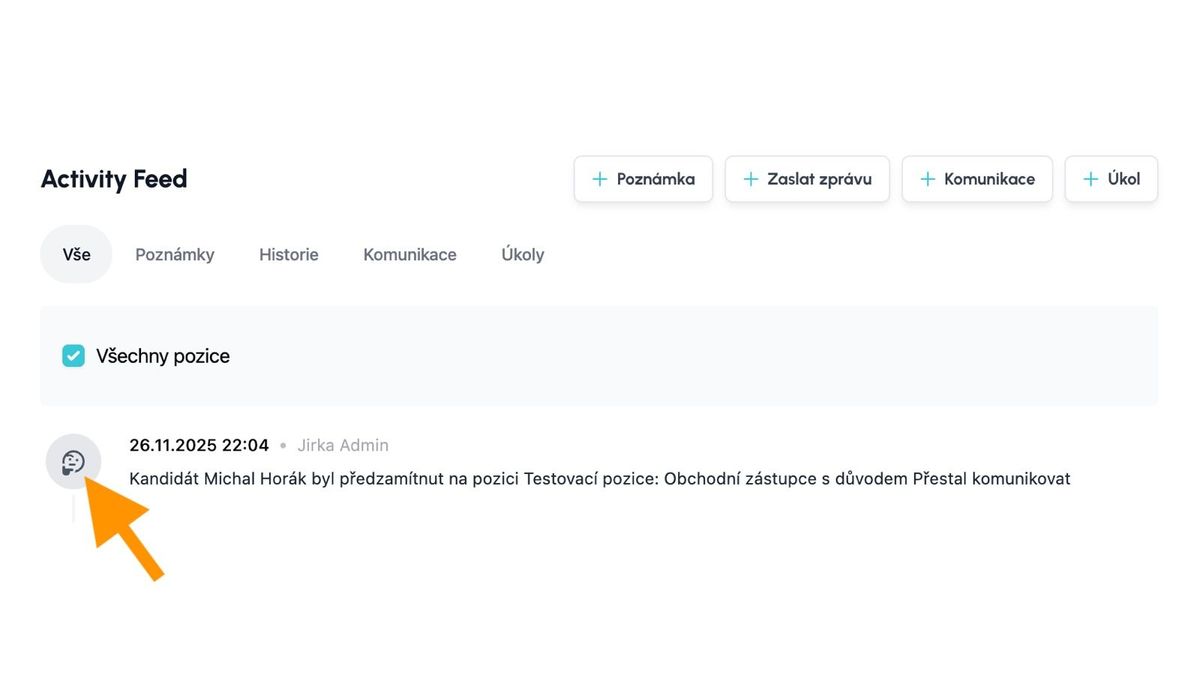
- Both pre-rejection and its cancellation are recorded in the action history.
How do I cancel pre-rejection?
After you perform the Pre-rejection action on a candidate, the button for this action changes and can be used to return the candidate to active, i.e., cancel the pre-rejection.
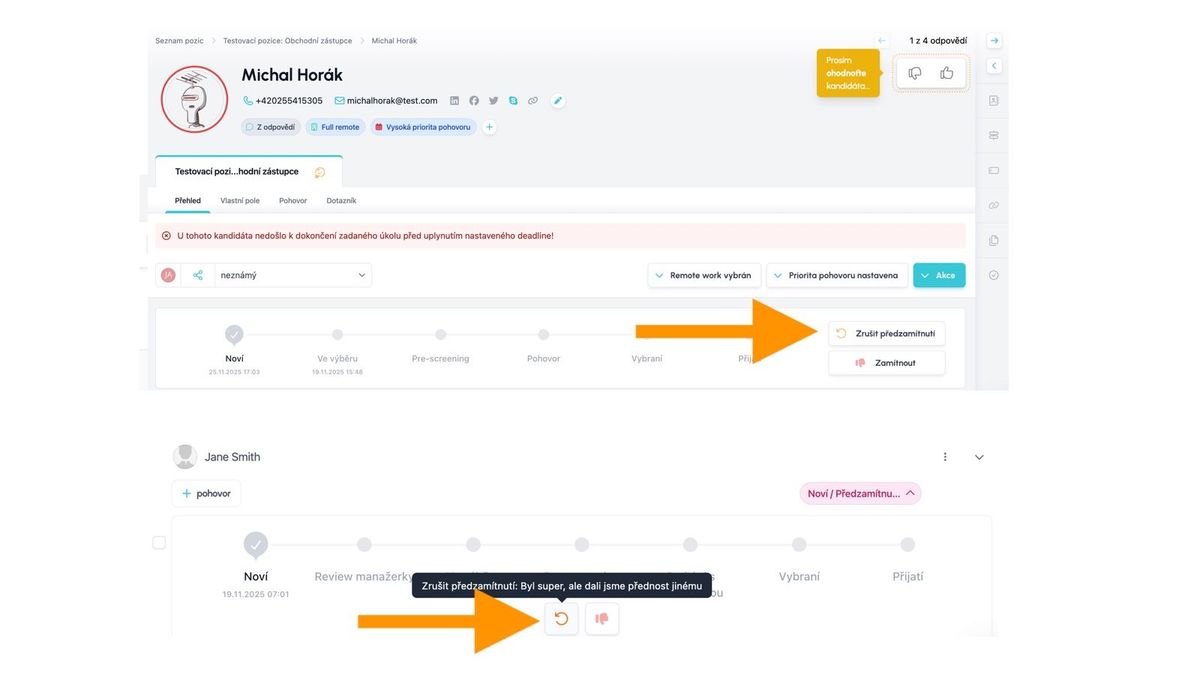
Pre-rejection vs. rejection
Pre-rejection obviously has certain similarities with rejection, but still differs in several significant aspects:
| Pre-rejection | Rejection | |
| Removes candidate from active? | Yes | Yes |
| Can a reason be selected? | Yes | Yes |
| Marks candidate with its flag? | Yes | Yes |
| Offers communication with candidate? | No | Yes |
| Sends NPS | No | Yes |
| Can the action be undone? | Yes | Yes |