Position Publication
What are publication channels and what are they for?
Publication channels allow sharing job positions between systems (typically career pages, job boards) and create portals for collaboration with agencies, referral programs, etc.
Within publication channels, you can create XML data outputs for integration as well as their online visual version in the form of a portal where you can select positions and send suitable candidates to them.
Setting up and managing publication channels
You set up publication channels in the menu Settings > Publication Channels.
By default, no publication channel is defined, and you can add them manually. When adding, you choose the following items:
- Publication channel name - any name visible inside the system as the name of the channel
- Email addresses for notification - who to notify when you add a new position to the channel
- Default expiration period (days) - what should be the default validity period of the job listing on the channel (typically for publication on job boards)
- Visible to all roles - whether managers or lower roles can also publish to it (e.g., due to credit deduction on third-party portals)
- XML output format - whether it's a format specially adapted for a specific job board
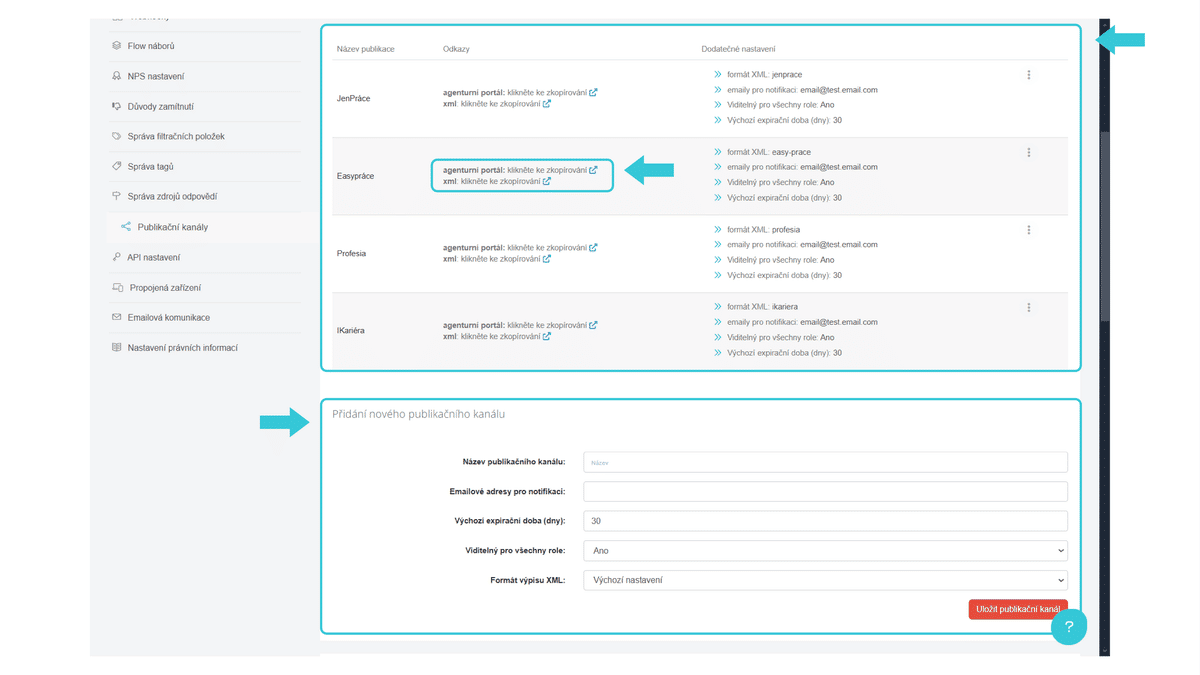
Each publication channel creates these outputs:
- XML data output (primarily used for connecting to job boards and third-party systems)
- Agency portal (primarily used for candidate submission by agencies - learn more in this article: Agency Portal)
- Referral portal (this is an optional item - learn more about this functionality in this article: Referral Portal)
Links to these outputs can be found under the publication channel name.
Information about which job boards can be connected via XML data feed can be found in the article Job Boards.
How to publish positions?
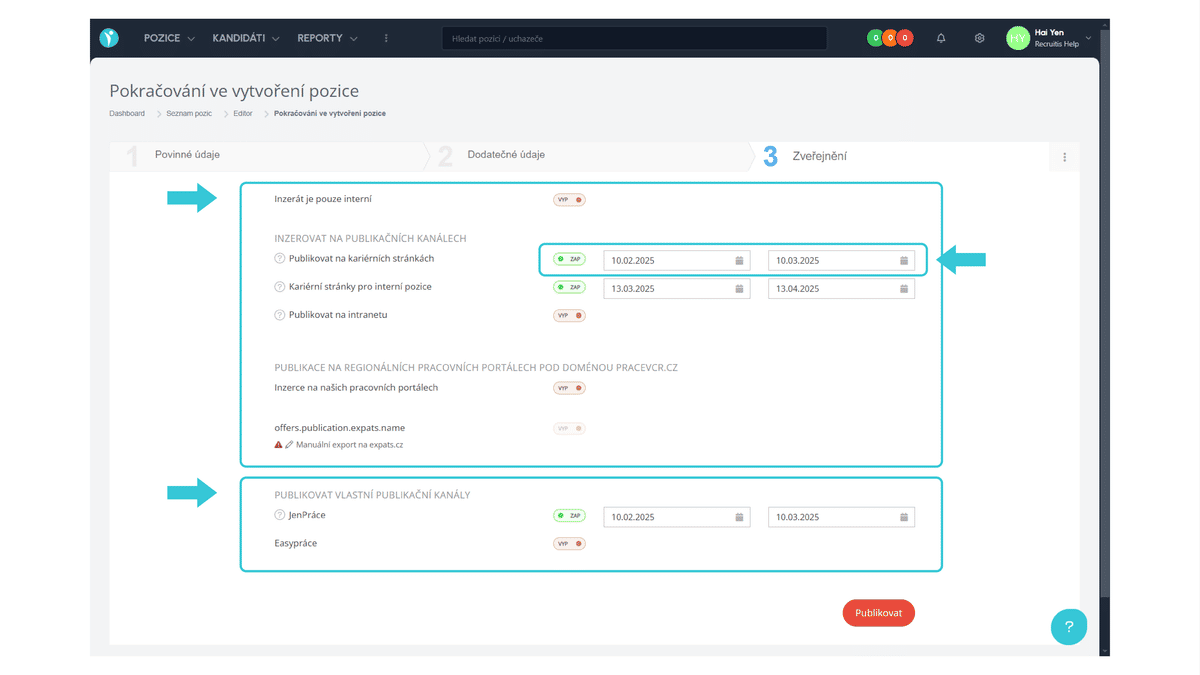
Publishing a position, i.e., assigning a position to an already created specific publication channel, can be done in two places:
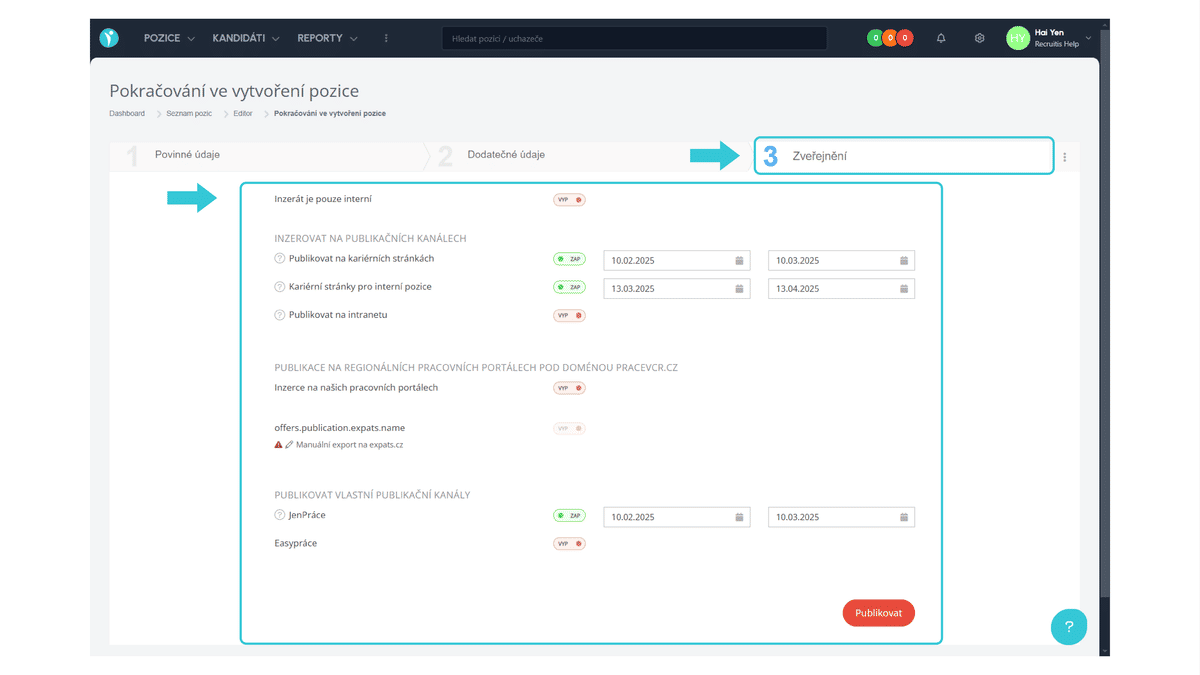
- In the last step when creating a new position.
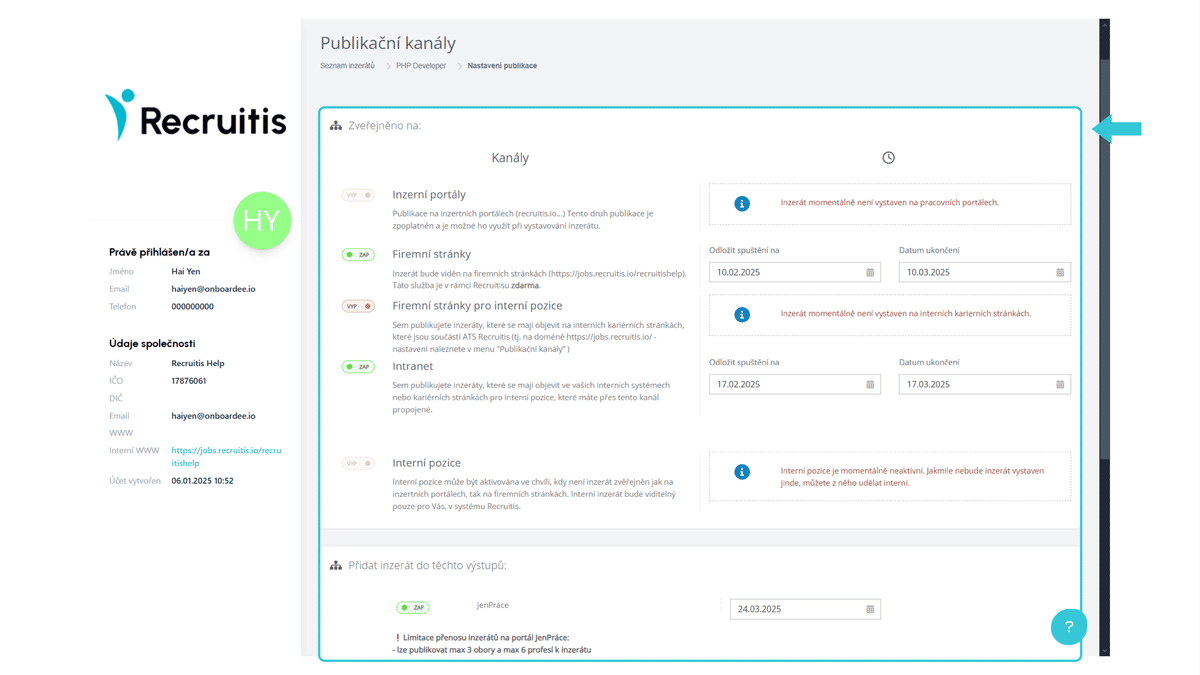
- In the detail of an already published position via the button More Position Actions > Set Publication Channels.
Good to Know
- In both places where you can publish, it's possible to select multiple channels at once (so-called multi-posting).
- Removing a position from a publication channel can be done either by the action "Close Position" (i.e., removal from all active publication channels) or also in the menu More Position Actions > Set Publication Channels, where you can individually turn off channels for a given position.
- To post a position on publication channels, you need to have all required information filled in. If not, the Set Publication Channels menu will alert you.
- When setting up publications, two dates are entered - start and end of publication. This allows you to, for example, schedule delayed publication where the position first appears on one portal and only after a week on another.
- After saving, the entered information is automatically reflected in the respective data links and agency portals.
- When connecting with data channels for portals like Profesia, JenPrace, IKariera, EasyPrace, or SuperKariera.cz, you need to select the specific XML output format.