Position and requisition priorities
Priority principle
When working with positions, you often work with priority - some positions are more important and urgent than others, and conversely, some positions you don't need to see at the top of the position list.
Therefore, each position can be assigned one of 5 priority levels. Priorities are divided into normal (default), 2 levels of high priority, and 2 levels of low priority.
What does assigning a priority to a position cause?
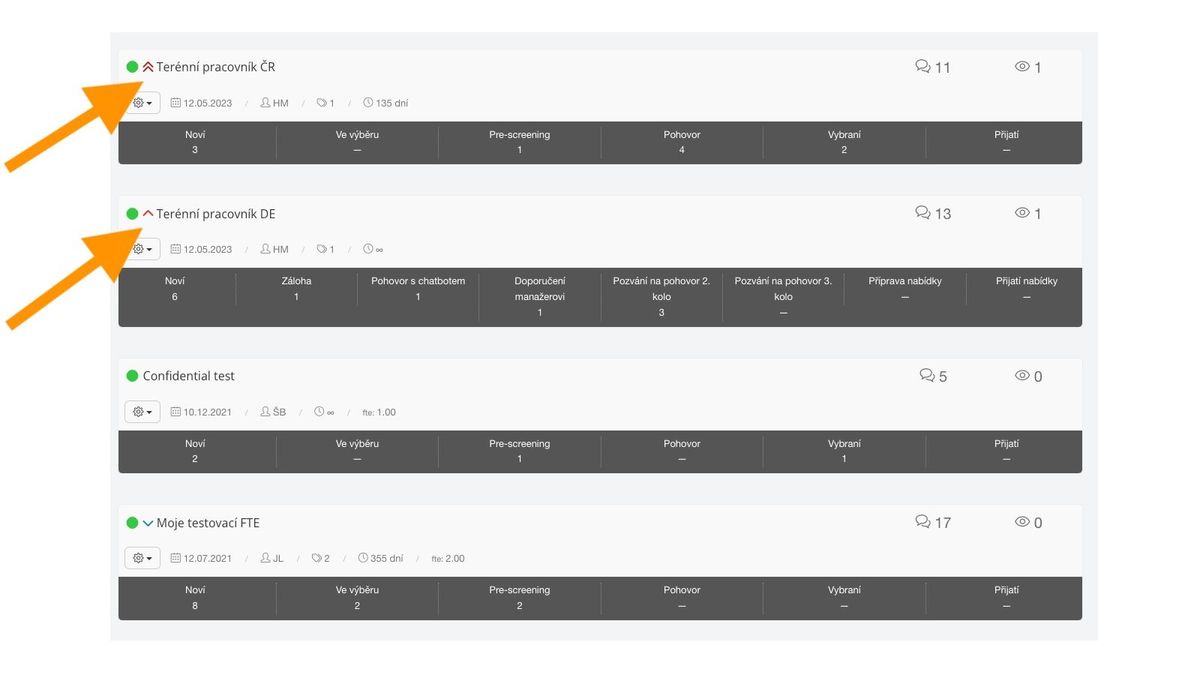
- The position is visually marked with the appropriate priority icon
- The icon is displayed between the position status icon and the position name
- The position is sorted in the position list according to priority
- Positions with the highest priority first, then positions with high priority, normal, low, and lowest
- Within each priority, positions are sorted as before, i.e., chronologically from newest
- The position can be filtered by the given priority in the position list
- Multiple values can also be selected - e.g., both positions with the highest priority and positions with high priority
- Positions with "normal" priority are not marked in any way
- This is the default priority value for all positions
Setting priorities
The priority can be set in the "More position actions" menu (i.e., via the "gear icon" in the position list or via the button of the same name in the position detail). The priority can be selected from all available options, while the currently used one is not available.

Requisitions
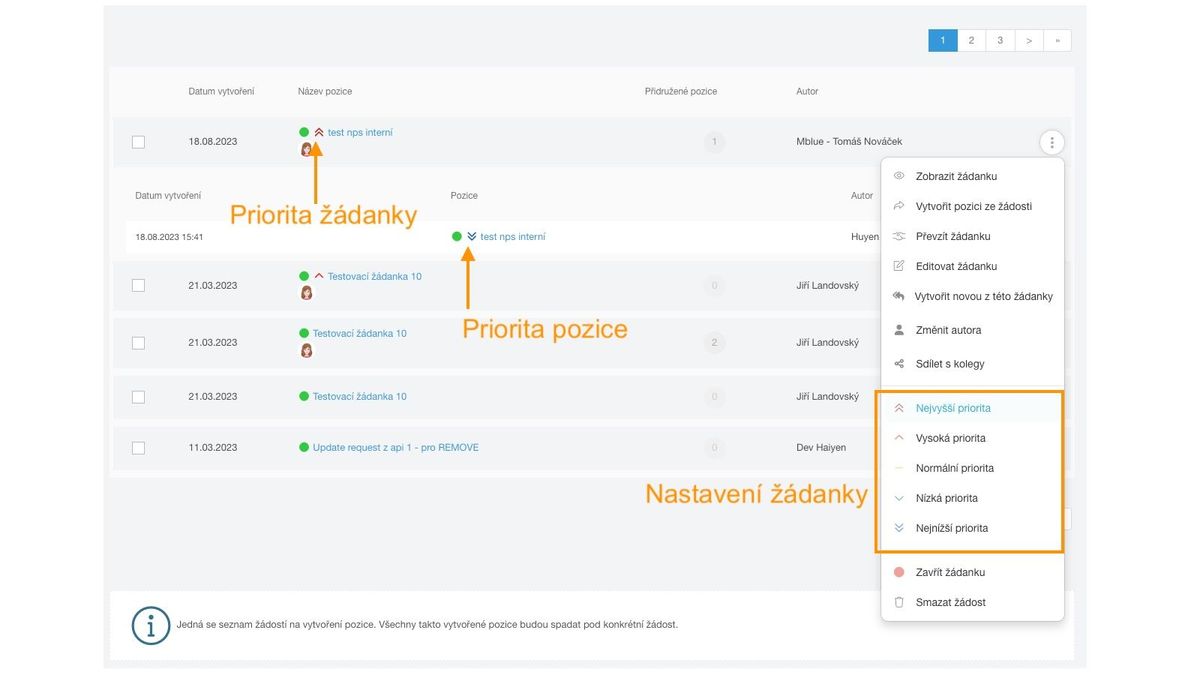
The same functionality as for positions is also available for requisitions. For requisitions, you can also see the priorities of assigned positions.