No entries.
New notes editor
Notes within ATS Recruitis serve to record important information about candidates and positions.
As part of this update, the editor window where notes are entered and edited has been changed. Other places where notes are displayed (e.g., previews in position detail, on the candidate card, or in the applicant database) remain unchanged.
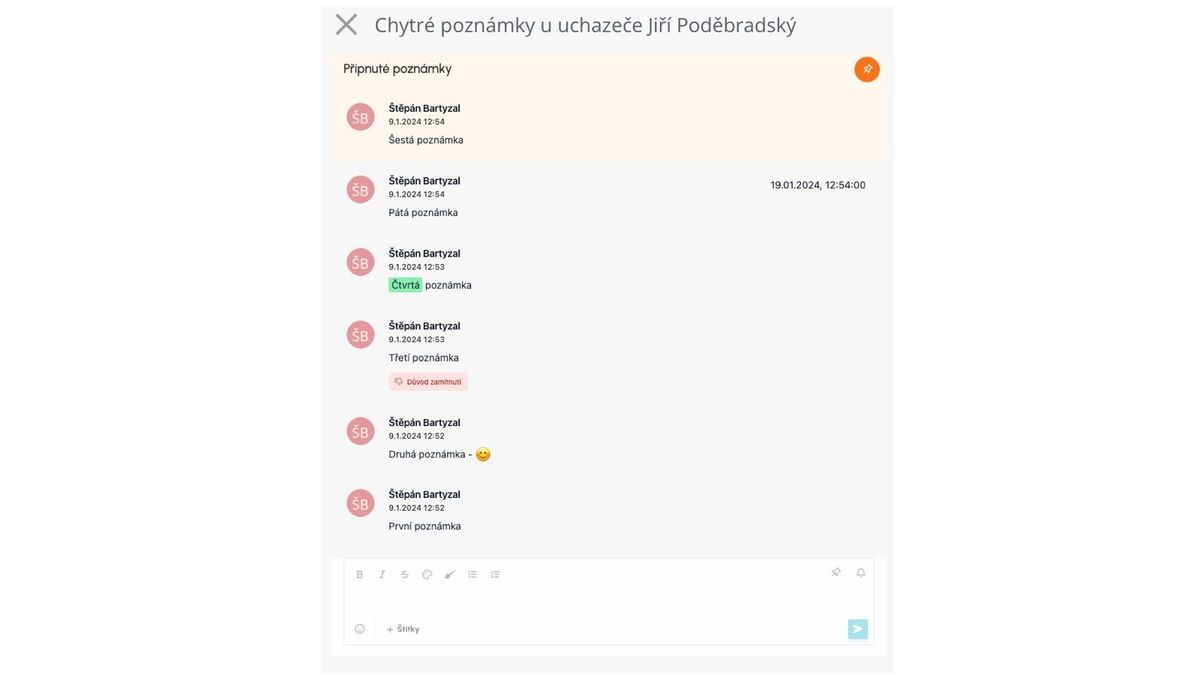
What does the notes editor redesign bring?
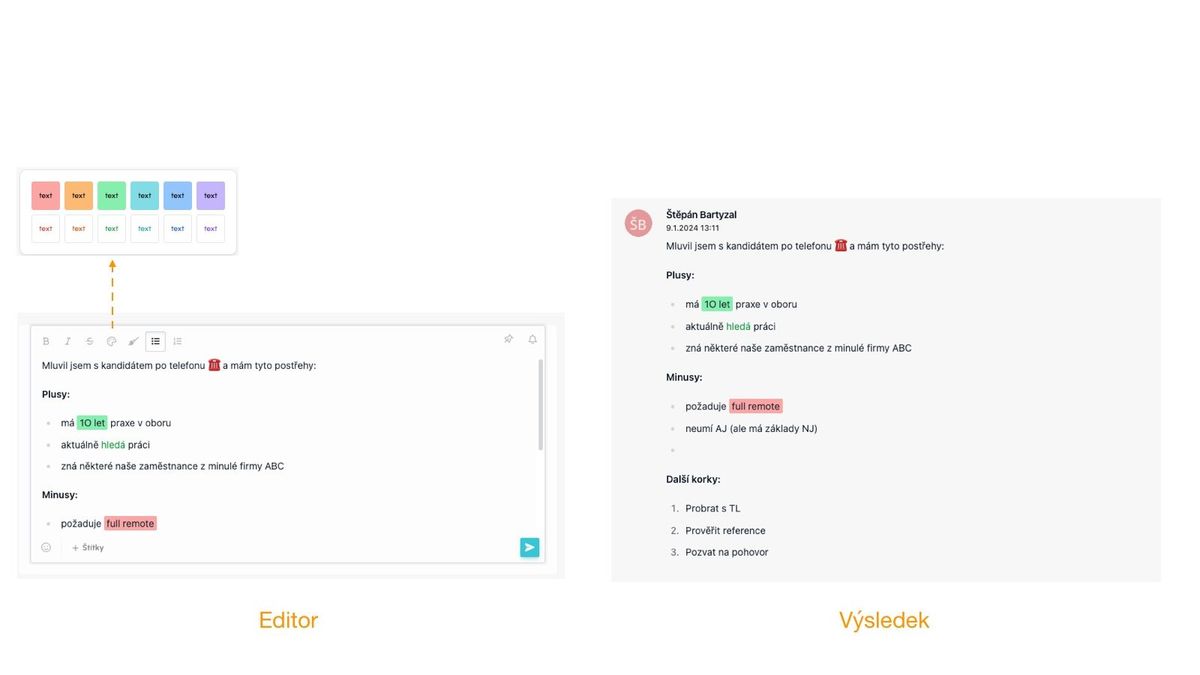
- Text formatting option
- Font formatting - bold, italic, strikethrough
- Highlighting - both text and text background
- Bullets and numbering
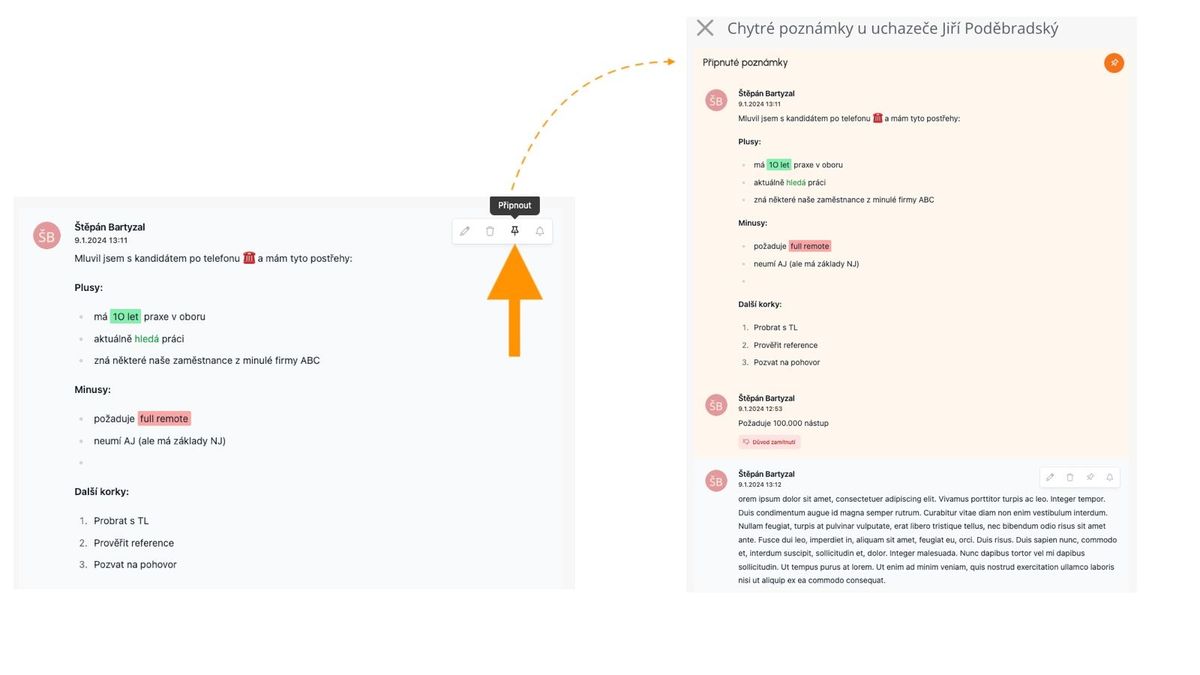
- Option to pin a note to the top
- Notes that are important to you can be permanently pinned at the top for better orientation
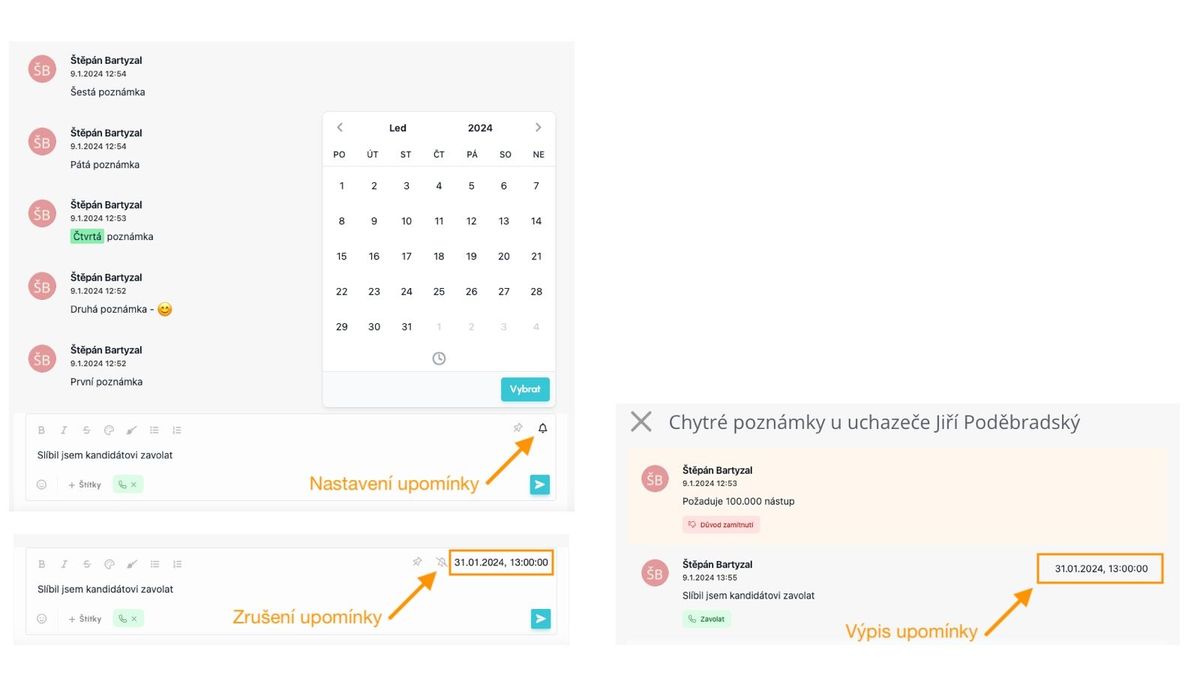
- Clearer note notification functionality
- Easier entry and clearer display of when a notification for the note will be sent
- Better formatting and navigation in longer notes
- Thanks to using a right panel instead of a window in the middle of the screen, situations where, for example, the note was larger than the window and scrolling caused problems will be eliminated
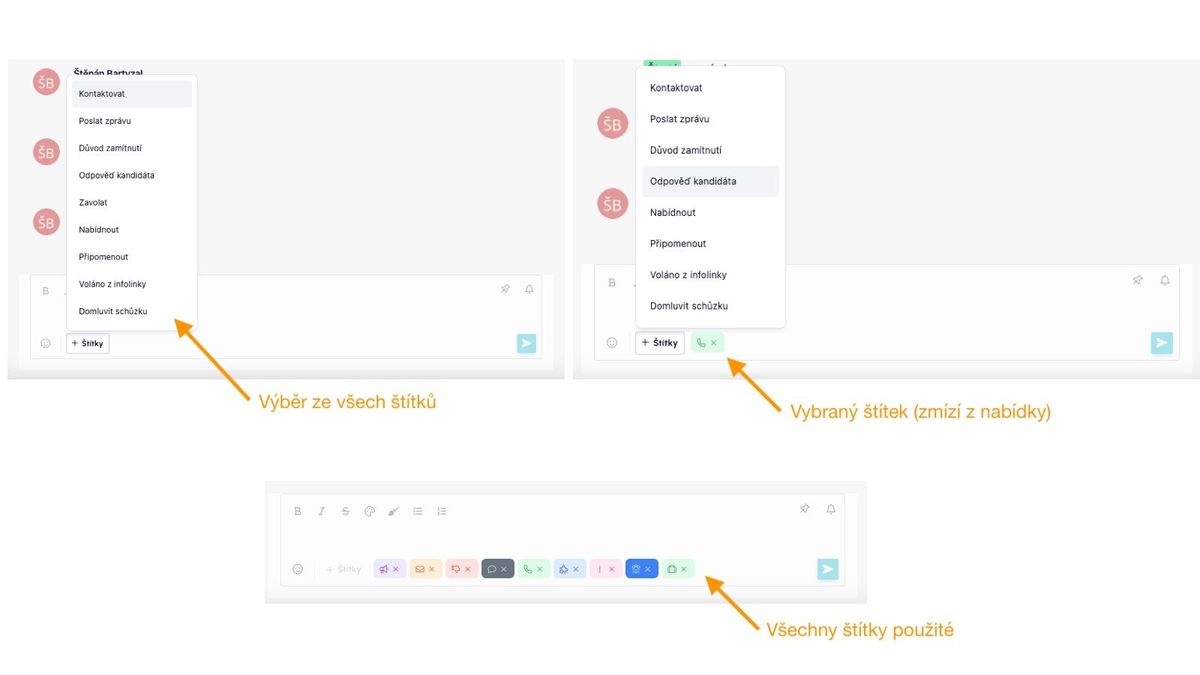
- More tags
- The option to tag notes has been expanded to include "Remind" and "Called from infoline"
The following images show these options in practice: