New Job Listing [Beta]
In Recruitis ATS, we've prepared a new look for the job listing page, which you can now activate using a toggle switch. This is part of a global redesign of the entire application, based on the same design you already know from the new candidate profile, the new talent database, and the new job detail page.
This version is currently in beta testing — meaning it doesn't yet include all functionality, but is fully usable for everyday work. We'd be happy if you tried out the new look and shared your feedback with us. We're continuously incorporating your input, and once all issues are resolved, we'll switch to the new design permanently. We will, of course, notify you of this step in advance via in-app notifications.
How do I switch to the new look?
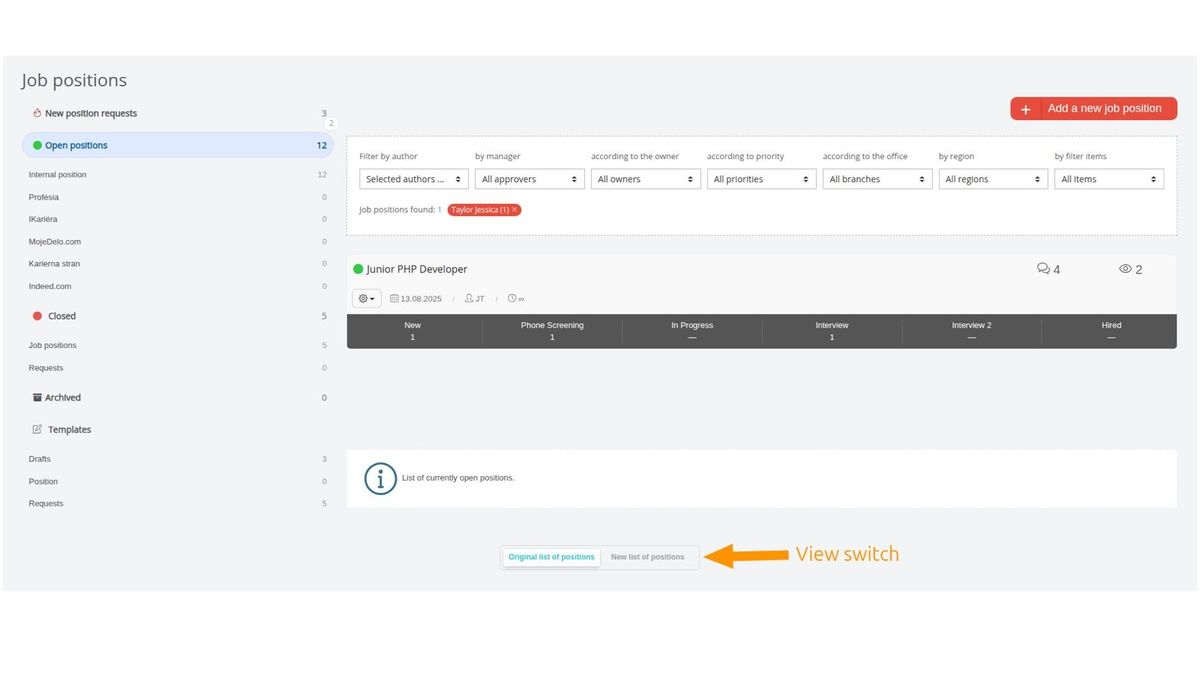
Below the job listing, you'll find a toggle switch that lets you switch between the original (i.e., current) and new view:
What's new besides the look?
Besides the visual redesign, there are several new features and improvements based on your feedback from using the current job listing view.
These are mainly:
- You have two types of row detail views available (compact + detailed)
- For individual positions, you can view a kanban board directly in the listing without having to switch to that specific position
- You can pin your favorite or frequently used position actions directly to the position's row as a "shortcut"
- More sorting options for positions are available (i.e., they're no longer fixed to sorting by creation date)
- The number of positions per page is no longer fixed at 10 — you can also choose 20 or 50
Screen layout
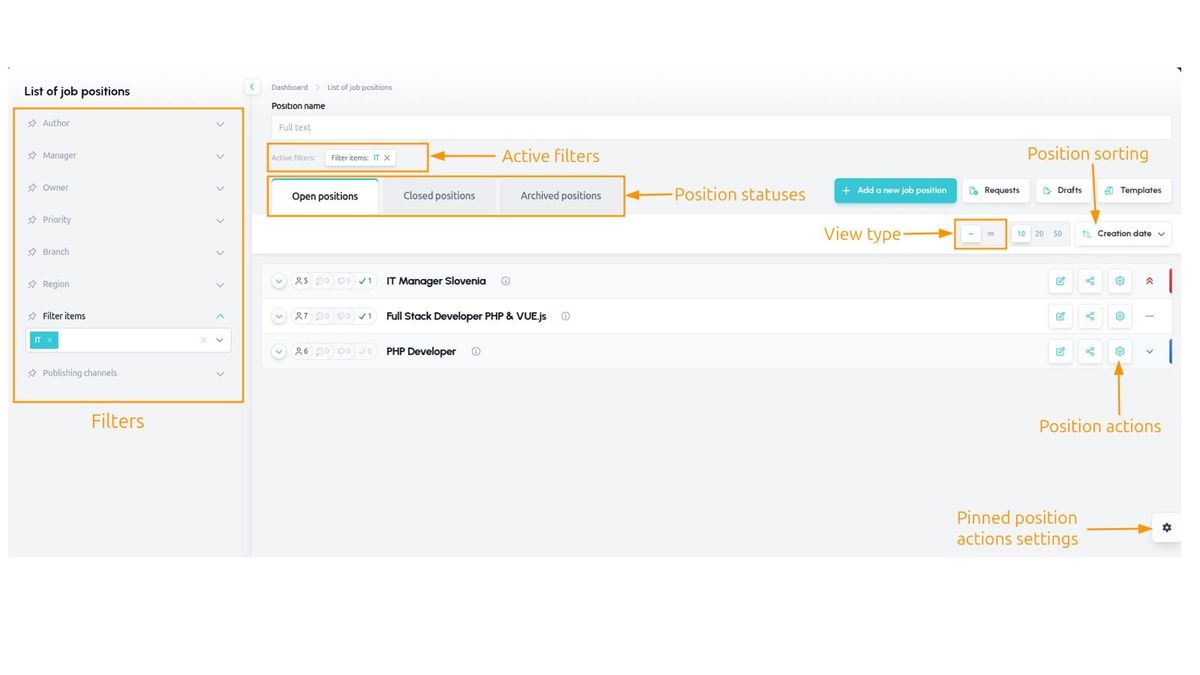
The job listing screen is organized differently now — most notably, the left section no longer contains position statuses (these are now in tabs above the listing), but instead contains filtering, which can be opened and closed.
Compact listing
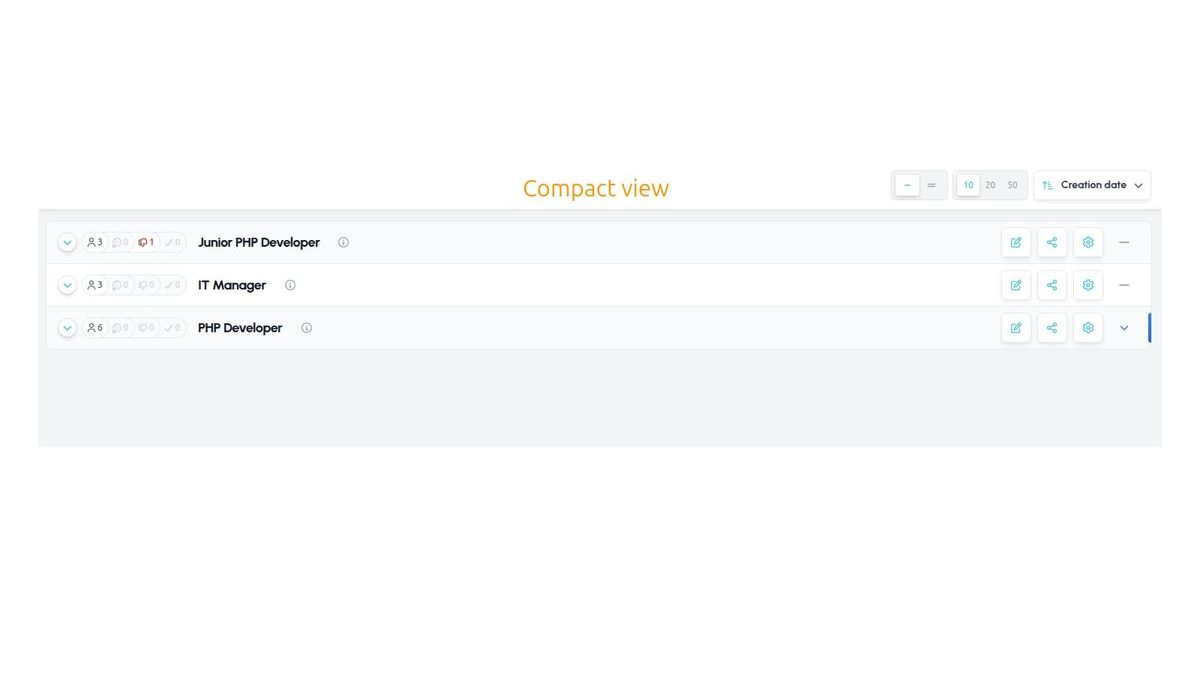
The row contains only the position name, position actions, and a badge showing the number of candidates in various key statuses (active, pre-rejected, rejected, hired).
This view is ideal when you don't need to work with the position's parameters but just want to access a specific position's detail, or for example want to see an overview of positions for a certain filter item (e.g., department, position type), etc.
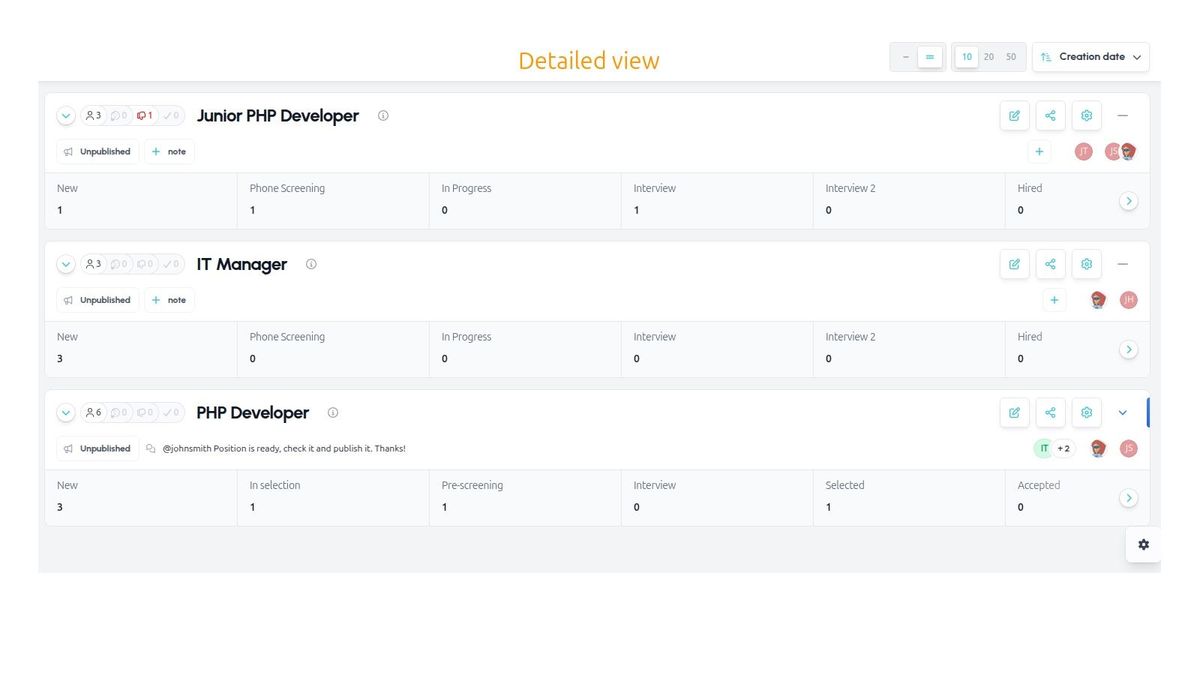
Detailed listing
In the detailed listing, the information on each row is significantly richer. At a glance, you can see, for example:
- Whether the position is published
- Filter items
- Who the position is shared with
- How many candidates are in each workflow status (and whether any are in red or orange SLA)
- Notes on the position
Kanban
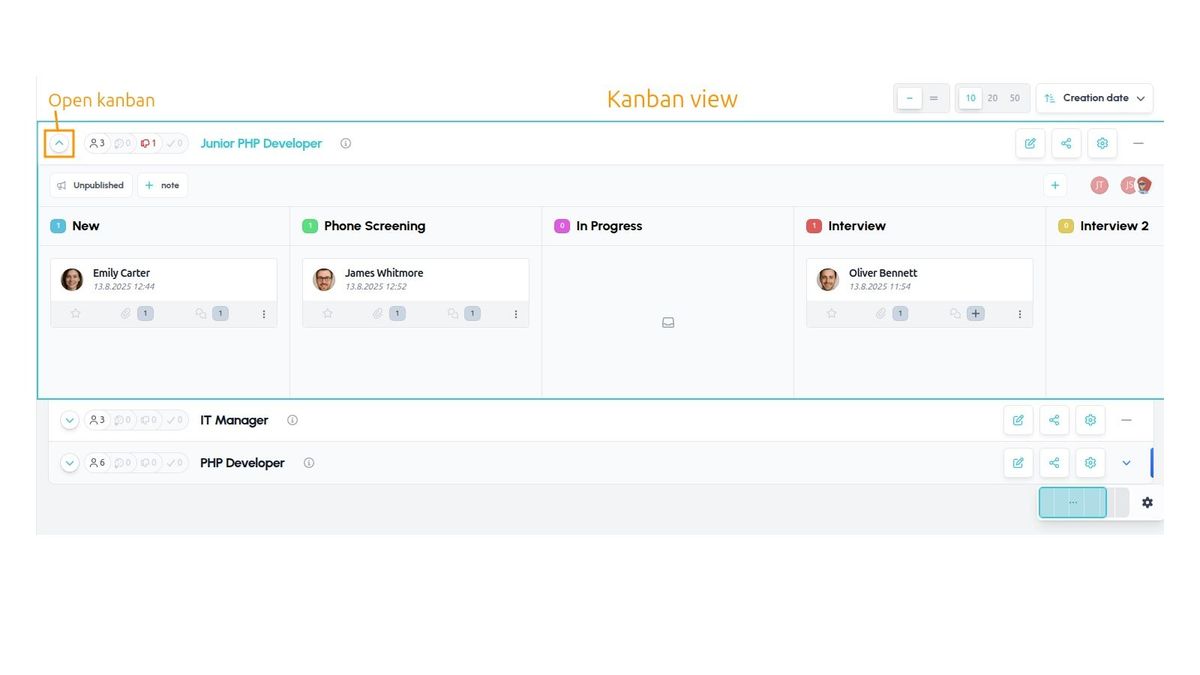
You can now work with candidates directly within the job listing (i.e., without having to click through to the position detail) — simply use the icon on the left to display the kanban view.
The kanban view is identical to the one available in the new talent database and the new position detail, so it will be a familiar and consistent part of working with candidates in Recruitis ATS.
Pinned actions
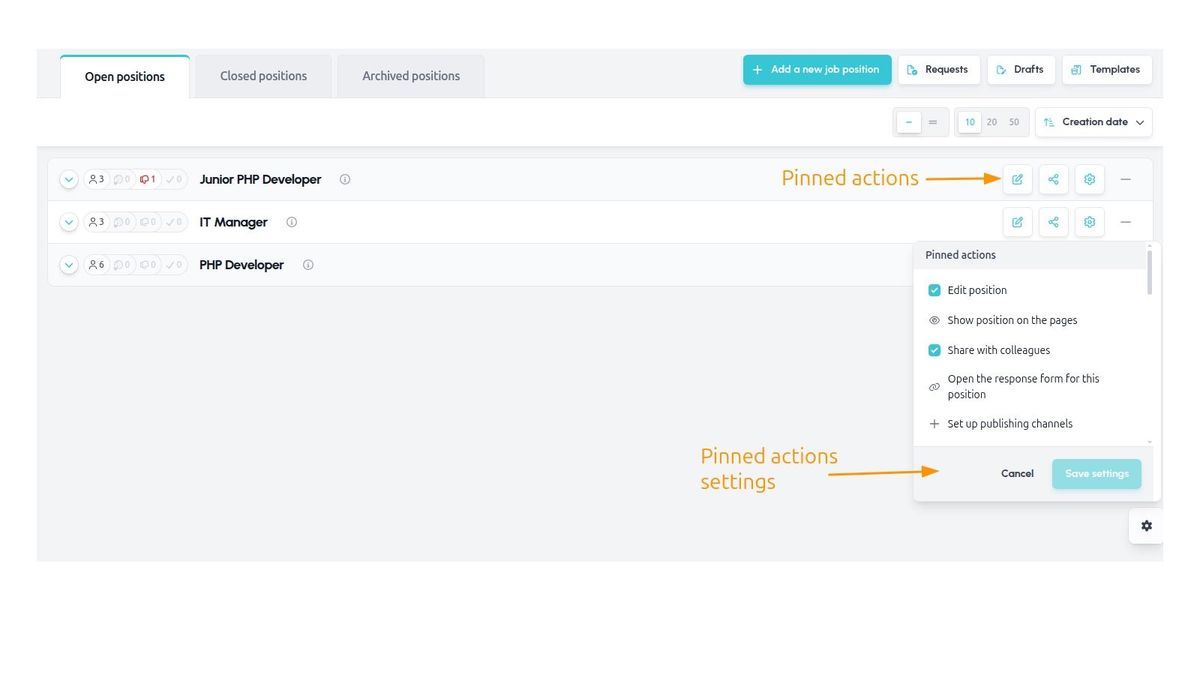
A very useful feature is the ability to select actions from the position's action menu that get pinned as buttons in the job listing.
This means that actions you perform frequently and repeatedly (e.g., editing a position, sharing with colleagues, setting up publication channels, etc.) no longer need to be searched for in the menu — you can call them directly using a button. You can pin multiple actions.
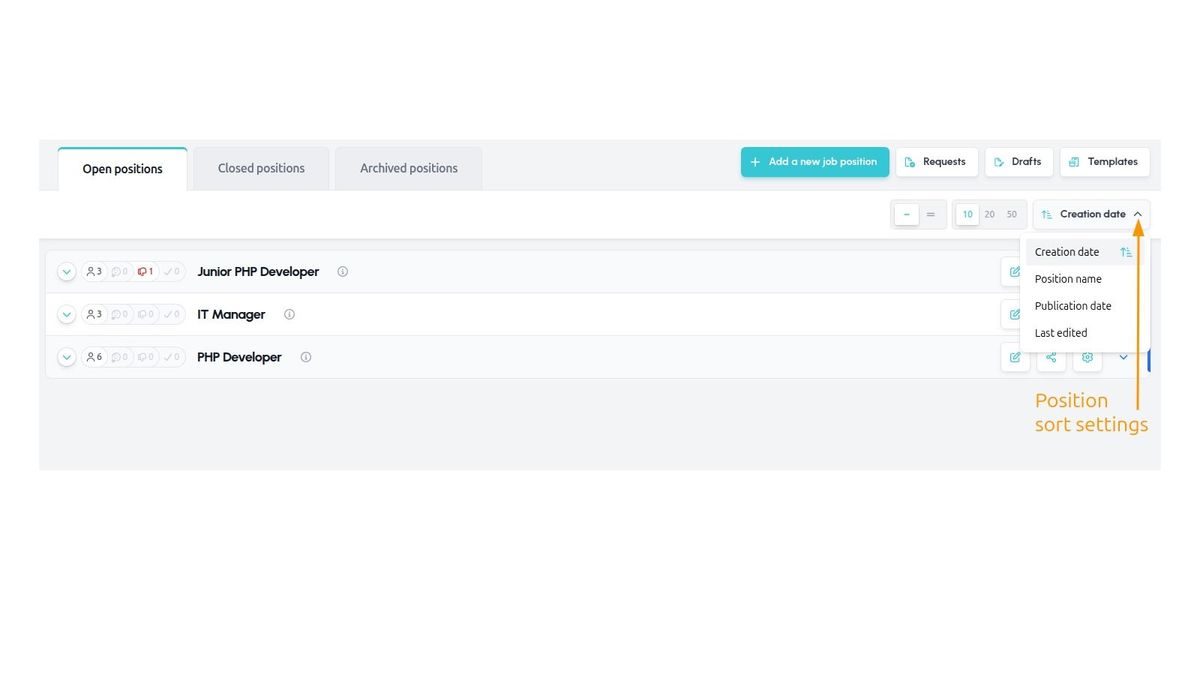
Position sorting
This update also adds new ways to sort positions, which previously were fixed chronologically by creation date, newest first.
You can now sort both ascending and descending by these parameters:
- Creation date
- Position name (alphabetically)
- Publication date
- Last modified