Interview Notes - Transition Between Old and New Card
In the new candidate card design, the principle of saving interview notes has changed (this refers to the entire interview card - interview notes, criteria-based evaluation, and predefined questions).
Notes are now saved for each user by name, so it no longer happens that everyone writes "anonymously" into one box, where they could overwrite or delete each other's notes, and it was impossible to compare opinions of multiple colleagues.
This transition will inevitably create situations where some notes were made the old way (without a specific author), some the new way (with a specific author), and for some candidates it may be a combination if some users enabled a different candidate card display mode than the rest of the company.
We've thought of all these scenarios, and here's an overview of how the individual combinations are resolved and how you'll see the notes.
Examples of individual scenarios:
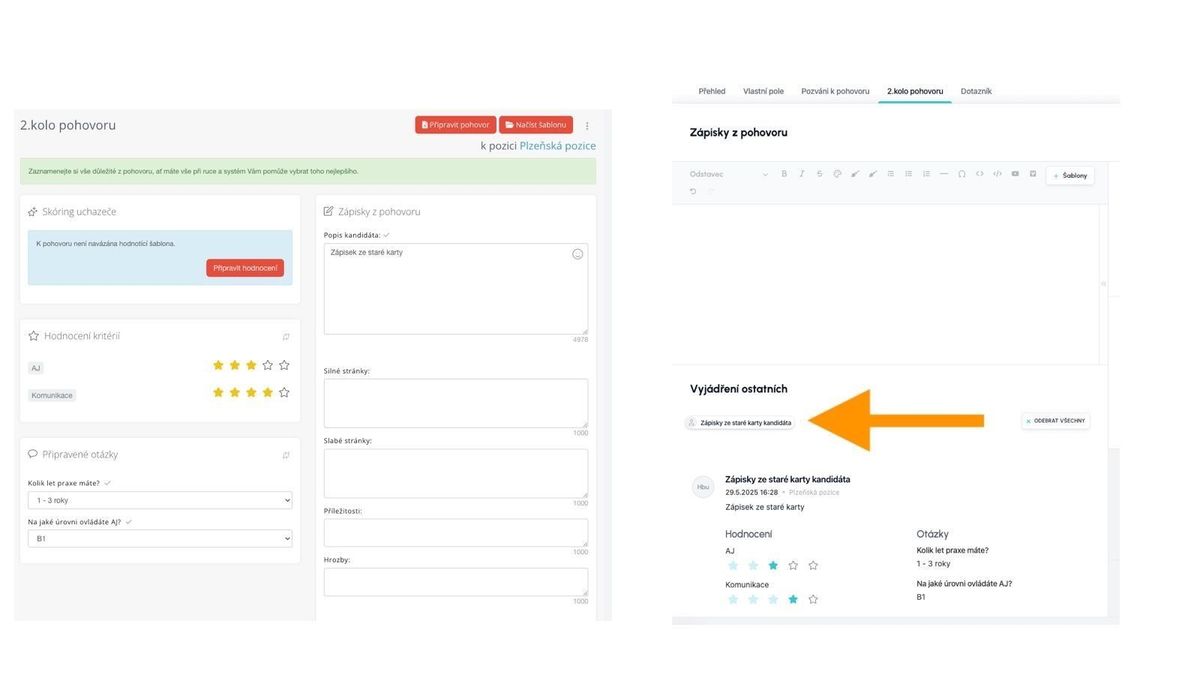
You made notes on the old card:
- Old card - notes remain as they are
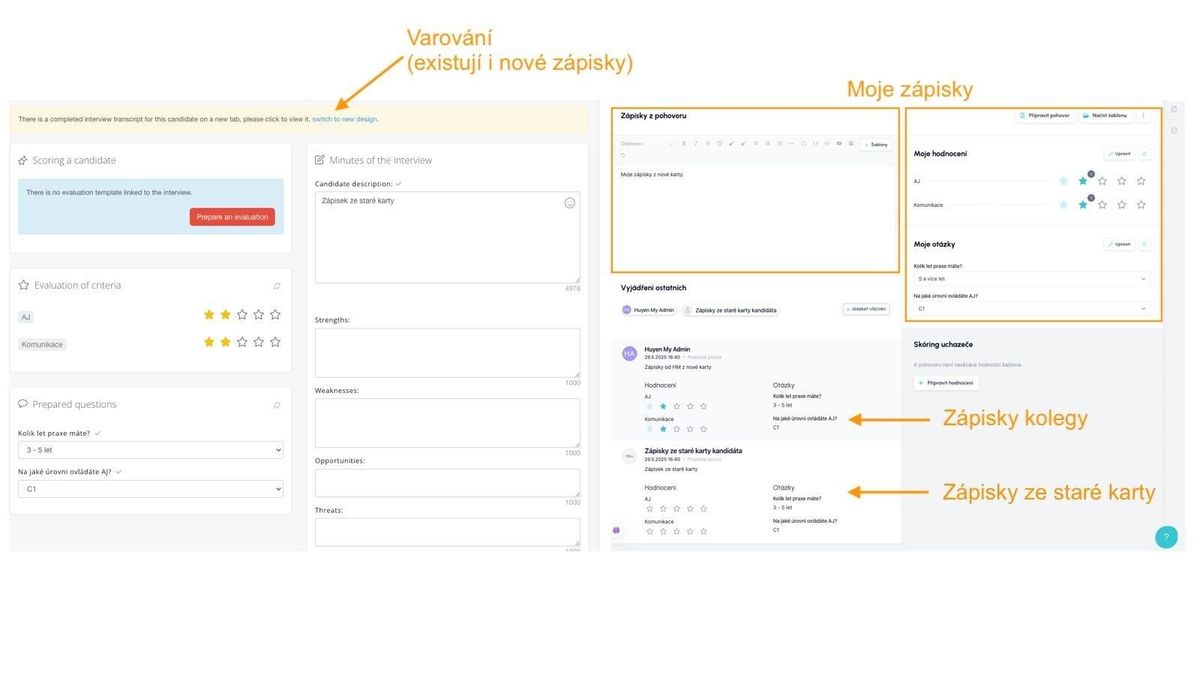
- New card - they appear under the user "Notes from the old candidate card," they are not displayed in the respective fields on the new card because only your own notes and answers are displayed there.
You made notes on the new card:
- Old card - only values written the old way are displayed, but if a record from the new card also exists, a warning with a link to the new version of the card appears
- New card - in the sections "Interview Notes," "My Evaluation," and "My Questions," values written by you personally on the new card are shown; records from colleagues are shown if you expand them in the "Others' Feedback" section