No entries.
Google Chrome Plugin for LinkedIn Message Synchronization
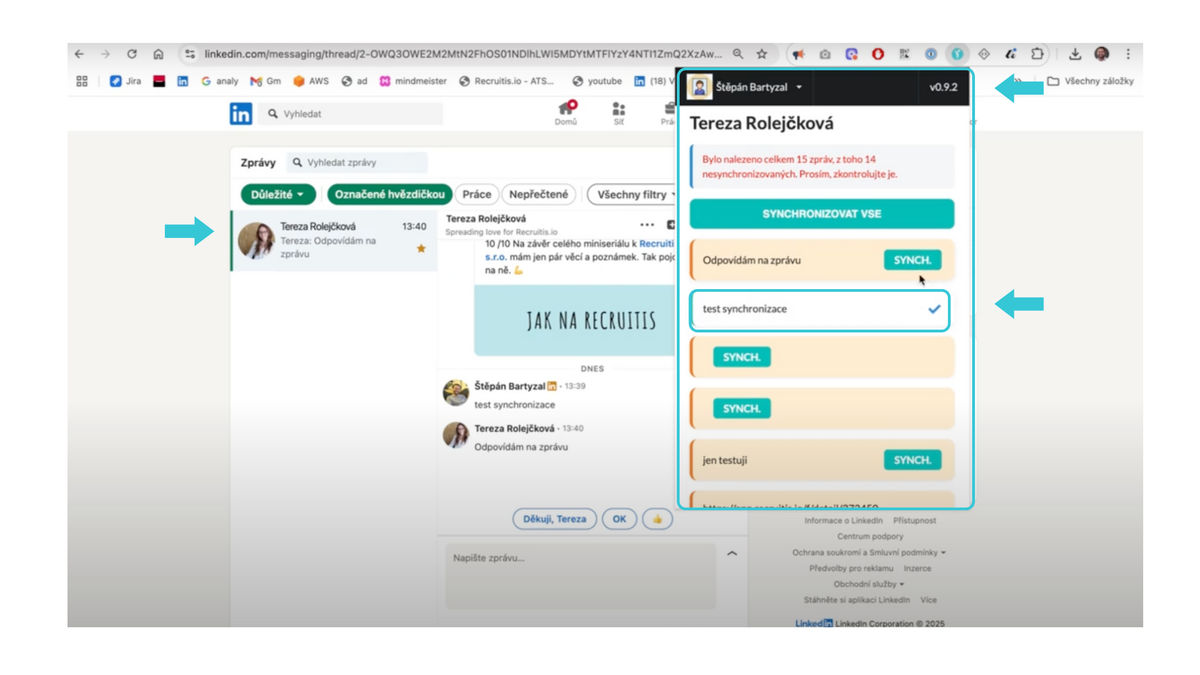
Simply open the specific conversation on LinkedIn, launch the Recruitis plugin (if you don't have it yet, you can download it for Chrome browser here), log in with your credentials, and select the messages you want to synchronize - or you can click the "Sync All" button to upload the entire conversation.
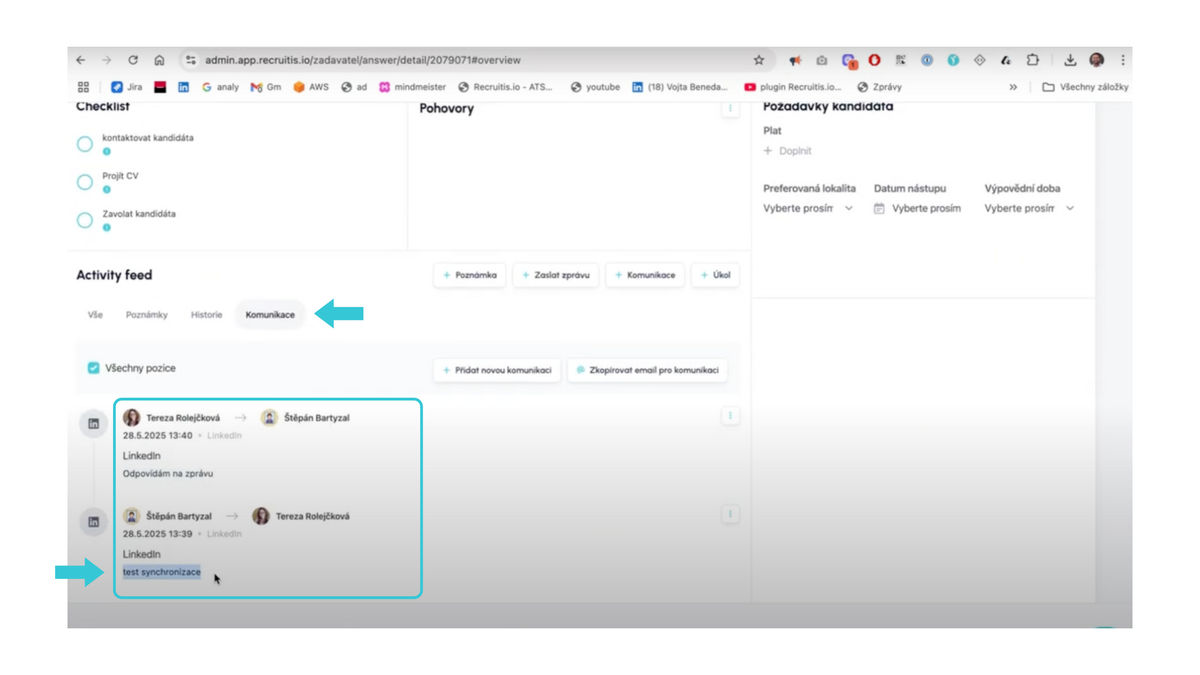
The selected messages will then automatically appear on the candidate's card in the Communication section.
For an overview, here's a short video