No entries.
AI for Job Ad Competitiveness Comparison
The goal of the AI assistant for job ad competitiveness comparison is to give you a quick and clear market overview for your job ad and compare your offer, requirements, etc. with similar ads posted by your competitors.
How to invoke the assistant?
You can invoke the assistant in several places:
- In the position editor, i.e., when creating a job ad
- In the menu of an already created position
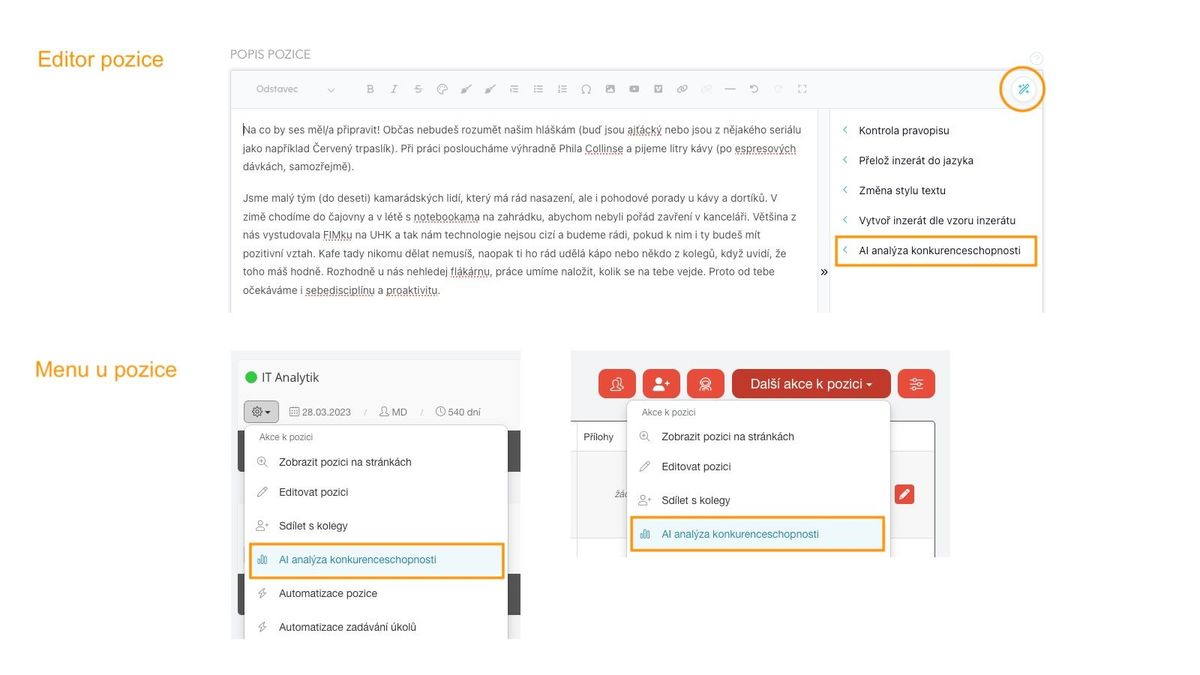
The analysis itself starts after clicking on the given menu item.
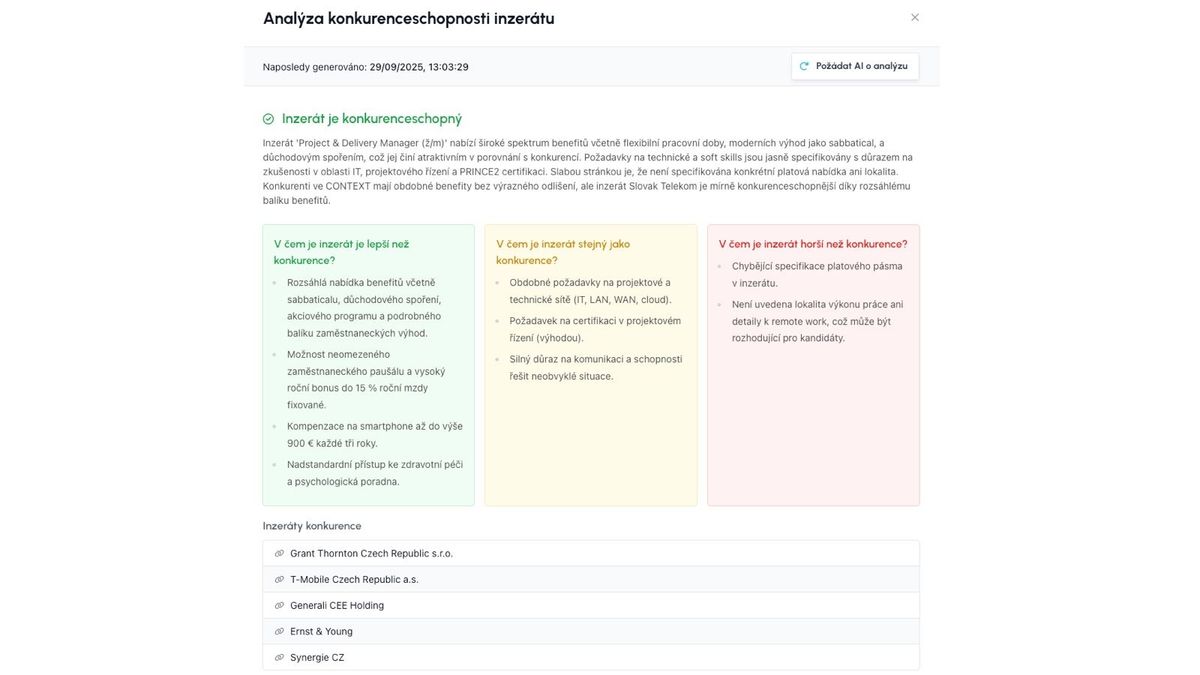
The result is then:
- A summarizing conclusion - whether the ad is or is not competitive
- A more detailed description of where the ad is:
- Better than competitors
- Same as competitors
- Worse than competitors
- Links to selected competing job offers
Good to know
- If a previous competitiveness comparison result already exists, AI is not called again, but if you want to trigger a new comparison based on changes, just click the "Ask AI for analysis" button
- The job title matters a lot - it carries the most weight when recognizing "similar" ads.
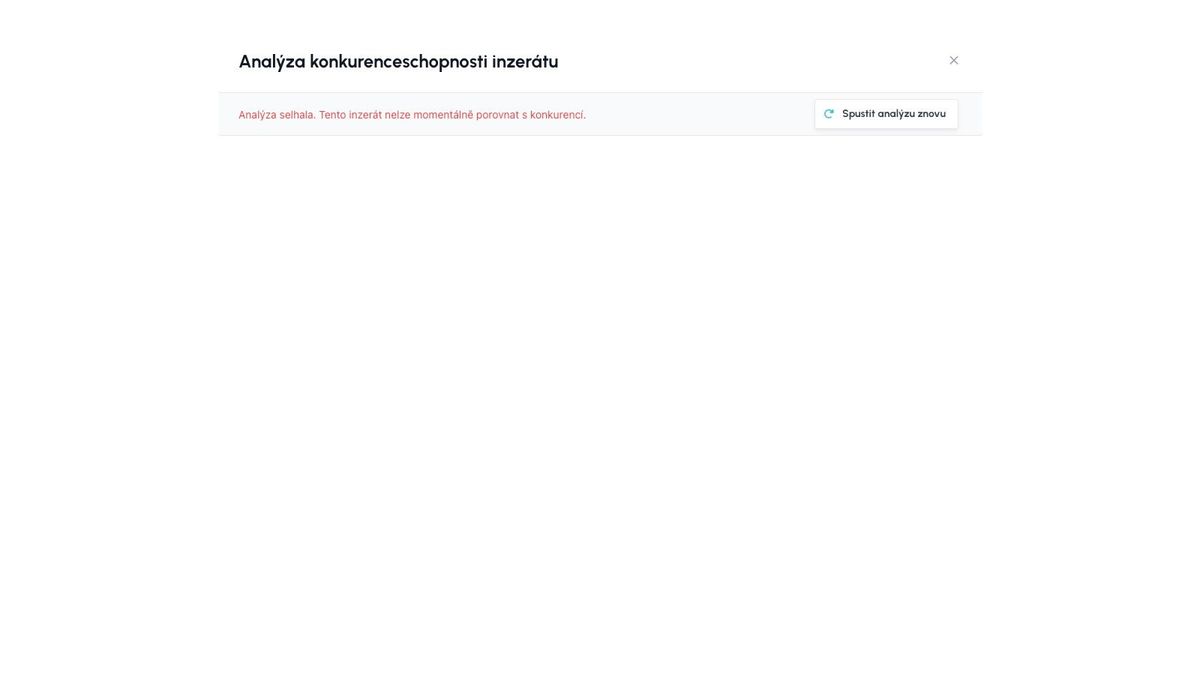
- If no similar ad can be found or if the connection fails, an error message "Analysis failed" will appear.
- This error can be caused either by a technical problem connecting to the AI module, or by a scenario where no competing offer can be found for the given ad (e.g., the position is insufficiently described, or it is a position that really does not exist on the market).